





Key takeaways
- Free Plan: Offers up to 25 envelopes per month.
- Paid Options: Starts with Growth plan at $5 per user/month on annual billing. The Business plan at $15 per user/month adds unlimited envelopes, HubSpot integration, and advanced controls.
- Premium Plan: Flat $99/month, unlimited users, but capped at 250 envelopes.
- Limitations: BoldSign focuses on eSignature but lacks full integration for document drafting, editing, and approval. Its limited CRM and workflow automation, along with document caps, make it less suitable for complex contract processes
- Docupilot Solution: For a more complete solution, Docupilot starts at $29 per month, combining document generation and eSignature in a single flow.
Everything about BoldSign tells you it is the right choice for your team. The plans are affordable, the free tier covers 25 documents a month, and the interface is clean. For teams that need to send a document and get it signed, BoldSign is a good fit.
Contracts in many teams are generated from CRM data, move through approval stages, and are sent in bulk. eSignature alone cannot handle the complexity of these workflows. As teams scale and automate these steps, BoldSign falls short in fully supporting contract workflows and automation.
Such limitations becomes even more evident when you consider the costs of expanding beyond the basic features. In the following sections, we’ll break down how BoldSign is priced, the limitations tied to each plan, and the alternatives worth considering when you outgrow what BoldSign was built to do.
BoldSign pricing, explained simply
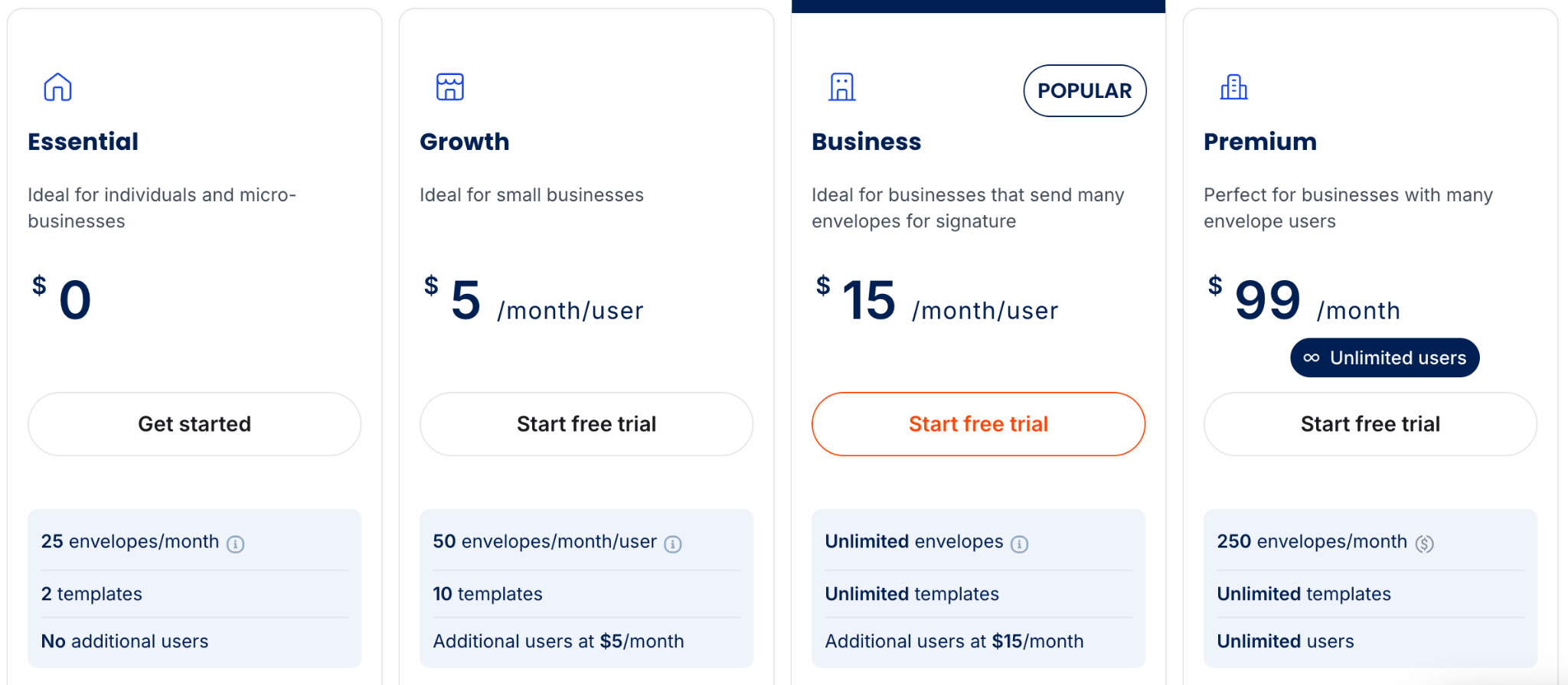
BoldSign offers a free plan and three paid tiers. All prices below are for annual billing, which is what the BoldSign pricing page shows by default. Monthly billing is roughly 40% higher across every paid plan.
At a basic level:
- Free plan: 25 documents per month and 2 templates, for a single user
- Growth plan: $5 per user per month. Covers 50 documents per user and adds team features
- Business plan: $15 per user per month. Unlimited documents, with advanced controls and integrations like HubSpot
- Premium plan: $99 per month. Unlimited users, but the whole account is capped at 250 documents per month combined
Every plan is built around two limits:
- How many documents your team sends
- How many users need to send them
Features like bulk sending, SMS delivery, WhatsApp delivery, and ID verification are add-ons billed separately on top of the plan. BoldSign calls each signature request an "envelope," but for simplicity, this article uses the term "documents" to address them.
Convert spreadsheets into polished PDFs with the Excel to PDF tool.
For teams sending a small number of documents (i.e., fewer than 25 documents a month), the limits are rarely an issue. A free or low-tier plan is usually enough, and there is no real need to track usage or rethink the plan.
However, as your team grows, contracts move through multiple review stages before they're ready for signature. Legal reviews the content, finance checks the pricing, and others make necessary edits.
At this point, the document is moving between teams long before BoldSign enters the process. Each step depends on the one before it, so the team needs a defined approval flow with clear ownership at every stage.
This is where BoldSign's limits show up. It handles the signature step cleanly, but the drafting, editing, and version control that happen before the document is ready still live in the tools the team was already using.
How contracts actually move once multiple steps are involved
When more than one person is involved in a contract, the process becomes a sequence of handoffs.
For example, legal reviews the contract for clauses, finance checks the numbers, sales edits the scope, and finally, a manager signs off. Most teams coordinate this over email or Slack. Only after one person finishes their part and sends it back does the next person pick it up.
This works when the team is small, and only a few contracts are in motion. But when volume grows, multiple documents sit in different stages at the same time. Someone has to remember who has what and whether the latest change was made into the latest version.
BoldSign does have a Reviewer role and signing order, so a document can be routed to legal or finance for approval before it reaches the signers. So, with BoldSign, a reviewer can approve, reject, or leave comments on the document.
What they cannot do is change the contract text itself.
If legal wants to change a clause, the document has to go back to the drafter, be edited outside BoldSign in Word or Google Docs, and be re-uploaded and resent. The drafting, editing, and version control still happen in the tools the team was already using. BoldSign picks up once the document is locked and ready for final approval.
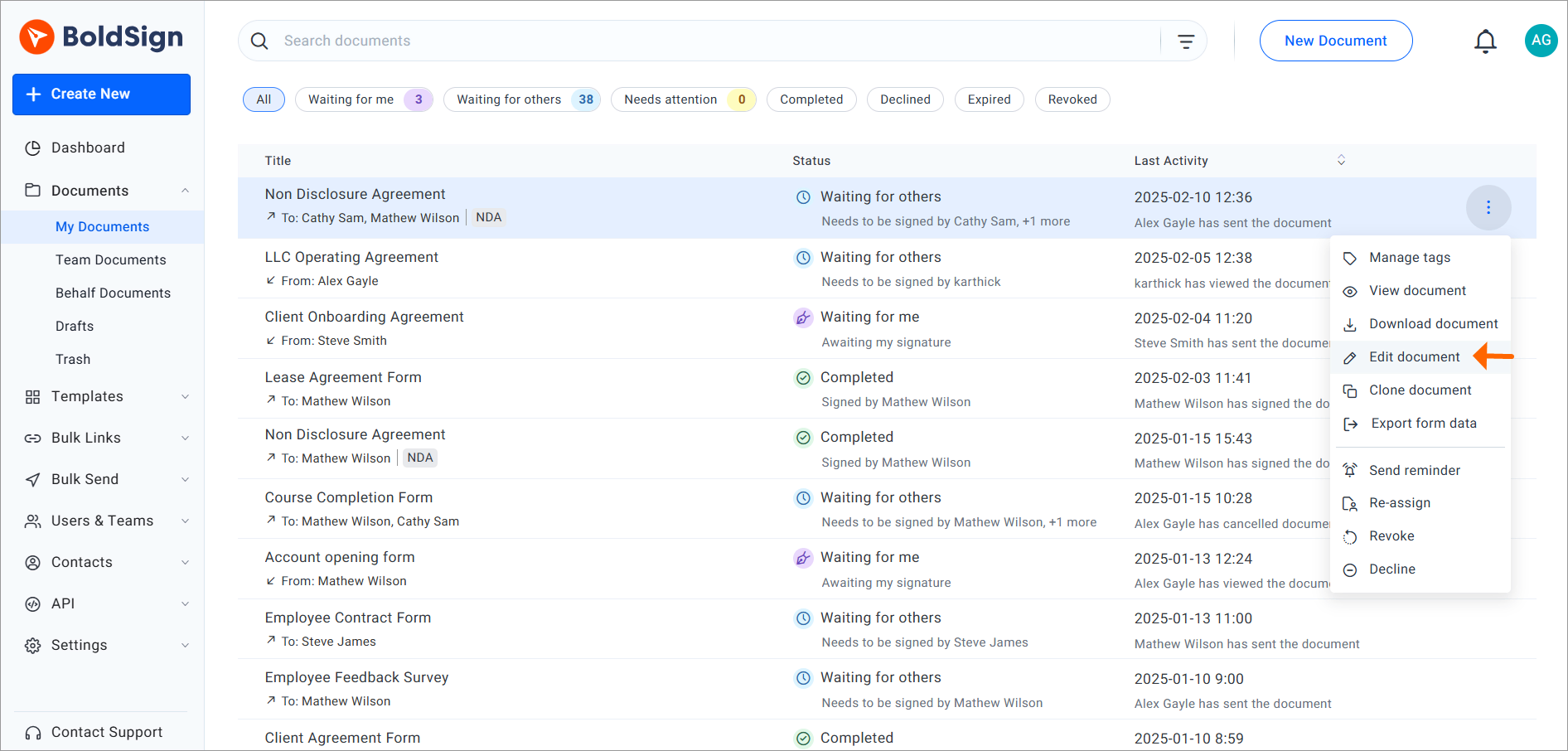
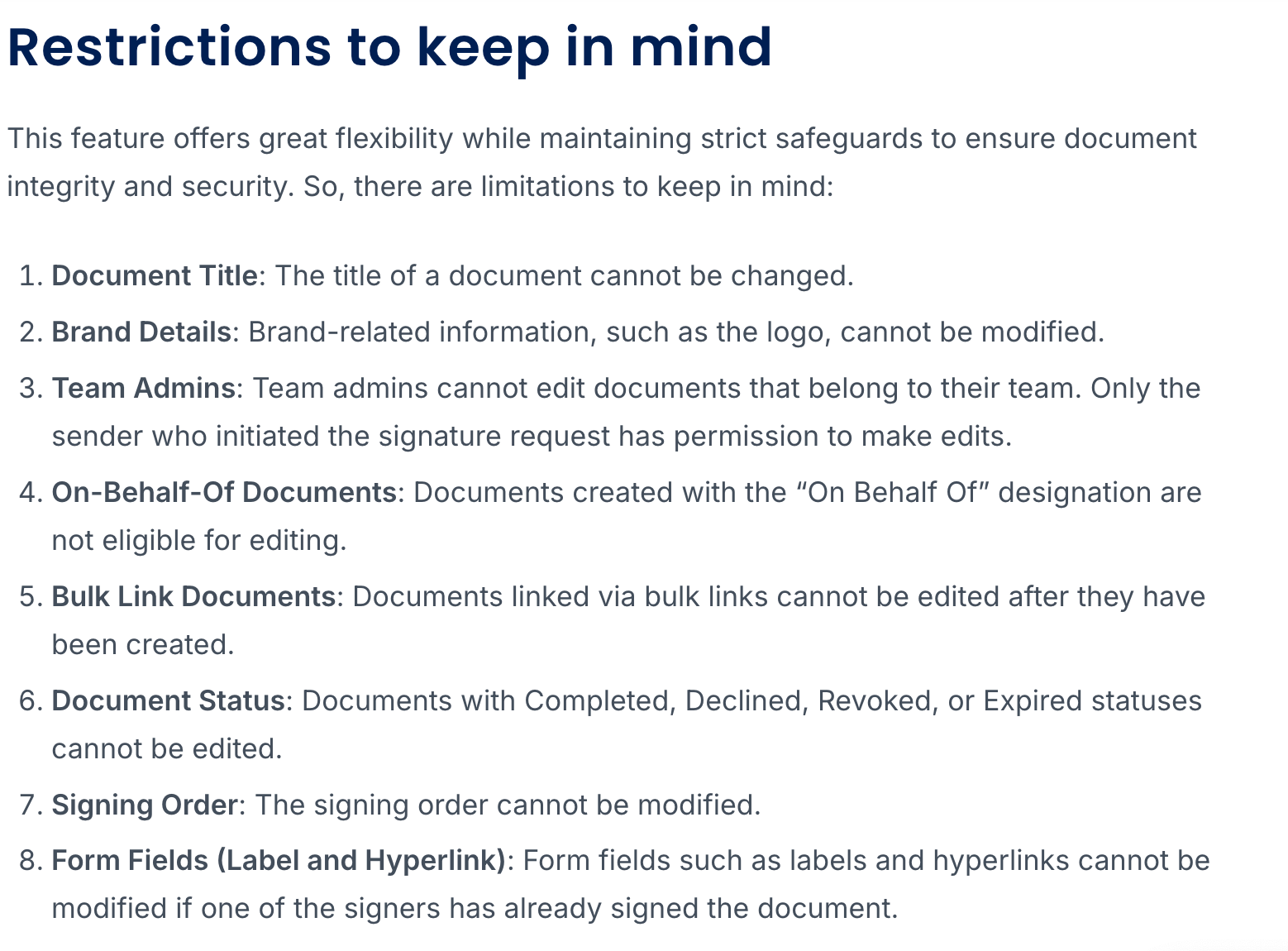
BoldSign's own list of editing restrictions, from their official guide, lists eight editing restrictions for the sender who initiated the document. Editing the contract text is not included as a capability.
For new users, this is the evidence. BoldSign itself lists the restrictions on what can be edited after a document is sent. Changing the contract text is not among the things the sender or the reviewer can do.
If any team spots a clause that needs to be changed, BoldSign’s workflow is designed to reject the document and send it back to the drafter to fix in Word or Google Docs.
The gap BoldSign does not close
TrustRadius put it plainly in their 2025 review summary of BoldSign: "BoldSign is less appropriate for organizations that require complex integrations and automation capabilities for their digital signature solution."

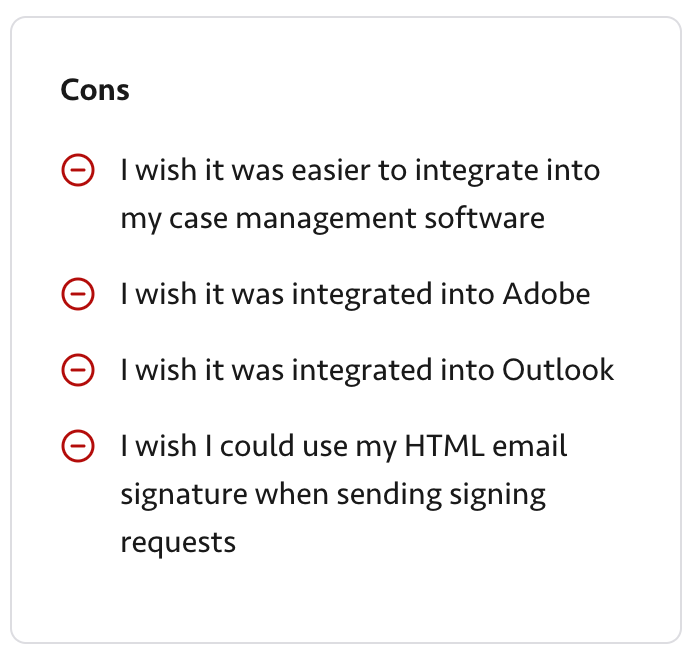
There is another review too. A 2025 reviewer on TrustRadius wished BoldSign had integration with his case management software, Adobe, Outlook, and his email tools. Every gap he named was about connecting BoldSign to the rest of his stack.
Most teams that outgrow a signing-only tool end up wanting the same three things:
- Integrations with the systems they already use
- Automation that removes manual steps
- A way to generate documents from the data that those systems hold
Platforms like Docupilot are built around those three things.
Docupilot starts earlier in the contract process than BoldSign. That means that, Instead of beginning at the signature, it begins at the document itself. A template lives inside Docupilot, and its fields pull from wherever the data already sits (a form, a spreadsheet, a CRM, an Airtable base, or a webhook.) When the data updates, the document is generated automatically and routed for signature in the same workflow.
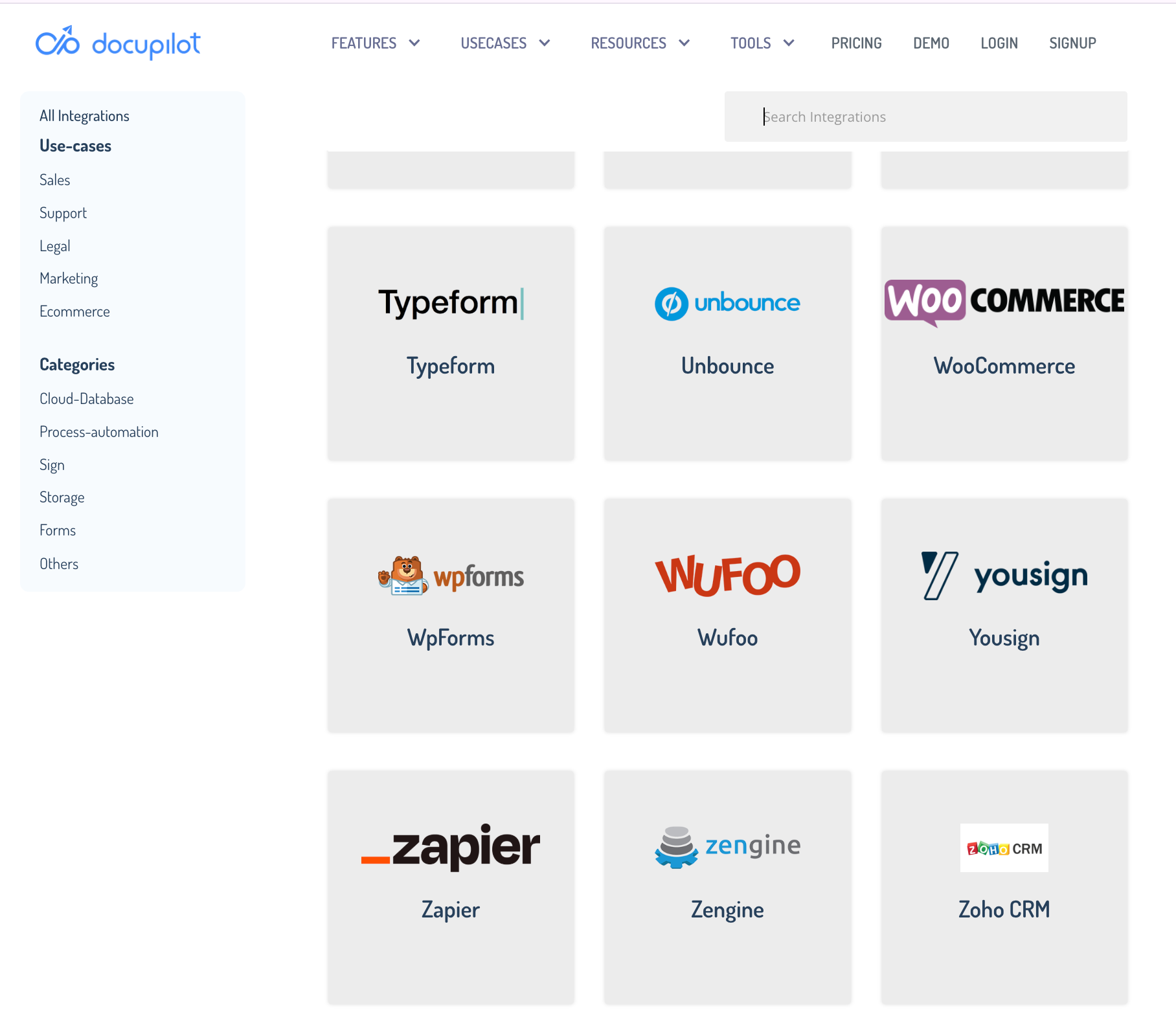
The integrations that the reviewer was asking for are not add-ons here. Docupilot connects to a wide range of tools through direct integrations and platforms like Zapier and Make. That includes the case management, email, and CRM tools that many BoldSign users have asked for.
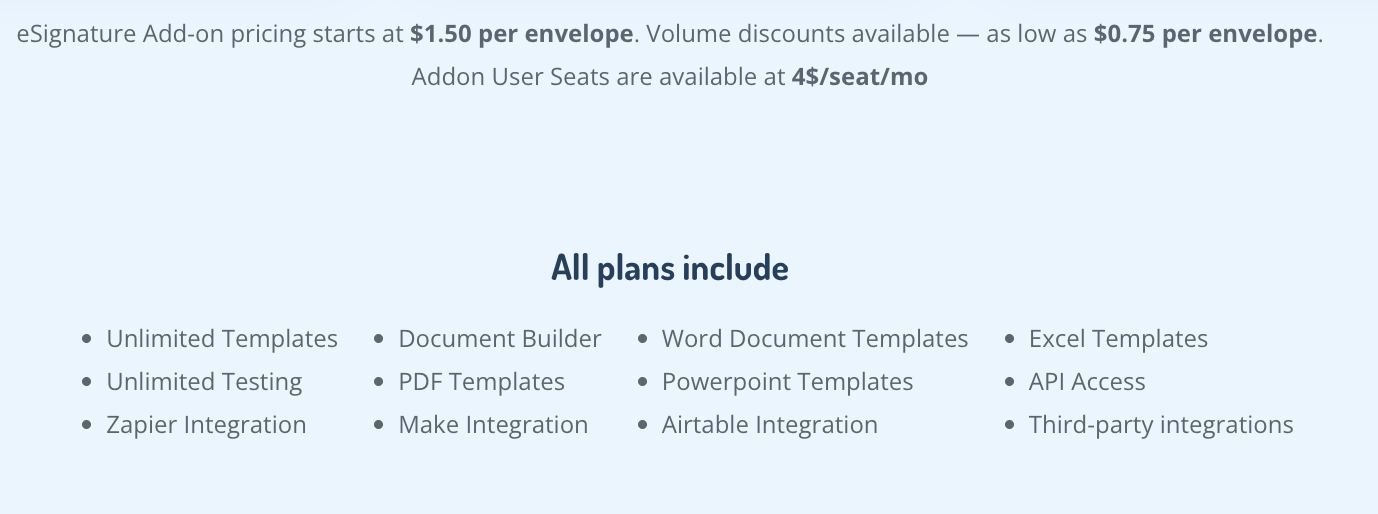
For signatures, Docupilot has its own eSignature feature starting at $1.50 per document. It also integrates with DocuSign, Adobe Sign, Dropbox Sign, and SignNow, so teams already using one of those can keep it. The signature becomes one step inside a workflow, instead of the endpoint of a separate tool.
BoldSign handles the signatures, but with Docupilot, you get to handle the chain the signature sits inside.
Picking the tool for the work you actually do
This article is not about choosing the best tool. It is about matching the tool to the problem you are solving.
BoldSign fits if your contract work looks like this:
- You send documents for signature
- Signing is the final step
- The process ends once the document is signed
For teams working this way, BoldSign keeps the cost low. A small team can sign contracts at $5 per user per month on the Growth plan, or $15 per user per month on Business, both on annual billing.
Docupilot fits if your contract work looks like this:
- You generate contracts from structured data like CRM records or form responses
- Signing is one step, not the main event
- You want the contract to move through your CRM, spreadsheet, or form system automatically
For teams working this way, Docupilot handles the full chain: generation from CRM or spreadsheet data, editing where clauses need updating, routing through approvals, and sending for signature. Paid plans start at $29 per month, with eSignature available as an add-on from $1.50 per envelope.
Consider this math.
A five-person sales team sending 200 contracts a month would pay BoldSign Business at $15 per user on annual billing, which is $75 per month for the team. Signing is handled. The contract generation, the CRM sync, and the follow-up tracking still sit outside the tool.
The same team on Docupilot’s Starter plan at $29 per month, plus 200 eSignature envelopes at $1.50 each, would pay $329 per month.
Turn Word files into shareable PDFs using the DOC to PDF tool.
Docupilot costs more because it does more actions, like pulling generation, approvals, and signature into one workflow instead of leaving them across separate tools. Full pricing for every tier is on the Docupilot pricing page.
Pick the tool that fits your process, not the one that fits your budget
Which is the right tool for you?
Before picking either tool, spend ten minutes looking at your last month of contract work. Not just the signing part, but also the parts before it.
Run through a few questions like: Does your current tool pull contract data straight from your CRM or spreadsheets? Does it route documents through legal, finance, and sales without manual handoffs? Does it trigger the next steps in another system the moment a contract is signed?
If the answer is "yes" to most of these, your current tool is doing the job. Stick with it.
If the answer is "no," then it is high time to shift to a tool that is capable of doing these things.
If you want to see what handling the full chain looks like, start a free 14-day trial of Docupilot. You do not need a credit card to sign up. Map one of your existing contract workflows into it and see how your work simplifies.
FAQs
1. Does BoldSign offer a free trial on paid plans?
Yes. BoldSign offers a 14-day free trial on its paid plans with access to enterprise-level features. No credit card is required to start. Usage limits apply during the trial period.
2. What are the different pricing tiers available on Docupilot?
Docupilot has six plans: Starter at $29, Plus at $99, Pro at $149, Premium at $199, Business at $399, and Enterprise at $699 per month. All plans include unlimited templates and integrations. eSignature is an optional add-on.
3. Can I move from BoldSign to Docupilot without losing my templates and data?
Yes. Docupilot supports Word, PDF, PowerPoint, and Excel template uploads, so most BoldSign templates can be rebuilt. Completed documents should be exported from BoldSign before switching. Docupilot's support team can assist with larger migrations.
4. Can BoldSign signers sign documents without creating an account?
Yes. BoldSign recipients do not need a BoldSign account or a paid license to sign documents. They receive a signing link via email or SMS and complete the process directly from there.
5. Is there a tool that handles contract generation and eSignature in one workflow?
Yes. Platforms like Docupilot combine both in one flow, generating documents from CRM or spreadsheet data and routing them for signature without switching tools. This suits teams whose contract work includes generation, not just signing.
Learn how to automate document creation with Docupilot


Contents
Stop rebuilding the same document by hand.

Generate and sign in one workflow.
Fifteen minutes back, per application.