







Key takeaways
- Gavel is strong for legal automation, but pricing scalability, integration gaps, and workflow limits push some teams to explore alternatives.
- Docupilot, Knackly, Legito, Spellbook, and MyCase differ in automation depth, legal focus, operational scope, and pricing structure.
- Choose Docupilot when you need bulk document generation with flexible pricing, API access, and an embedded editor.
Top 5 Gavel Alternatives in 2026
If you are looking for Gavel alternatives, you have likely run into its limitations.
Maybe:
- You are a solo practitioner or a small law firm, and the pricing structure is not what you can work with?
- You are building large-scale legal automation products, roadmap visibility matters, and Gavel doesn't have either?
Gavel is a strong legal automation platform, no doubt. But when document automation becomes a central part of your work, limitations around workflow complexity and pricing start to affect how fast you can move.
At that point, it makes sense to explore other tools. If you're also weighing legacy platforms like HotDocs, our roundup of HotDocs alternatives covers the modern options.
This guide breaks down the best Gavel alternatives. Instead of generic feature lists, you will see what each platform truly does well, where it falls short based on real user feedback, who it is built for, and whether it will solve your current challenges.
Why consider a Gavel alternative in 2026?
Here are the main reasons teams are considering Gavel alternatives. These are based on current industry insights and user feedback from review and comparison sources online.
- Pricing gets expensive as document volume increases
With annual billing, Gavel's pricing starts at $83/month and goes to $417+/month at the enterprise tier. Each plan caps the number of templates, builder seats, and integrations available. Exceeding those limits means a mandatory upgrade to the next tier.
As a reviewer noted, "We experienced a significant pricing change a few months into our one-year contract, without any notice. Several features we had been actively using were suddenly removed from our plan, and we were informed that regaining access would require upgrading to a significantly more expensive tier—nearly triple the original cost. This was frustrating and impacted our workflow (e.g., we could no longer edit our templates).”
- eSignatures require the Pro plan
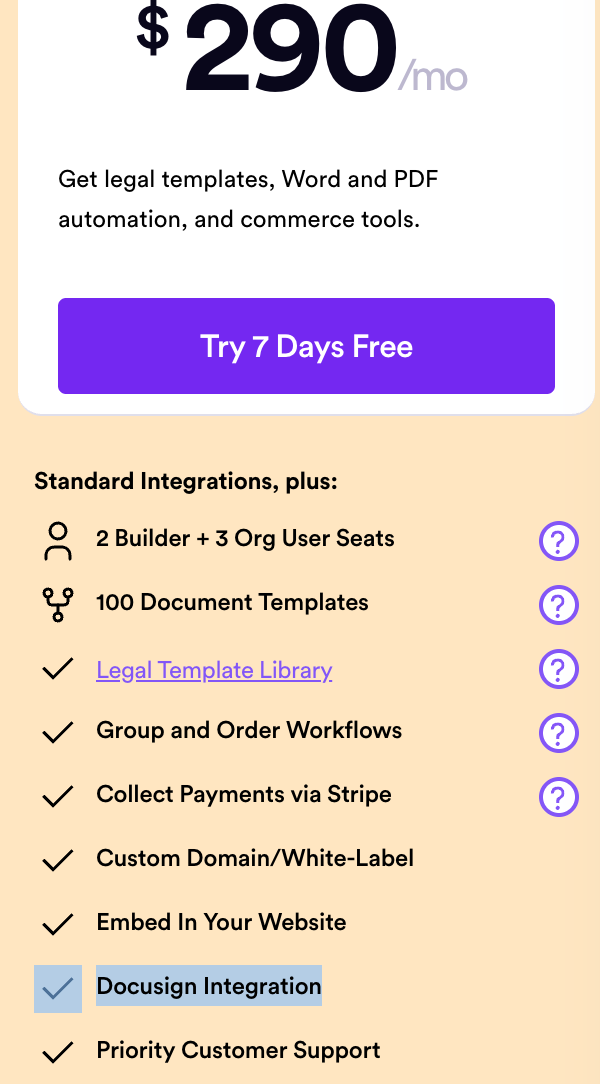
DocuSign integration is available from the Pro plan at $290/month. Teams on Starter or Standard tiers need to upgrade before they can send documents for signature inside Gavel, which adds cost for firms where signing is part of every document workflow.
- File uploads inside workflows have limitations
One reviewer ran into issues while uploading Excel files and larger PDFs inside Gavel workflows. For law firms where clients regularly submit supporting documents as part of intake, this adds an extra step outside the platform.

The same reviewer also noted that the builder interface, while functional, feels less refined than expected for a platform at this stage. For attorneys managing multiple active workflows across practice areas, small friction points in the builder add up over time.

These are the most common reasons teams start looking elsewhere. There are others too, like template limits, weak Zapier connections, or needing automation beyond legal workflows.
To make it easier, we put together a list of tools teams actually move to when they outgrow Gavel.
Top Gavel alternatives to consider in 2026
Here are the alternatives at a glance:
Docupilot
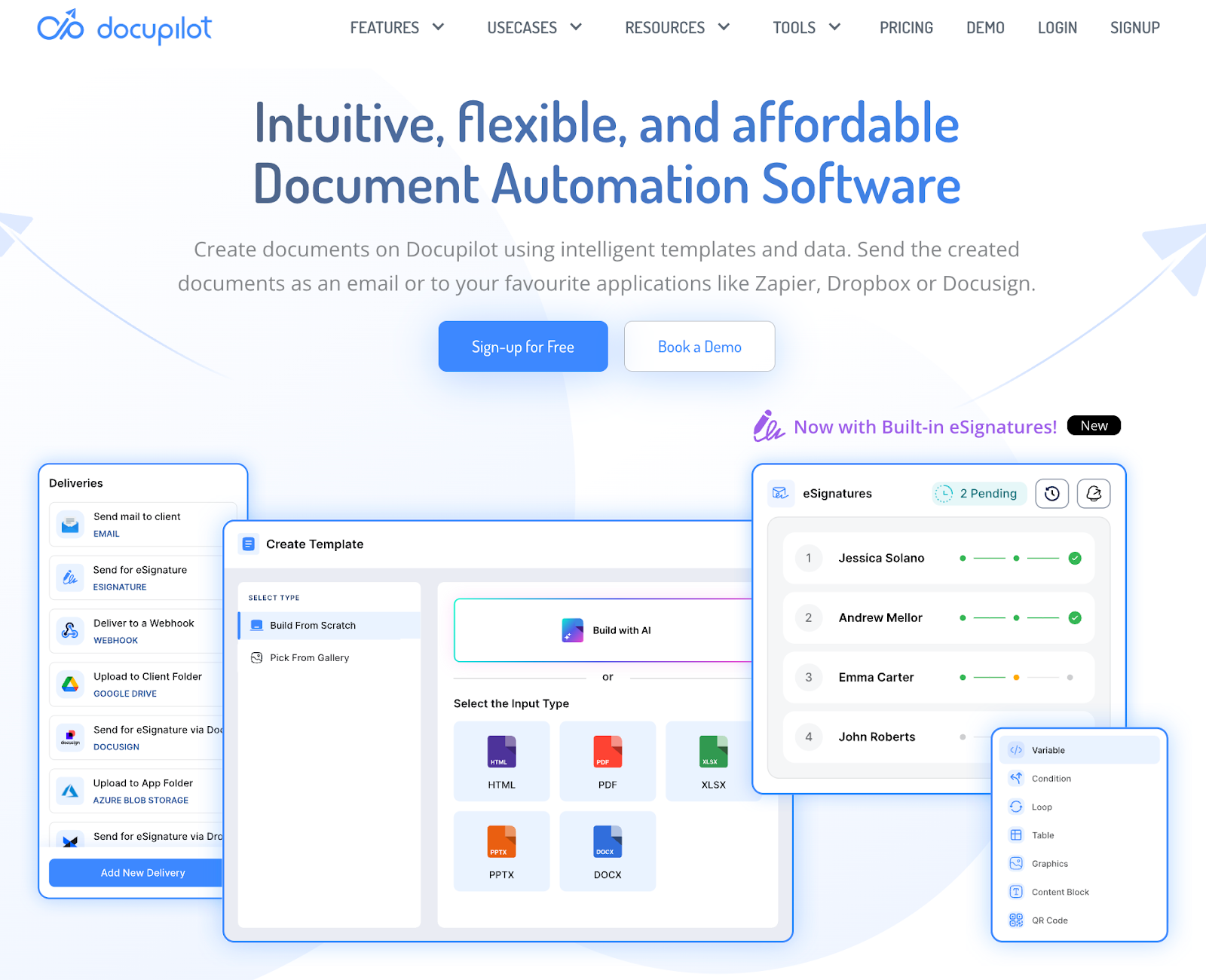
Docupilot automates document generation at scale using reusable templates, dynamic data mapping, workflow triggers, and built-in delivery workflows. You connect your templates to a data source, set a trigger, and the document is generated and sent out automatically.
For legal teams, Docupilot integrates natively with Clio, so client information, such as contact details and case information, flows directly into your document templates without manual entry.
Unlike Gavel, where pricing scales by seats and template limits, Docupilot starts at $29/month and scales based on how many documents you generate each month. Unlimited templates are included across all plans, so your template library growing never forces a tier upgrade.
On eSignatures, Docupilot offers it as an add-on starting at $1.50 per envelope, with volume discounts available down to $0.75 per envelope. This gives you control over what you spend based on actual signing volume.
On file handling, Docupilot supports document delivery directly within workflows, including sending completed files to storage tools like Google Drive, without needing external tools.
If you run into challenges during setup, the in-app chatbot connects you with customer support directly.
Key features of Docupilot
- API access: Say your CRM marks a new client deal closed. With Docupilot, the client details are picked automatically, and a contract is generated, without anyone on your team touching it. That is what API access enables.
- Intelligent template builder: You have an engagement letter you use for every new client. Upload it, mark the fields that change each time, like client name, date, and fee, and the AI Copilot builds the template around them. Every time a new document is needed, those fields fill in automatically.
- Embedded editor: You spot an error in a generated document. Fix it directly inside Docupilot, without downloading, editing in Word, and re-uploading. Everything stays in one place.
- Document delivery and e-signature workflow: A contract is ready to go. Docupilot sends it to the right person for signing automatically. After signing, the completed document is saved to your Google Drive, CRM, or any other connected tool.
- Multi-format export: Your client needs a PDF but your internal system needs a DOCX. One template in Docupilot generates both, without rebuilding anything from scratch.
- Security and compliance: Your firm handles sensitive client data across multiple matters. Documents are protected with encryption, role-based access controls, password protection, and audit trails. You control who can access, edit, or view each document.
Docupilot’s Pros
- Easy to use and intuitive interface: As one reviewer put it, "The app is very easy to use, it helps me a lot with my document editing and management." Users frequently mention minimal setup time and a smooth experience from day one.
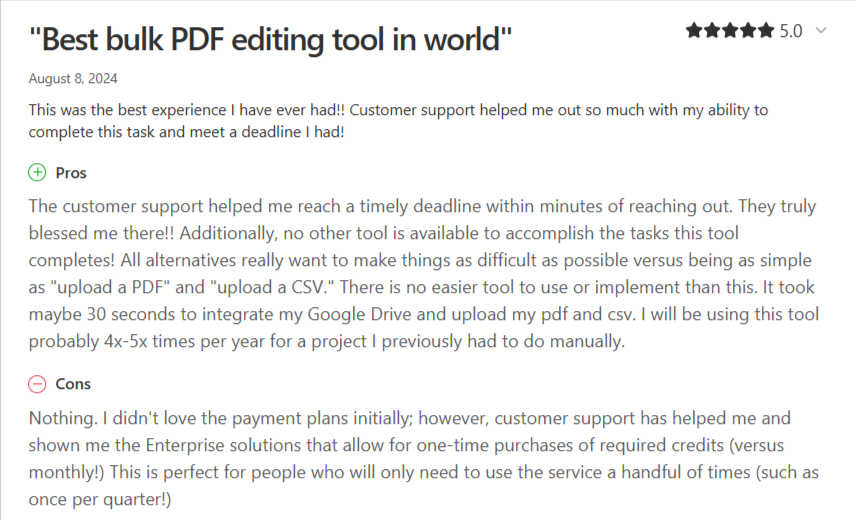
- Hands-on customer support that solves real problems: Docupilot's support team does not just answer questions; they help you find the right plan and get your integrations working. One reviewer shared that support moved them from a plan that did not fit their business to one that does, and helped them set up a Zapier workflow to automatically send documents to their users.
- Saves time on repetitive document work: One reviewer shared that after trying Docupilot to speed up paperwork, it saved them a significant amount of time on tasks they were doing repeatedly. The ability to generate documents through APIs and conditional logic made the process straightforward.
- Built for sensitive data: For teams handling confidential information, Docupilot's compliance with industry standard regulations made it an easy pick. One reviewer specifically noted that compliance was a deciding factor when choosing the tool.
- Granular team permissions: One reviewer was able to configure exactly which team members could access which templates, keeping each person focused on their area of work without touching unrelated documents.
Docupilot’s Cons
- Docupilot is not focused on interactive web proposals.
- It has a learning curve for complex setups.
Docupilot’s Pricing
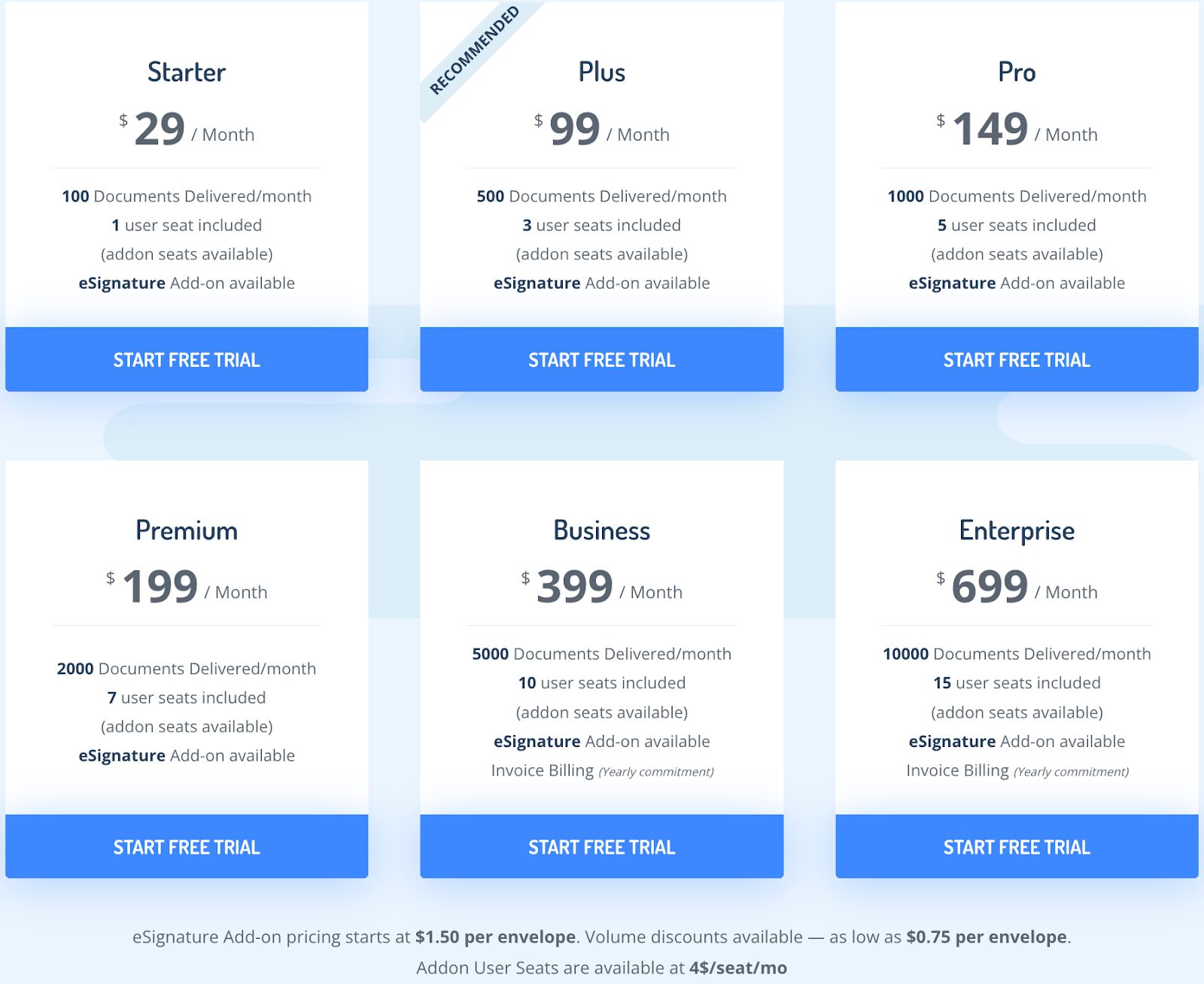
If you want to try Docupilot before committing, you can sign up for a 14-day free trial. Paid plans are structured around the number of documents generated and delivered each month, with higher tiers offering increased document limits and additional user seats. All plans include unlimited templates.
- Starter: $29/month for 100 documents and 1 user seat
- Plus: $99/month for 500 documents and 3 user seats
- Pro: $149/month for 1,000 documents and 5 user seats
- Premium: $199/month for 2,000 documents and 7 user seats
- Business: $399/month for 5,000 documents and 10 user seats
- Enterprise: $699/month for 10,000 documents and 15 user seats
eSignature is available as an add-on starting at $1.50 per envelope, with volume discounts available down to $0.75 per envelope.
User reviews for Docupilot
Knackly
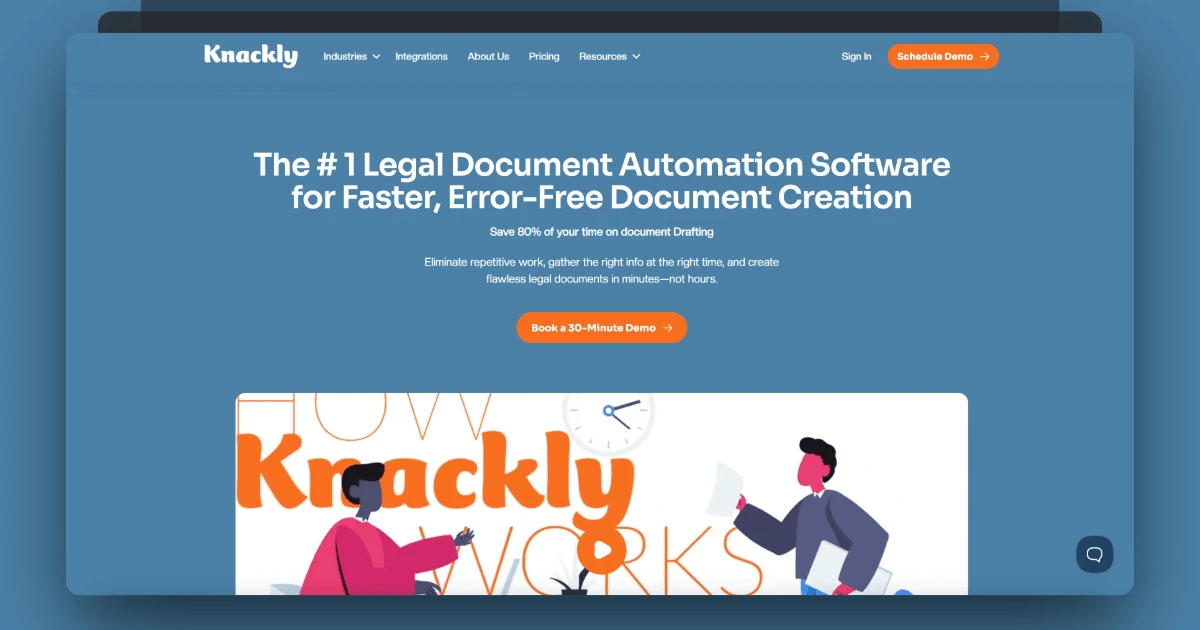
Knackly is built specifically for law firms that handle structured, high-volume legal documentation. It automates the full drafting process, from client intake to document generation, so attorneys spend less time on paperwork and more time on casework.
Here is what that looks like in practice:
An estate firm in upstate New York was spending 14 hours every week drafting two documents they used regularly for clients with complex real estate holdings. After setting up Knackly, the same task took 3 hours. That is 11 hours saved, every single week, on just two document types.
The way Knackly works is straightforward. When a client responds to an intake form, their answers determine which questions come next, which documents get generated, and what language appears in those documents. A residential buyer gets different clauses than a commercial one. A client with dependents gets different estate planning documents than one without. The form adapts, the documents adapt, and the output is consistent every time, same formatting, same clause language, same data across every file in the set.
For firms already on Gavel's lower tiers and hitting template or seat limits, Knackly's Plus plan starts at $250/month and includes client intake forms, PDF automation, and integrations with Clio, Curo365, and OneDrive. It is a higher starting price, but the automation depth is built for firms where document volume and complexity are already significant.
Key features of Knackly
- Client intake automation: A new client needs to be onboarded. Instead of your team manually collecting information and transferring it into documents, Knackly sends the client a guided form. They fill it in on any device, and their answers populate the relevant legal documents automatically.
- Adaptive forms: Two clients come in for estate planning, but one has dependents and the other does not. Knackly's forms adapt based on each response, so each client only sees the questions relevant to their situation. No irrelevant questions, no missing information.
- Multi-document generation: A single client matter often requires multiple documents. Knackly generates the full set in one go, formatted in Word or PDF, with the same client data filled consistently across every file.
- Data integration: Knackly connects directly with Clio, Curo365, and OneDrive. Client information already stored in those systems flows into Knackly workflows automatically, without manual transfers.
- Security and compliance: Client data is protected with AWS-powered encryption, automated backups, real-time monitoring, and role-based access controls. Only the right people on your team can access the right documents.
Knackly's Pros
- Strong legal-focused automation: Knackly is built specifically for law firms handling structured and complex legal documentation. Every feature is designed around how legal teams actually work.
- Advanced conditional logic and adaptive forms: Forms adjust dynamically based on client responses, so the right questions are always asked and the right documents are always generated.
- Multi-document generation: Generate multiple Word or PDF documents for a single case with consistent, pre-filled data across every file.
- Client self-service intake: Clients fill in their own details through guided forms on any device, reducing manual data entry and follow-up emails from your team.
- Security-focused infrastructure: AWS-powered encryption, automated backups, and role-based access controls keep sensitive legal information protected.
Knackly’s Cons
- Higher starting price: Plans begin at $250/month, which is a significant jump for solo practitioners or very small firms.
- Built primarily for legal workflows: Teams outside structured legal use cases may find it less flexible.
- Complex workflows take time to configure: Advanced automation may require the higher-priced Do It For You plan to get set up properly.
Knackly's Pricing
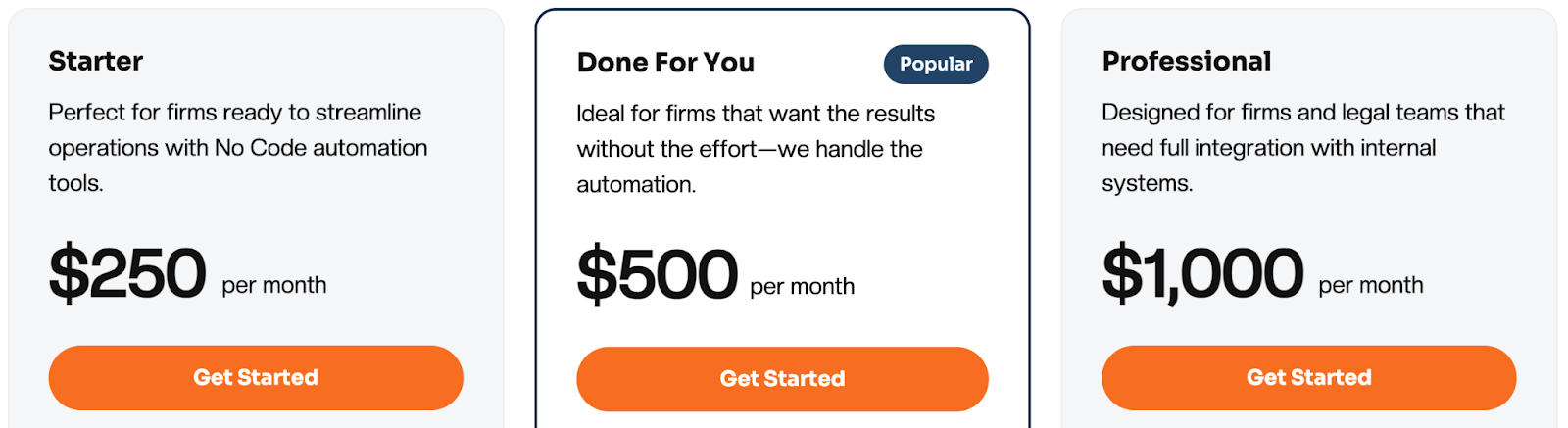
Knackly offers three pricing plans, each built around team size and automation needs.
- Plus: $250/month for up to 4 users. Includes client intake forms, PDF automation, and integrations. Additional users cost $40/month each.
- Do It For You: $500/month for up to 4 users. Knackly's team builds your automation workflows for you. Additional users cost $40/month each.
- Professional: $1000/month for up to 12 users. Includes advanced capabilities such as API access. Additional users cost $50/month each.
User reviews for Knackly
Legito
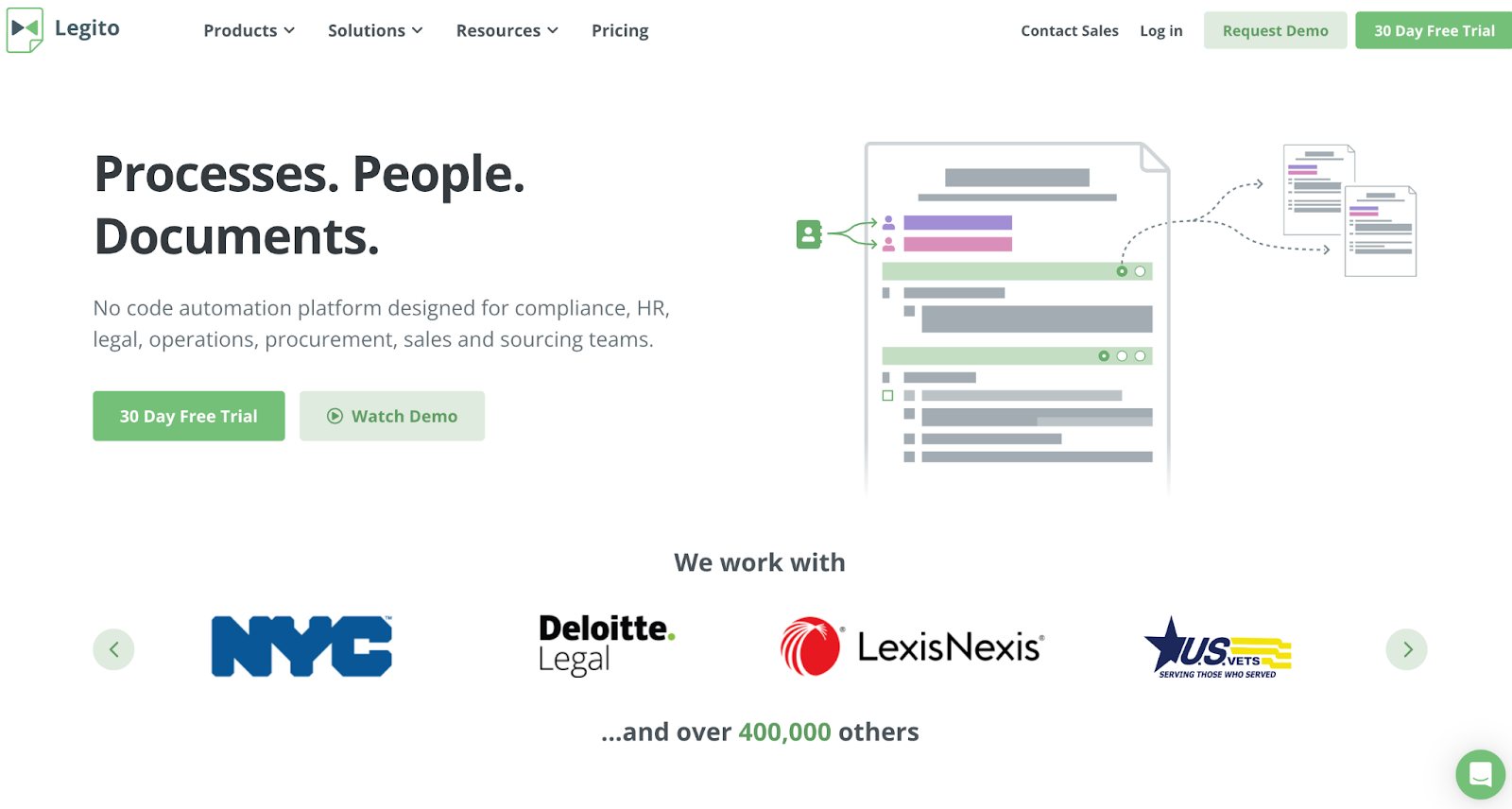
Legito is built as a no-code automation platform for legal, procurement, HR, compliance, and operations teams. Instead of focusing only on document generation, Legito connects automation with document lifecycle management, approvals, dashboards, and collaboration inside a single workspace.
You start by converting your Word documents into structured smart templates. From there, you define logic rules, clause libraries, and reusable data fields. Once configured, documents can move automatically through routing, approvals, and signature workflows without switching systems.
Legito also supports document lifecycle control, structured metadata, reporting dashboards, and no-code application building. This makes it suitable for organizations that want document automation connected directly to their approval workflows, compliance tracking, and internal review processes.
If implementation support is required, Legito provides onboarding resources, webinars, professional services, and enterprise support options.
Key features of Legito
- No-code smart template editor: Convert Word documents into interactive templates with advanced logical dependencies and clause libraries.
- Batch generation & data reuse: Generate documents from Excel sheets and reuse structured data across multiple templates.
- Enterprise integrations & API: REST API, webhooks, Salesforce, SharePoint, Zapier, DocuSign, Adobe Sign, and additional enterprise integrations.
- Security & compliance: ISO27001 certification, encryption, IP whitelisting, two-factor authentication, and monitored infrastructure.
Legito’s Pros
- All-in-one automation and lifecycle management. Combines document generation, routing, approvals, dashboards, and storage in a unified workspace.
- Advanced automation depth. Supports complex logic, batch generation, clause libraries, and structured smart documents.
- Scalable for large organizations. Designed to support enterprise, midsize, and cross-departmental deployments.
Legito’s Cons
- Pricing transparency is limited on the public site, with enterprise plans requiring custom discussions.
- May require onboarding time due to the breadth of features across automation, CLM, and custom apps.
Legito’s Pricing
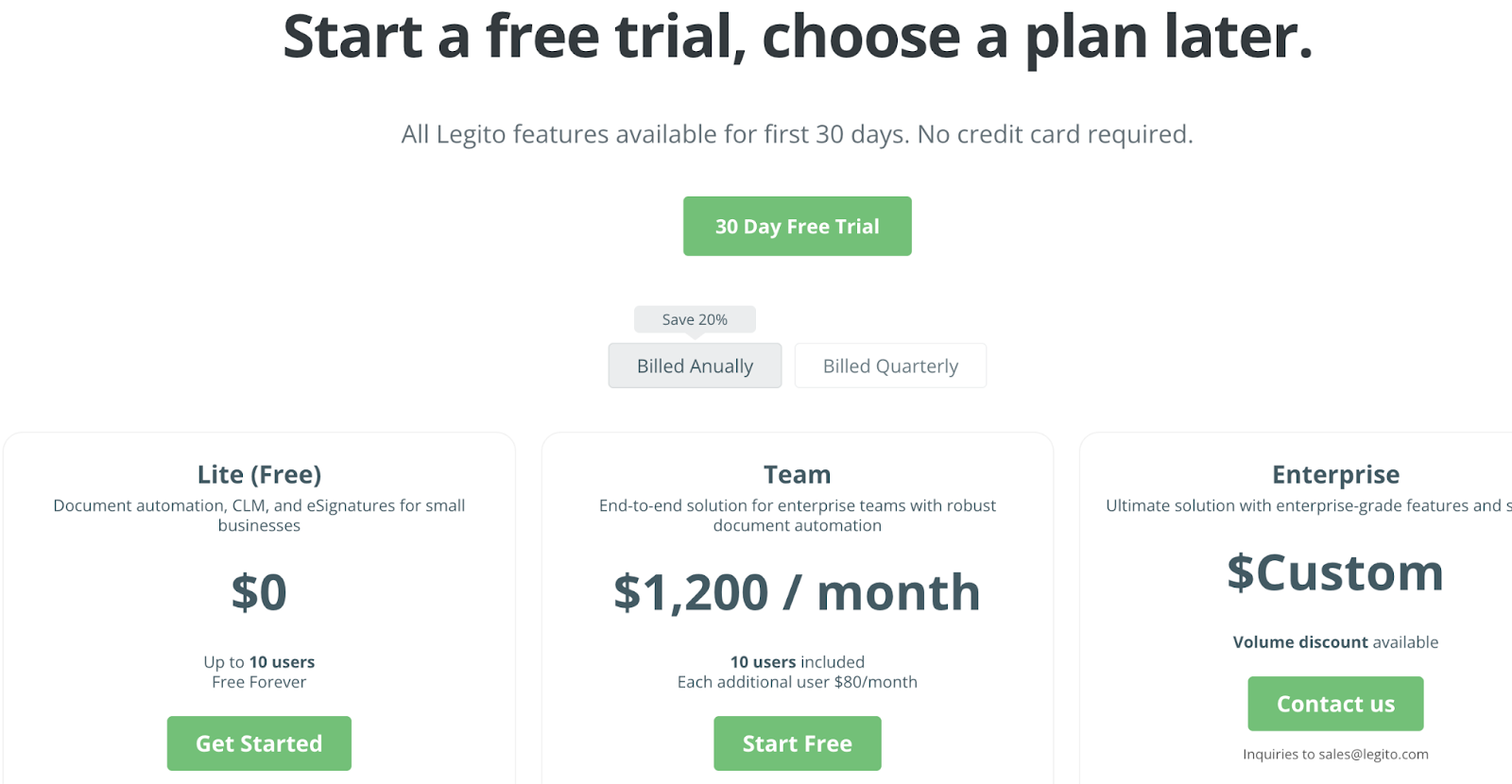
Legito offers a 14-day free trial with access to all features, allowing teams to explore both document automation and lifecycle management before committing to a paid plan.
- Lite (Free): Includes 1,000 pages per year, 1 GB storage, limited workspace duration, and basic feature access suitable for testing or light usage.
- Team ($1200/month): Includes unlimited templates, 1,000 exports per year, expanded storage (10 GB), up to 5 custom objects, API access limits, and standard to priority support.
- Enterprise (Custom pricing): Includes unlimited scaling, advanced integrations, expanded API access, SLA options, dedicated support, and enterprise-level controls.
Legito’s pricing structure is designed for teams that need more than basic document automation, especially organizations managing approvals, routing, dashboards, and full document lifecycle workflows at scale.
User reviews for Legito
Spellbook
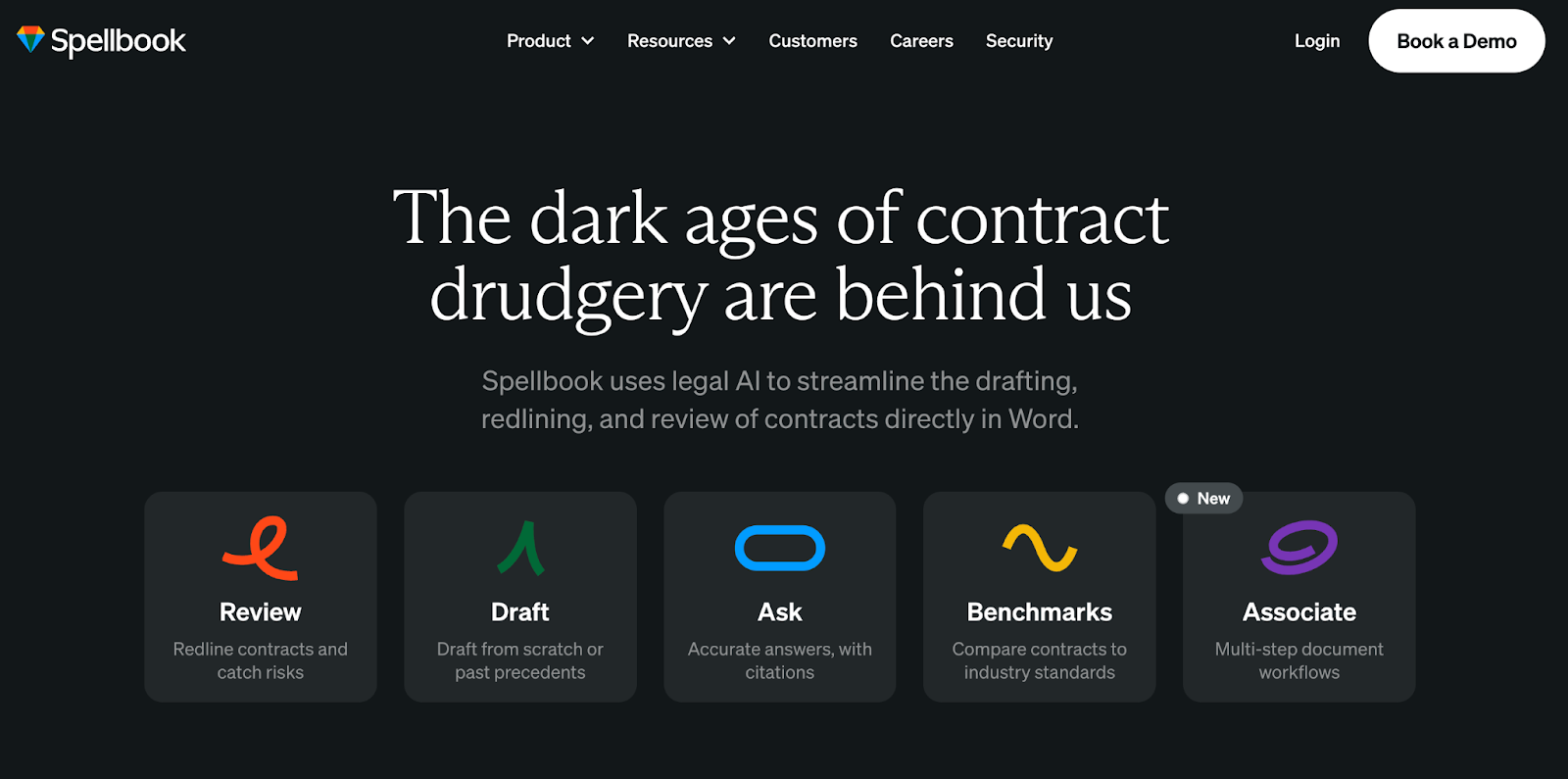
If you’re using Gavel for document automation but still spend hours reviewing and negotiating third-party contracts manually, Spellbook solves a different part of that workflow. Instead of automating structured templates, Spellbook focuses on contract review and negotiation directly inside Microsoft Word.
This makes it a strong alternative for commercial legal teams handling high volumes of vendor agreements, procurement contracts, sales agreements, or M&A documentation.
Key features of Spellbook
- AI-powered contract review: Analyzes entire agreements to detect risks, flag unusual terms, and suggest missing clauses. All edits appear as Microsoft Word track changes.
- Clause and agreement drafting: Generates clauses or full agreements from simple instructions, with the ability to adapt language to your firm’s precedent library.
- Ask functionality: Lets lawyers ask contract-specific questions directly inside Word and receive instant answers with citations to relevant language.
- Compare to Market: Benchmarks clauses against anonymized agreements filtered by jurisdiction and deal type, providing data-driven answers to “What’s market?”
- Associate AI agent: Handles multi-document tasks such as due diligence reviews or preparing document packages from a term sheet.
Spellbook’s Pros
- Built specifically for contract review and negotiation. Designed for commercial lawyers handling high-volume third-party agreements.
- Works directly inside Microsoft Word. No need to switch between platforms during drafting or review.
- Market benchmarking capability. Provides data-driven clause comparisons filtered by jurisdiction and deal type.
- AI adapts to firm precedents. Uses retrieval-augmented generation to align outputs with internal templates and playbooks.
Spellbook’s Cons
- May not replace structured intake-driven automation workflows as it is not a template-based document automation platform.
- Custom pricing requires a demo process. Public pricing details are not listed upfront.
Spellbook’s Pricing
Spellbook offers custom per-seat pricing based on team size and feature requirements. Pricing is provided through a demo process.
Subscriptions are annual and priced per user, with volume discounts available for larger teams.
All core features, onboarding, training, and ongoing support are included in the standard subscription.
A 7-day free trial is available to test the full platform before committing.
User reviews for Spellbook
*Sourced from Trustpilot, based on 9 reviews only.
MyCase [Woodpecker Integration]
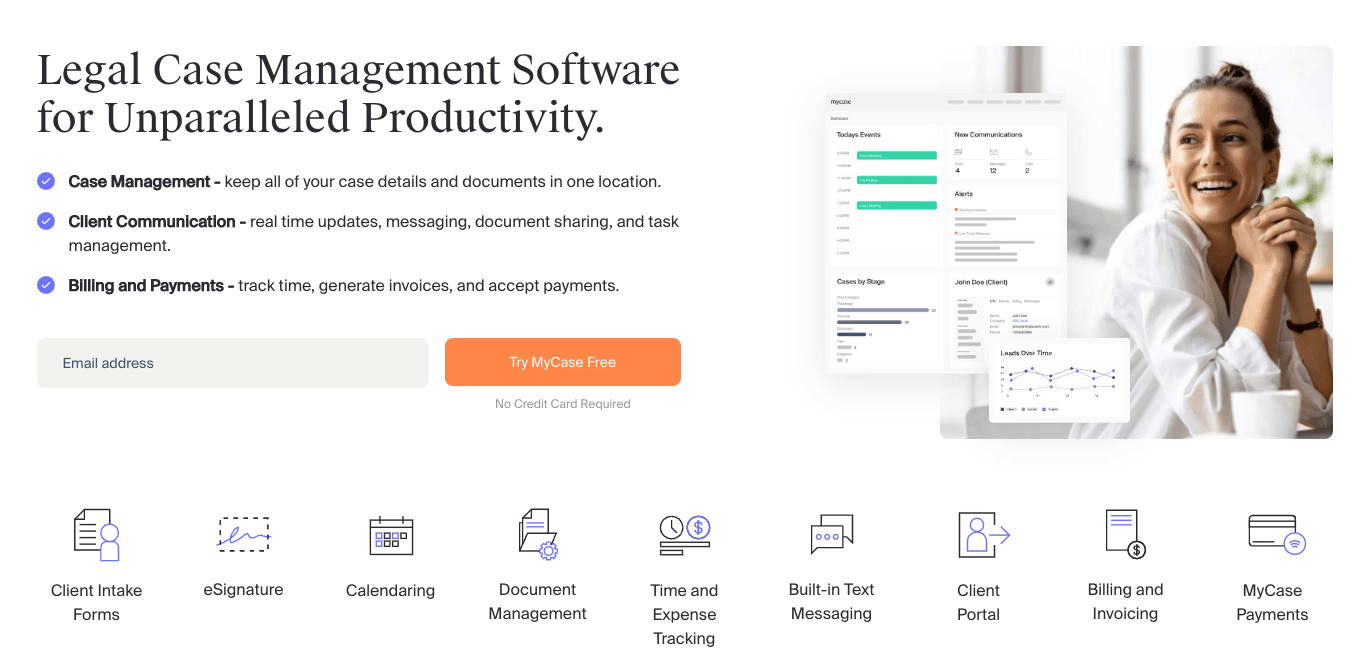
Woodpecker, previously a standalone legal document automation tool, has now been integrated into the MyCase Advanced plan. MyCase is a legal practice management platform used by over many law firms to manage cases, billing, client communication, and document workflows from a single system.
This means document automation capabilities are available along with case tracking, deadlines, time entry, invoicing, payments, intake forms, and client messaging all in one dashboard.
The platform is cloud-based and includes a mobile app for iOS and Android, allowing attorneys to access case information, communicate with clients, and complete tasks from anywhere.
Firms using MyCase report improvements in billing efficiency, caseload management, and client communication through its integrated approach.
Key features of MyCase
- Case and contact management: Track matters, deadlines, tasks, and related documents from a centralized dashboard.
- Billing, invoicing, and online payments: Log time and expenses, generate invoices, and collect payments through built-in LawPay integration.
- Client intake and CRM: Capture leads, automate intake forms, and convert prospects into active matters within the same system.
- Document creation and management: Store, organize, and manage case documents with cloud-based access and full-text search in higher tiers.
MyCase’s Pros
- All-in-one practice management platform. Combines case tracking, billing, client communication, and document workflows in one system.
- Strong billing and payment infrastructure. Integrated LawPay support helps firms collect payments faster and manage trust accounting.
- Client portal and secure messaging. Centralizes communication and reduces reliance on scattered email threads.
- Guided onboarding and support. Includes structured implementation and training resources.
MyCase’s Cons
- Document automation depth depends on the plan tier. Advanced automation features are limited to higher plans.
- Not a standalone document assembly tool. Firms seeking highly complex conditional logic may need additional automation platforms.
- Add-ons increase total cost. Accounting, payment processing, and website services are priced separately.
MyCase’s Pricing
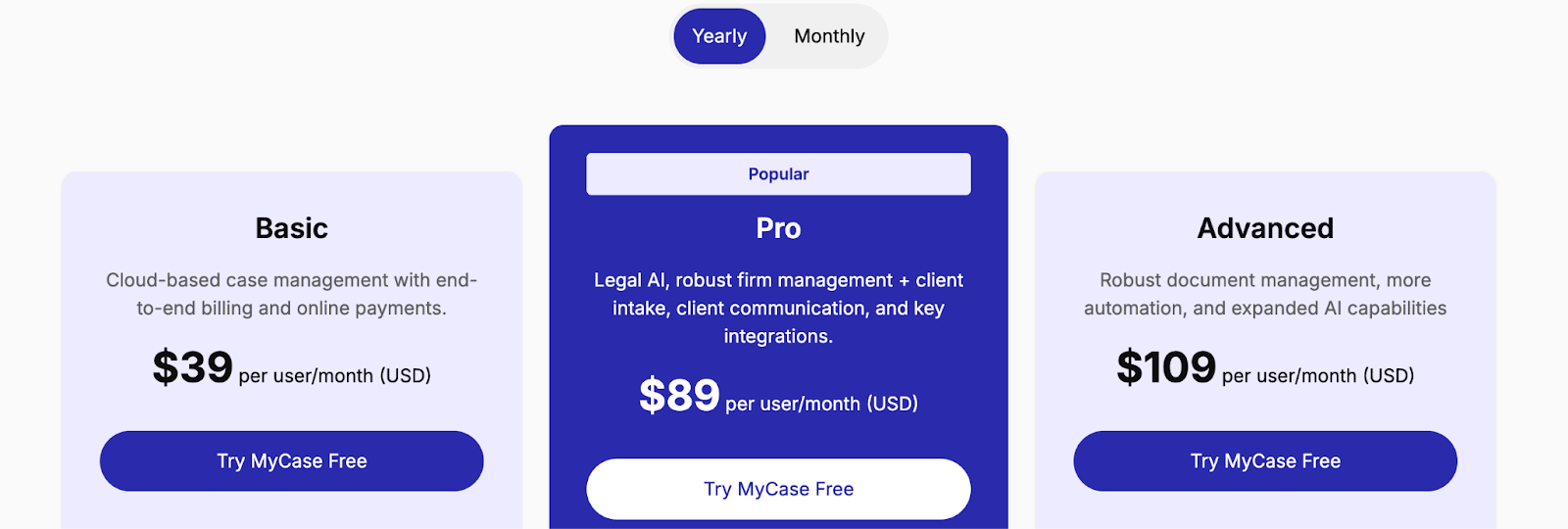
Alt text: Screenshot of MyCase pricing page showing three plans: Basic at $39 per user/month, Pro at $89 per user/month, and Advanced at $109 per user/month, billed yearly.
Caption: MyCase pricing starts at $39 per user/month on the yearly plan, with document automation available on the Advanced plan at $109 per user/month.
MyCase follows a per-user pricing model, which works well for small to mid-sized firms scaling gradually. Billing is available monthly or annually, and you can test the platform with a 10-day free trial without entering your credit card details.
- Basic – $39 per user/month: Includes case management, task tracking, billing, and client portal features.
- Pro – $89 per user/month: Adds Legal AI features, enhanced firm management tools, and expanded customization.
- Advanced – $109 per user/month: Includes document automation, MyCase Drive file sync, expanded AI tools, and more robust document management.
Add-ons such as LawPay (payment processing), accounting, and website services are priced separately.
User reviews for MyCase
Why choose Docupilot as the right Gavel alternative for your team?
If your priority is structured legal document automation with intake forms and nested logic, tools like Knackly or Legito may fit well.
If your team spends more time reviewing and negotiating third-party contracts, Spellbook addresses that review-heavy workflow directly inside Microsoft Word. If you need full practice management with billing, intake, and case tracking, MyCase provides a broader operational solution.
But if your goal is scalable document automation that works across legal and non-legal teams without locking you into a rigid legal-only structure, Docupilot offers a more flexible path.
With reusable templates, dynamic data mapping, workflow triggers, API access, and built-in e-signatures, Docupilot allows you to automate repetitive documents at scale while maintaining control over formatting and logic.
If you are looking for a solution that balances automation depth, pricing flexibility, and cross-industry usability, it is worth exploring further.
You can start with a 14-day free trial and see how it fits into your workflow before committing.
FAQs
- Can I migrate my existing Gavel templates to any of these alternatives?
Most alternatives, including Knackly and Docupilot, allow you to upload existing Word or PDF templates directly. No rebuilding from scratch is required in most cases.
- Which tool is best for a solo practitioner on a tight budget?
Docupilot starts at $29/month with unlimited templates and no seat-based pricing, making it the most accessible option for solo practitioners managing document volume on a budget.
- How is document automation different from a template?
A template is a static starting point you edit manually each time. Document automation pulls in data dynamically and generates a completed document automatically, based on rules and inputs you define once.
- Is document automation secure enough for sensitive legal data?
Most modern platforms use enterprise-grade encryption, role-based access controls, and comply with standards like SOC 2, HIPAA, and GDPR to protect sensitive client information.
- Do document automation tools support multiple languages?
Support varies by platform. Some tools allow you to set language preferences at the workflow level, making them usable for firms serving clients in multiple languages or operating across different jurisdictions.
Learn how to automate document creation with Docupilot


Contents
Stop rebuilding the same document by hand.

Generate and sign in one workflow.
Fifteen minutes back, per application.




