

Automate Your Document Process from Start to Finish
With Docupilot Workflows, you can setup forms, conditions, templates, PDF actions, and deliveries into one streamlined document process — without stitching together multiple manual steps across third party automation tools.
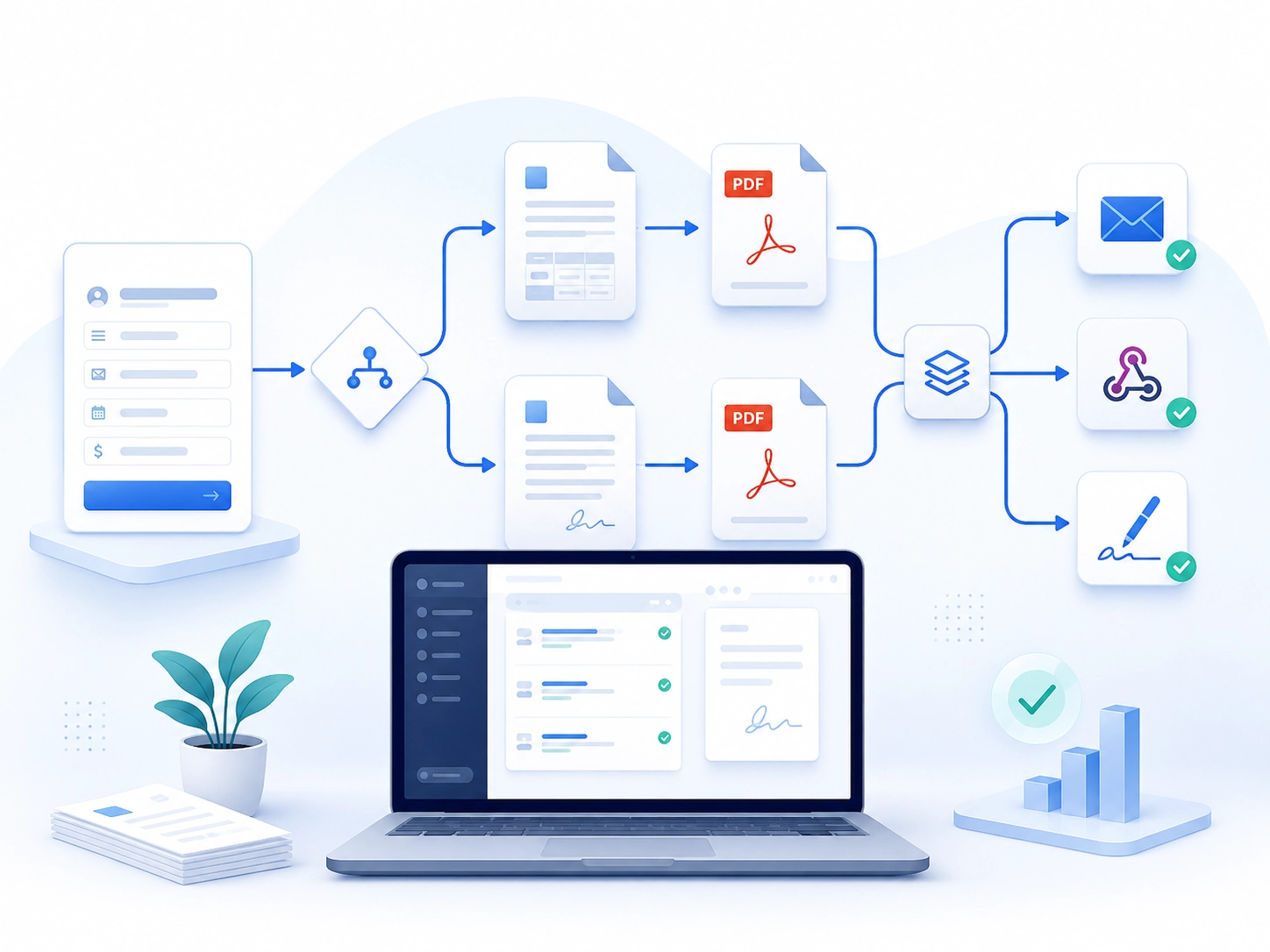
What You Can Automate
.svg)
Collect Data
.png)
Start workflows from forms and use submitted data to drive the document process.
.svg)
Add Conditional Logic
.png)
Route documents based on buinsess rules such as package type, customer category, region, request type and many more
.svg)
Generate Documents
.png)
Create the right documents automatically using your Docupilot templates.
.svg)
Convert and Merge Documents
.png)
Create the right documents automatically using your Docupilot templates.
Deliver Automatically
.png)
Create the right documents automatically using your Docupilot templates.
Why Use Docupilot Workflows?
.svg)
Fewer Manual Steps
Reduce repetitive work like generating, downloading, converting, merging, and sending documents manually.

More Consistent Processes
Ensure the right documents are generated and delivered based on predefined business rules.
Less Dependence on other Automation Tools
Avoid creating fragile document flows across multiple platforms when the process can be managed directly in Docupilot.
.svg)
Better Document Delivery
Centralize document delivery through Email, Webhooks, eSignature and third party applications from the same workflow.
Built for Document-Heavy Teams
Useful for teams that regularly create and deliver document packets, contracts, onboarding documents, client intake files, vendor agreements, and other recurring business documents.
Request a demo.png)
Common Use Cases
Sales Contracts
Generate agreements based on selected plans or packages and send them for signature.
Employee Onboarding
Create onboarding documents and deliver them to the right recipients.
Client Intake
Collect customer details and automatically generate the required document set.
Vendor Agreements
Generate, merge, and send vendor documents from one workflow.
Frequently Asked Questions
What are Document Workflows?
Document Workflows let you visually connect document steps such as data collection, conditions, document generation, PDF processing, and delivery.
Can I create different document paths?
Yes. You can use conditions to route the workflow based on submitted data or business rules.
Can I generate multiple documents in one workflow?
Yes. Workflows can generate multiple documents, convert them to PDF, and merge them into one packet.
Can I deliver documents automatically?
Yes. Completed documents can be delivered through Email, Webhooks, eSignature or via supported third party apps.