







Key takeaways
- This article covers 8 tools that generate and send invoices using data that already exists in your CRM, accounting system, or e-commerce platform.
- All 8 tools were evaluated on template flexibility, integration depth, pricing, and real G2 user feedback. Every figure mentioned here was verified directly from the source.
- Pricing ranges from free (Zoho Invoice and Wave) to $699/month (Docupilot Enterprise). The right tool depends on your invoice volume, data sources, and workflow.
- For bulk generation, conditional logic, and CRM-triggered invoicing, Docupilot is the strongest fit on this list, starting at $29/month.
A Finnish energy consulting firm, Plussa Suomi, helps small and medium businesses manage electricity contracts.
Their data lived in a CRM and across multiple Excel spreadsheets, and building each invoice meant manually pulling from both sources into a Word template every single time. As the client list grew, manual work piled up, errors increased, and formatting became inconsistent. On top of all this, the entire workflow depended on one person, and if that person was on leave or had other priorities, the work took a backseat and deadlines were missed.
They needed one tool that could connect their data directly to their templates and handle the rest automatically. That search led them to Docupilot.
With a Make integration, a single CRM entry now auto-populates the templates, and invoices are created and sent within minutes.
Plussa Suomi's story is one many growing businesses share. As the number of clients and invoice volume grow, manual processes struggle to keep pace. Thousands of finance teams, operations managers, and small business owners are actively searching for tools that can automate invoice generation.
In this article, we discuss 8 invoice automation tools built for exactly this: automatically converting the data you already have into a finished invoice.
Read through. By the end, you will know which tool fits your workflow.
Quick comparison: 8 invoice automation tools at a glance
Here is a snapshot of all 8 tools before we get into the details
How we compiled this list
To make this list useful, our focus stayed on real-world fit. Pricing pages tell you what a tool costs. Feature lists tell you what it does. Neither tells you whether it actually handles your invoice workflow once the data gets messy, the client list grows, or the tax rules change.
So we used Capterra and G2 reviews to surface recurring issues around template flexibility, integration reliability, and support quality. Pricing was verified directly from each tool's current pricing page.
Five ideas guided our evaluation:
- How well the tool handles invoice automation from live data sources (CRM, e-commerce, databases)
- Whether you can upload your own invoice format or are limited to the tool's built-in editor.
- Whether the tool triggers invoice automation automatically from your CRM, e-commerce platform, or database, or requires someone to initiate the process each time
- Accessibility for non-technical users alongside capability for technical ones
- Pricing transparency and value at different invoice volumes
The goal is to help you match the right tool to your specific workflow, your data sources, and the volume you are building toward.
Top 8 automated invoice automation software in-depth
Let us understand what each tool actually does, who it works best for, and what real users say about it.
1. PandaDoc
Best for: Sales teams that send invoices alongside proposals and contracts and want eSignature built into the same document workflow.
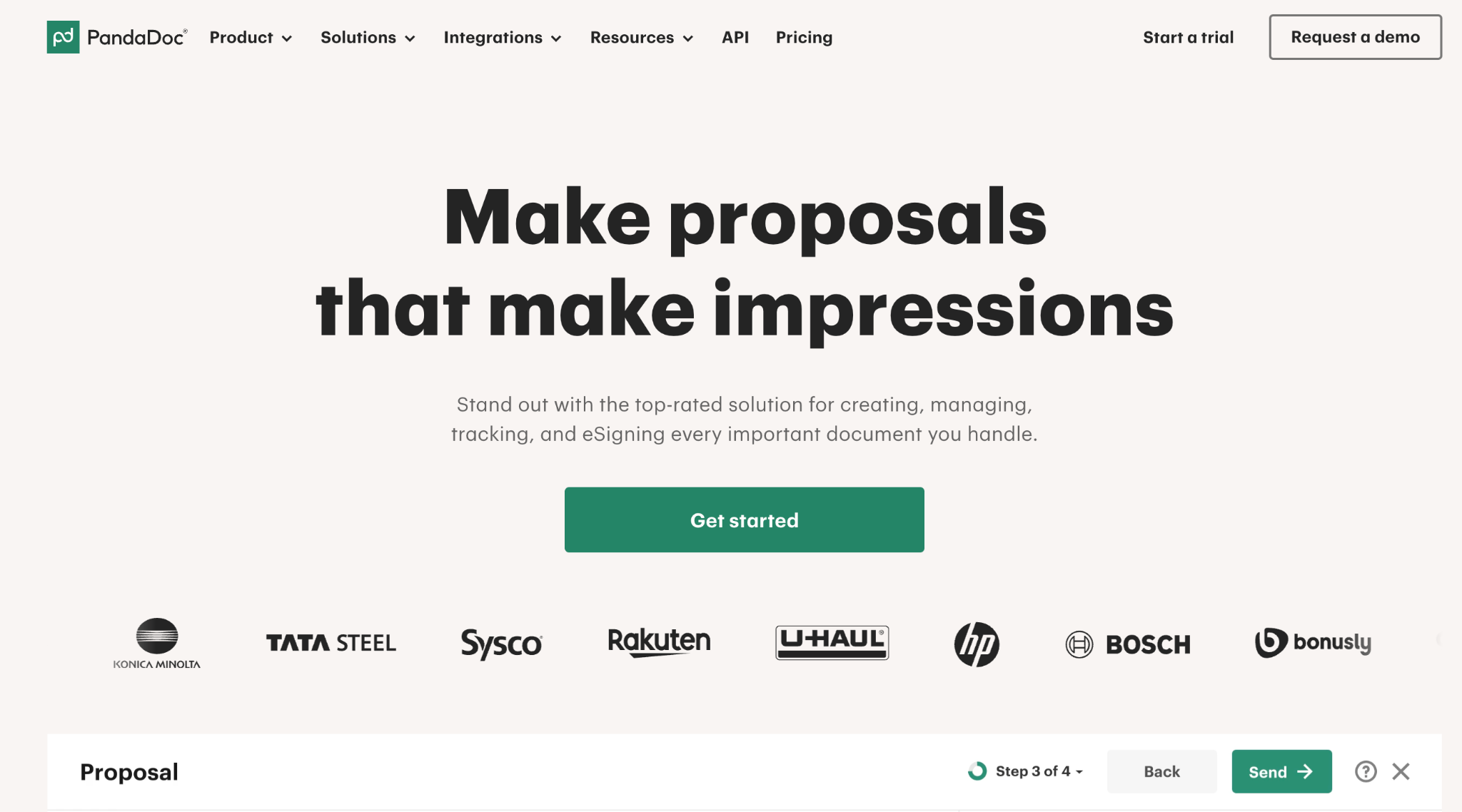
If your sales cycle ends with a signed contract and an invoice sent in the same motion, PandaDoc is worth a serious look. The platform was built around the proposal-to-invoice flow: a deal closes in Salesforce or HubSpot, a document is generated from the deal data, a client signs it, and finally, payment is collected through the same interface. That end-to-end flow is what makes PandaDoc unique.
PandaDoc’s pricing
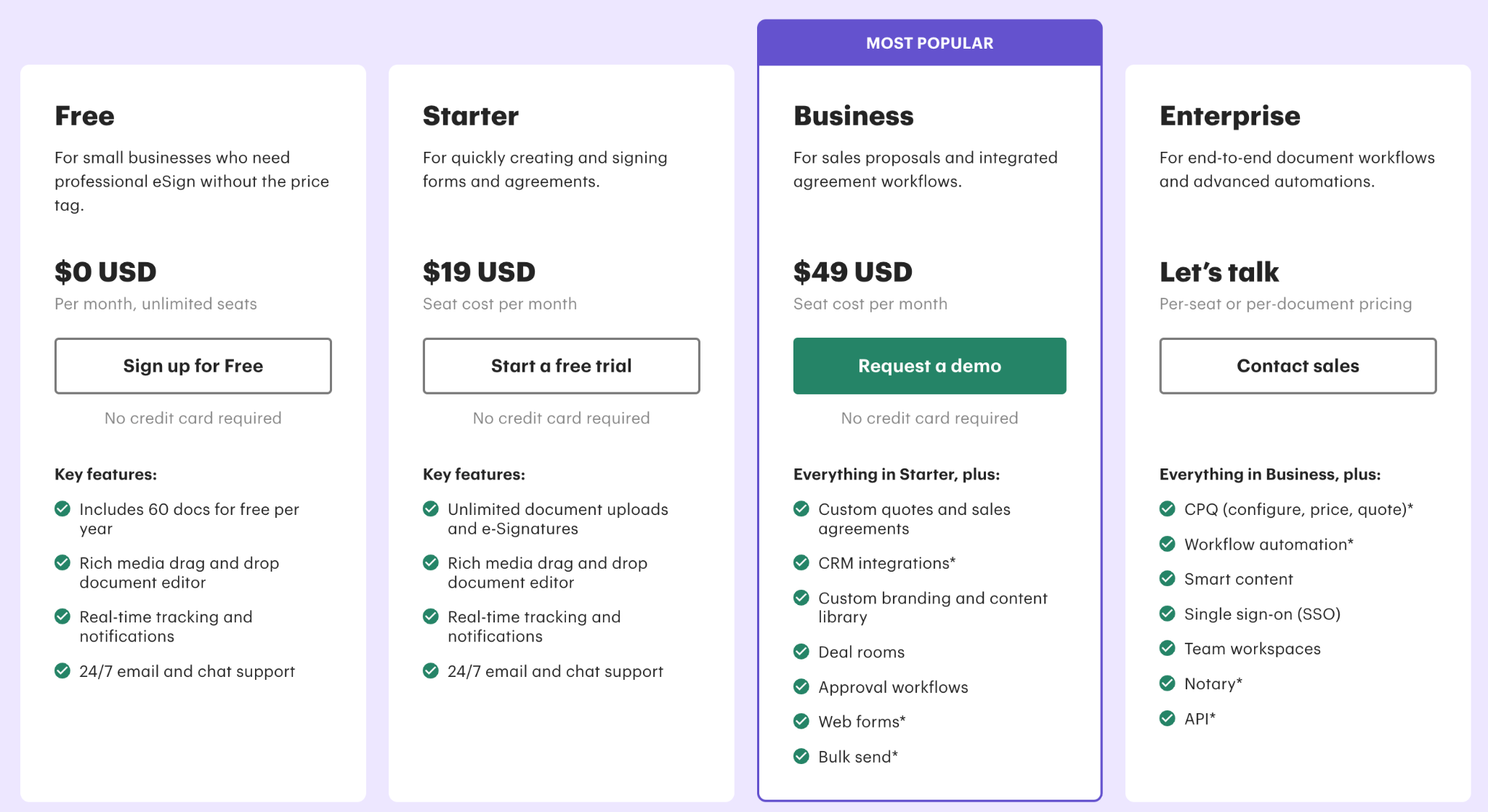
- Starting price: $19 per user per month on annual billing
- 10-person Business plan team: $490 per month before add-ons
- Pricing model fit: Per-user pricing works for sales teams sending proposals and contracts, but makes less sense for teams primarily running high-volume batch invoicing from external data, where a per-document model is more cost-efficient
Key features of PandaDoc
- Proposal, contract, and invoice automation in a single document workflow
- Built-in eSignature (no third-party tool required)
- CRM integrations with Salesforce, HubSpot, Pipedrive, and Zoho
- Payment collection via Stripe, PayPal, and Square
- Document analytics: view tracking, time-to-open, and time-to-sign
PandaDoc - G2 rating
4.7/5 (~3,395 reviews)
What users like in PandaDoc
- Intuitive interface: Document creation, signature collection, and payment processing all run on a single platform
- Drag-and-drop editor: Lets teams build professional proposals and invoices quickly, without design experience or technical setup

PandaDoc’s limitations
- Post-send editing: Once a document is sent, making changes requires recreating it from scratch
- CRM integrations gated: Available only on the Business plan, which catches Essentials subscribers off guard later than expected

2. Docupilot
Best for: Teams of all sizes that bulk generate invoices from CRM deal data, e-commerce orders, or database records.
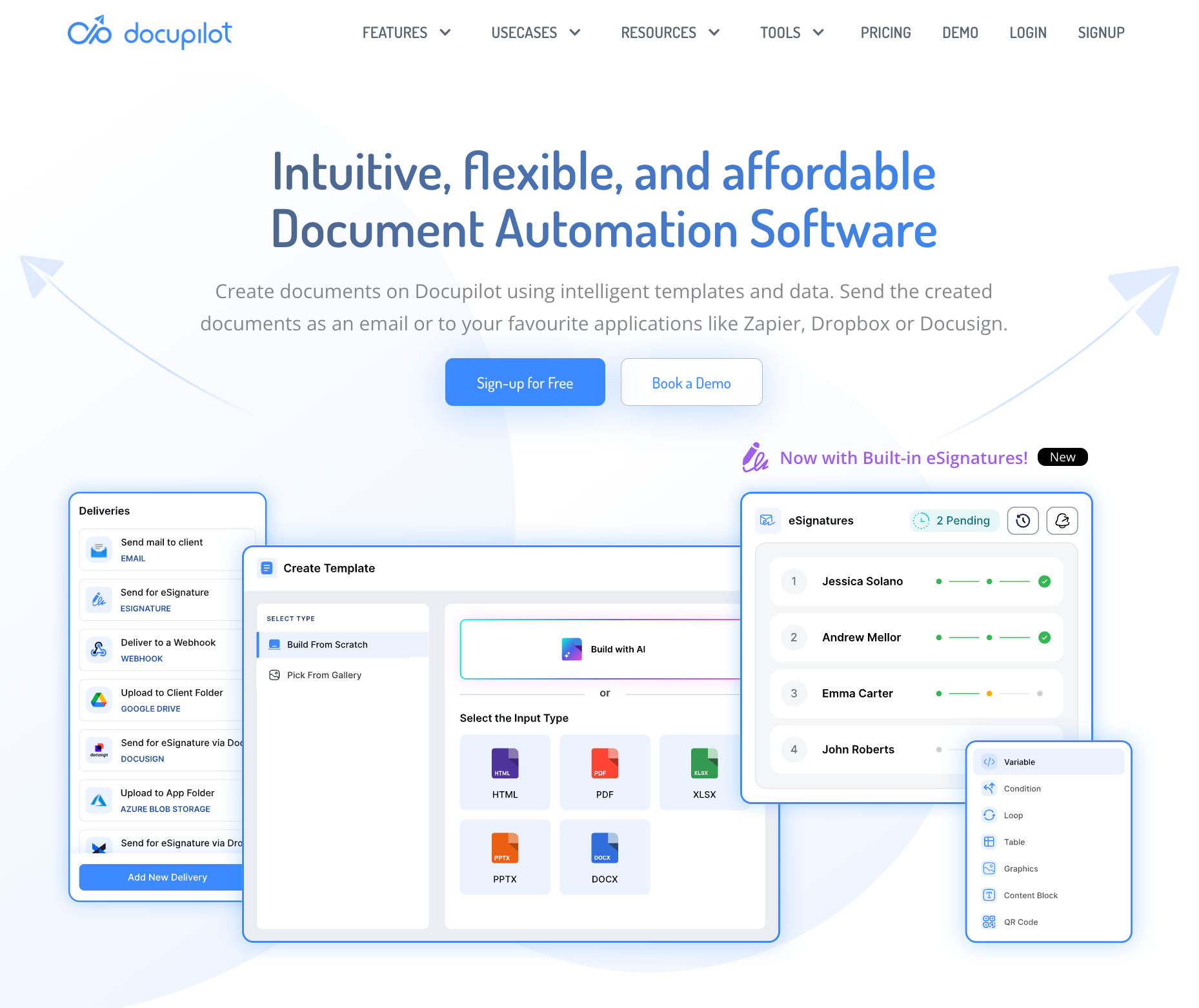
Docupilot is a document generation platform that connects your existing data sources to your invoice templates and generates finished, formatted documents automatically. You build your invoice template in Word, Excel, HTML, or PDF format. You connect your data source: Google Sheets, Salesforce, HubSpot, Shopify, WooCommerce, Airtable,, or a custom API. You set a trigger event, and Docupilot generates the finished invoice and delivers it via email, Google Drive, Dropbox, or eSignature. The manual data entry step is removed from the workflow entirely.
Conditional logic handles variation across client types. One template applies different tax rates by client location, switches payment terms by client tier, and adjusts line item structures by service type. One template replaces the folder of variants your team currently maintains.
Docupilot's pricingImage:
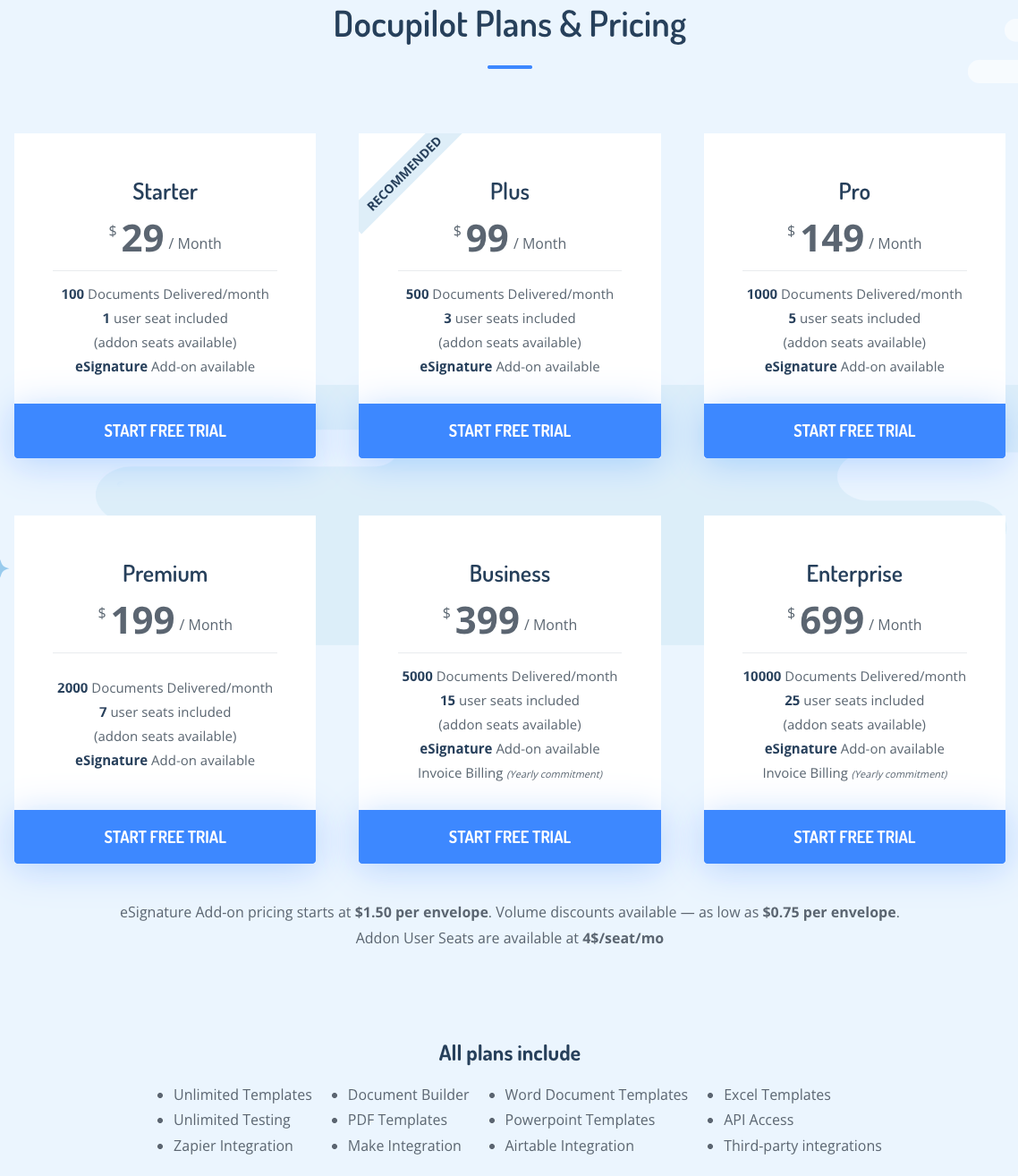
Docupilot prices by document volume.
- Starter is $29/month (100 documents, 1 user seat).
- Plus is $99/month (500 documents, 3 user seats).
- Pro is $149/month (1,000 documents, 5 user seats).
- Premium is $199/month (2,000 documents, 7 user seats).
- Business is $399/month (5,000 documents, 15 user seats).
- Enterprise is $699/month (10,000 documents, 25 user seats).
All plans include unlimited templates, unlimited testing, API access, Zapier, Make, and Airtable integrations. eSignature is available as an add-on starting at $1.50 per envelope. A 30-day free trial is available with no credit card required.
Key features of Docupilot
- Bulk invoice generation: Upload a CSV or connect a database trigger to generate hundreds of invoices in a single batch. Each invoice is individually populated from your data source with no manual intervention.
- Conditional logic and dynamic tables: Apply different tax rates, payment terms, and line item structures within a single template. Variation across client types is handled automatically without maintaining multiple template versions.
- Multi-format template support: Create or upload invoice templates in Word, Excel, PDF, or HTML. Dynamic fields, conditional statements, and calculations can be added on top of your existing template design.
- Docupilot Copilot: Build templates faster using the in-app AI assistant. Describe the invoice format in plain language and Copilot generates the structure, fields, and conditional logic, removing the manual setup time that comes with first-time template creation.
- Built-in eSignature: Send generated invoices and contracts directly for signature without leaving the platform. eSign is available as an add-on at $1.50 per envelope and integrates with the same workflow as document delivery.
- 70+ integrations: Connects with Salesforce, HubSpot, Shopify, WooCommerce, Airtable, Google Sheets, Zapier, Make, Stripe, and DocuSign, among others. invoice automation triggers automatically on events from any connected platform.
- Event-triggered delivery: Set a trigger event and the finished invoice is generated and delivered automatically. Delivery options include email, Google Drive, Dropbox, and eSignature providers.
- Enterprise-grade compliance: SOC 2 Type II, GDPR, and HIPAA compliant. Documents are encrypted in transit and at rest, with role-based access controls and audit logs on Business and Enterprise plans.
Docupilot - G2 rating
4.6/5 (71 reviews)
What users like in Docupilot
- Responsive engineering team: Easy to reach and quick to address queries
- Accurate document generation: Formats specific information into correctly presented Word documents and gathers all necessary data, with the end product client-ready and no additional manual work needed
- Cost-effective vs alternatives: Considerably more affordable than HotDocs, a document automation tool the reviewer used previously

- Billwerk+, a subscription management platform, connected Docupilot directly to their billing system. Contract templates now auto-populate with application data and flow into DocuSign for signature automatically. The entire process requires no manual intervention. (Docupilot case study, 2025)
Key Results
- ~15 Minutes Saved per Application: Manual steps eliminated, cutting processing time by around 15 minutes each.
- Fully Streamlined Process: From data entry to e-signature, the workflow now runs automatically.
- Improved Accuracy: Automated data binding removed the errors inherent in manual entry.
- More Focus on Strategic Work: The team can now dedicate time to product innovation instead of admin tasks.
Source: https://www.docupilot.com/case-study/billwerk
Docupilot’s limitations
- Initial learning curve: Setting up the first few documents takes some time, though most users find their footing quickly and the initial friction reduces once the workflow clicks

3. Zoho Invoice
Best for: Small businesses & solopreneurs already on the Zoho ecosystem who need recurring invoice automation.
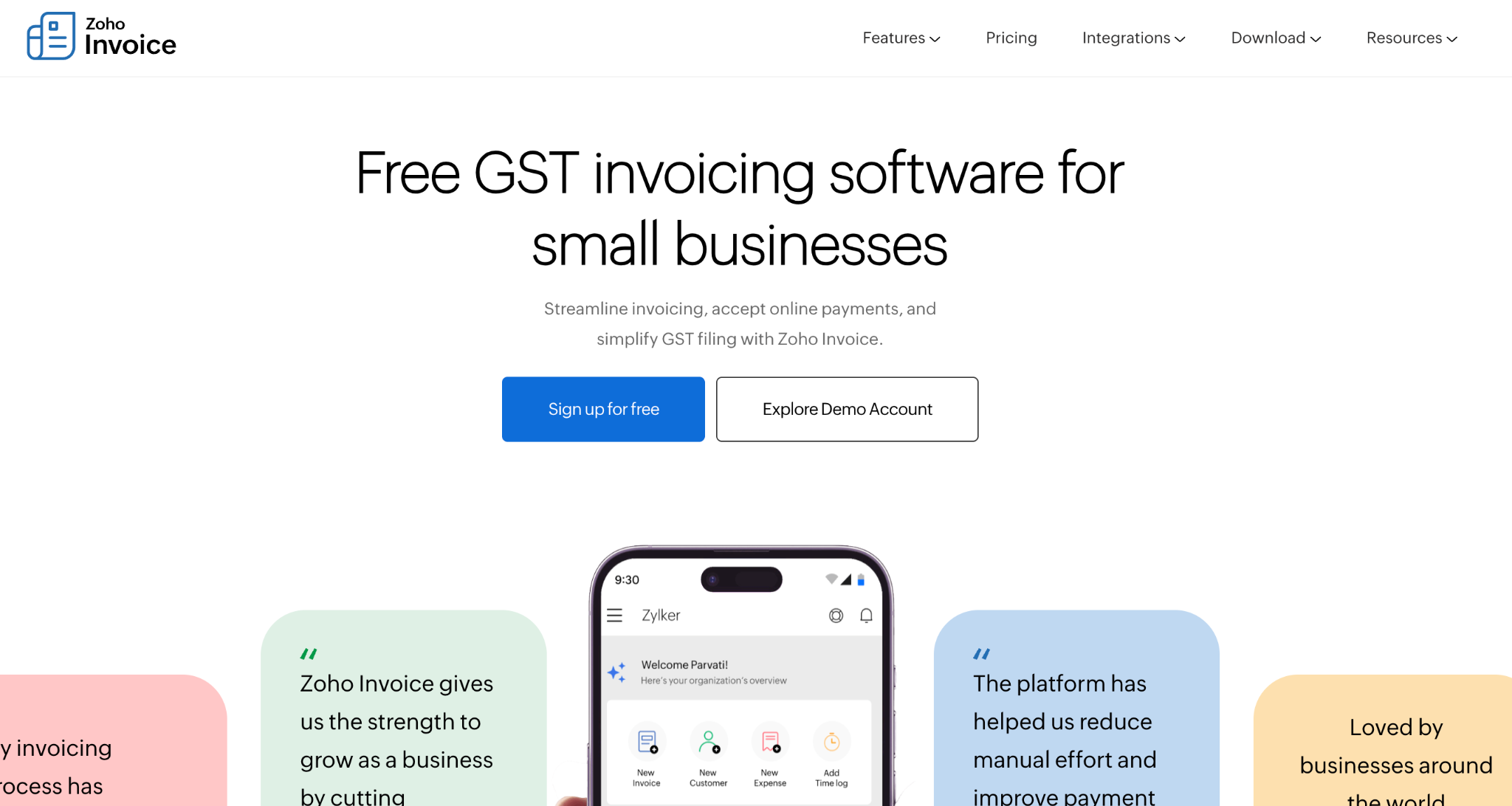
Zoho Invoice is a 100% free invoicing platform built for small businesses and freelancers. It covers the full invoicing cycle: creating and sending invoices, tracking expenses, collecting payments, and following up on outstanding balances. For teams already working within the Zoho ecosystem, it connects directly with Zoho CRM, Zoho Books, Zoho Expense, and Zoho Sign, keeping all client and financial data in one place.
The platform handles recurring invoices, multi-currency billing, time tracking, and project-based billing within the same interface. A client portal lets customers view estimates, pay invoices, and download statements without any back-and-forth communication.
Zoho Invoice’s pricing
Zoho Invoice is completely free.
- What's included: Unlimited invoices, recurring billing, multi-currency invoicing, expense tracking, and client portal access
- Payment collection: Via 10+ payment gateways
- Integrations: Zoho CRM, Zoho Books, and Zoho Sign
- No paid tiers and no trial period
Key features of Zoho Invoice
- Recurring invoice scheduling with automatic delivery
- Zoho CRM integration for data-connected invoice creation
- Multi-currency billing with automatic exchange rates
- Client portal for online payment and invoice viewing
- Automated payment reminders on overdue invoices
Zoho Invoice - G2 rating
4.7/5 (349 reviews)
What users like in Zoho Invoice
- Easier finance management: Makes finances and bookkeeping considerably easier to handle
- Cash flow tracking: Helps track cash flows effectively
- Payment intent visibility: Dashboard shows customer payment intent, useful for following up on outstanding balances

Zoho Invoice’s limitations
- GST column delays: Reviewers cite delays in pushing GST records
- Free plan customer cap: Customer limitation on the free plan draws frustration, with reviewers wishing for a higher cap

- No instant currency converter: Businesses billing international clients flag this gap, since different currencies are needed to issue invoices across markets

4. FreshBooks
Best for: Freelancers and service-based small businesses that want invoicing built into their accounting tool.
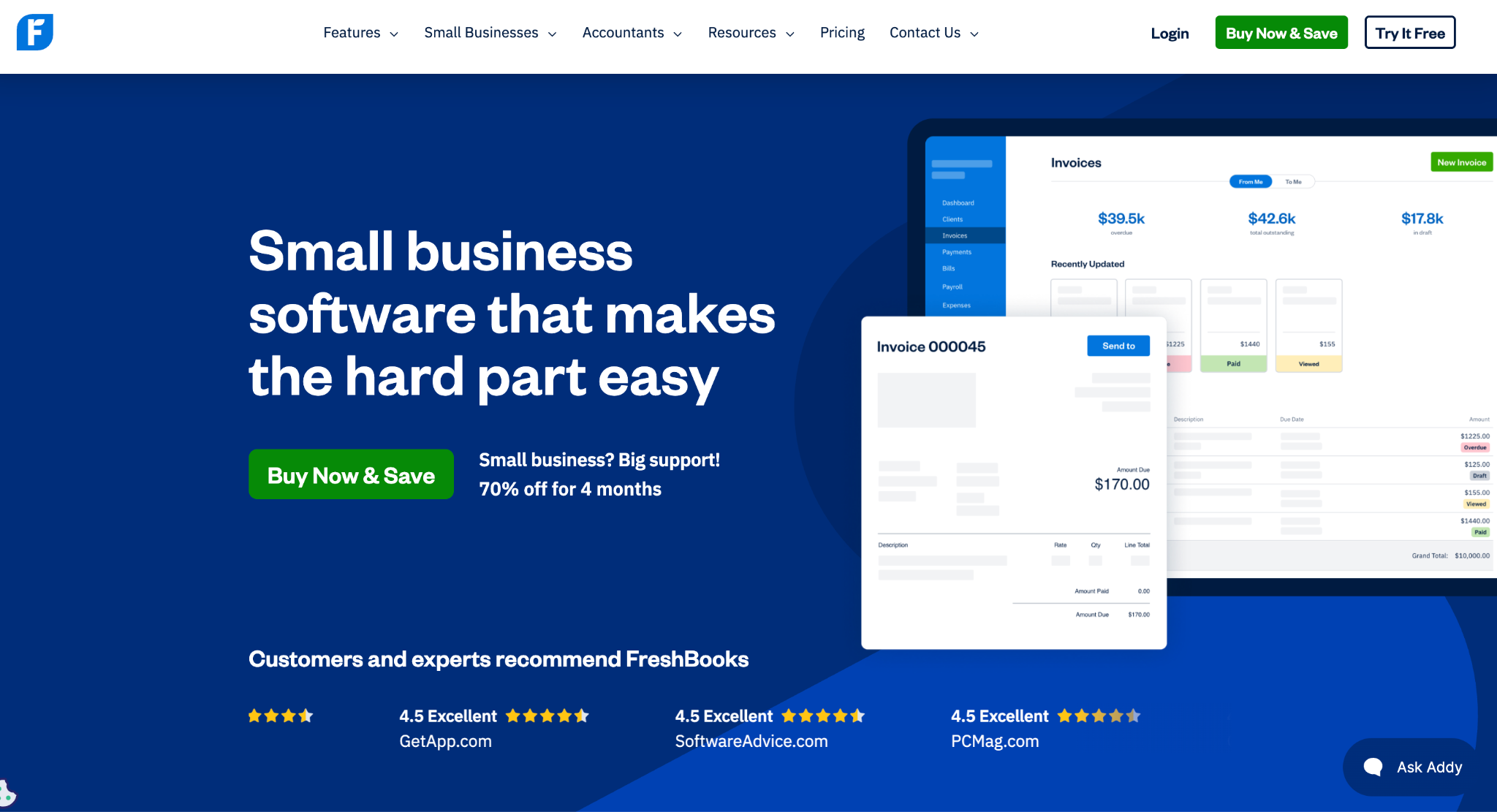
FreshBooks is a cloud-based accounting and invoicing platform built for small businesses and freelancers who bill by the hour or by project. For businesses that juggle spreadsheets and separate tools to produce a single invoice, FreshBooks consolidates the process into a few clicks. It brings invoicing, time tracking, expense management, and basic bookkeeping into one place, covering the full billing cycle from logging hours to invoicing.
This is how simple FreshBooks makes invoicing for users:
a. The time tracking feature connects directly to invoicing.
b. Hours logged against a project populate invoice line items automatically, which removes the manual step of transferring billable time into a separate invoice template.
c. Recurring invoices run on a schedule, and payment reminders go out automatically for outstanding balances.
FreshBooks’ pricing
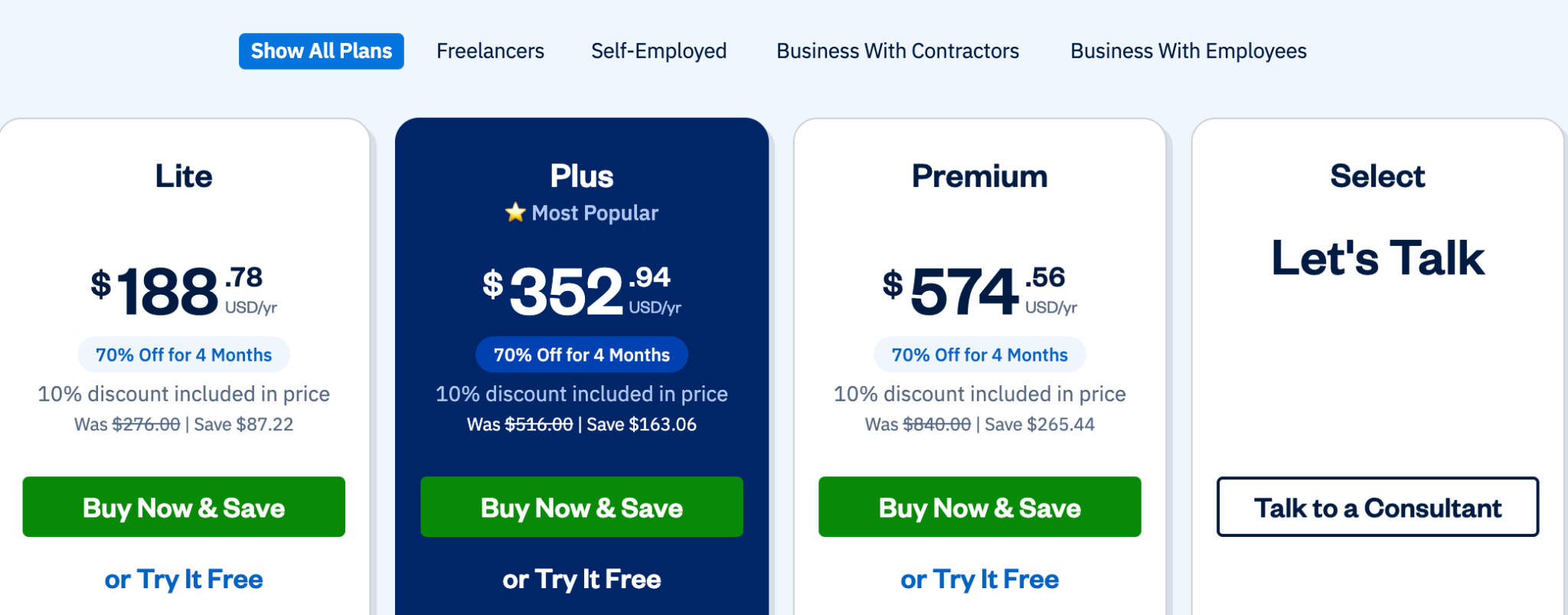
FreshBooks offers four plans.
- Lite: $188.78/year on annual billing (10% discount included)
- Plus: $352.94/year on annual billing (10% discount included)
- Premium: $574.56/year on annual billing (10% discount included)
- Select: Custom pricing, with lower transaction fees, dedicated phone support, and two team member accounts included
- All plans include: Unlimited invoices, time tracking, expense tracking, automated payment reminders, and recurring invoices
- Free trial: 30 days, with a money-back guarantee
Key features of FreshBooks
- Time-tracking to invoice conversion (billable hours populate line items automatically)
- Recurring invoice scheduling with automatic delivery
- Automated late payment reminders
- Client portal with online payment acceptance (credit card, ACH, Apple Pay, Google Pay)
- Basic invoice template customization with logo and color options
FreshBooks - G2 rating
4.5/5 (~960 reviews)
What users like in FreshBooks
- All-in-one workflow: Invoicing, expense tracking, and time tracking all managed in one place
- Faster payments: Helps teams stay organized and get paid faster
- Minimal setup: Clean interface that requires little time to get started

FreshBooks’ limitations
- Expensive at scale: Costs grow as the business grows, with users, clients, and advanced accounting features all limited at each tier
- Limited for complex needs: Works well for basic invoicing, but feels constraining for businesses with more complex requirements

5. Wave
Best for: Freelancers, solopreneurs, and micro-businesses that need free invoice creation and basic accounting in one platform, with no monthly subscription to get started.
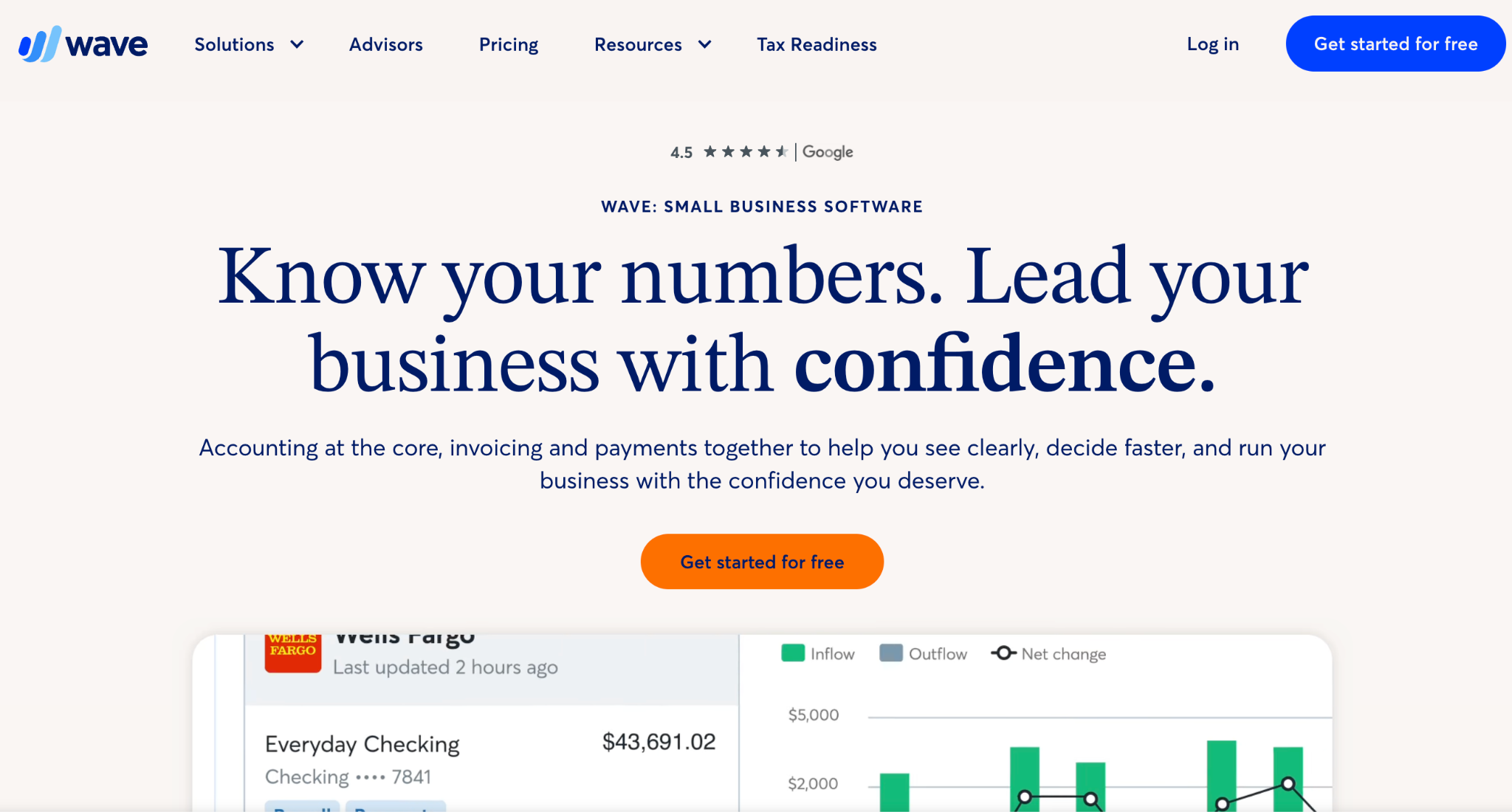
Wave is an accounting and invoicing platform used by over 2 million small businesses globally. Its core features include unlimited invoicing, expense tracking, and basic financial reporting. For a freelancer or a very small service business that needs to look professional and get paid on time, Wave covers the essentials without a monthly commitment.
The tool works well for straightforward invoicing. You create a template, add your logo and brand colors, set payment terms, and send. Recurring invoices run on a schedule, payment reminders go out automatically, and clients pay via credit card, bank transfer, or Apple Pay directly from the invoice.
Wave's pricing
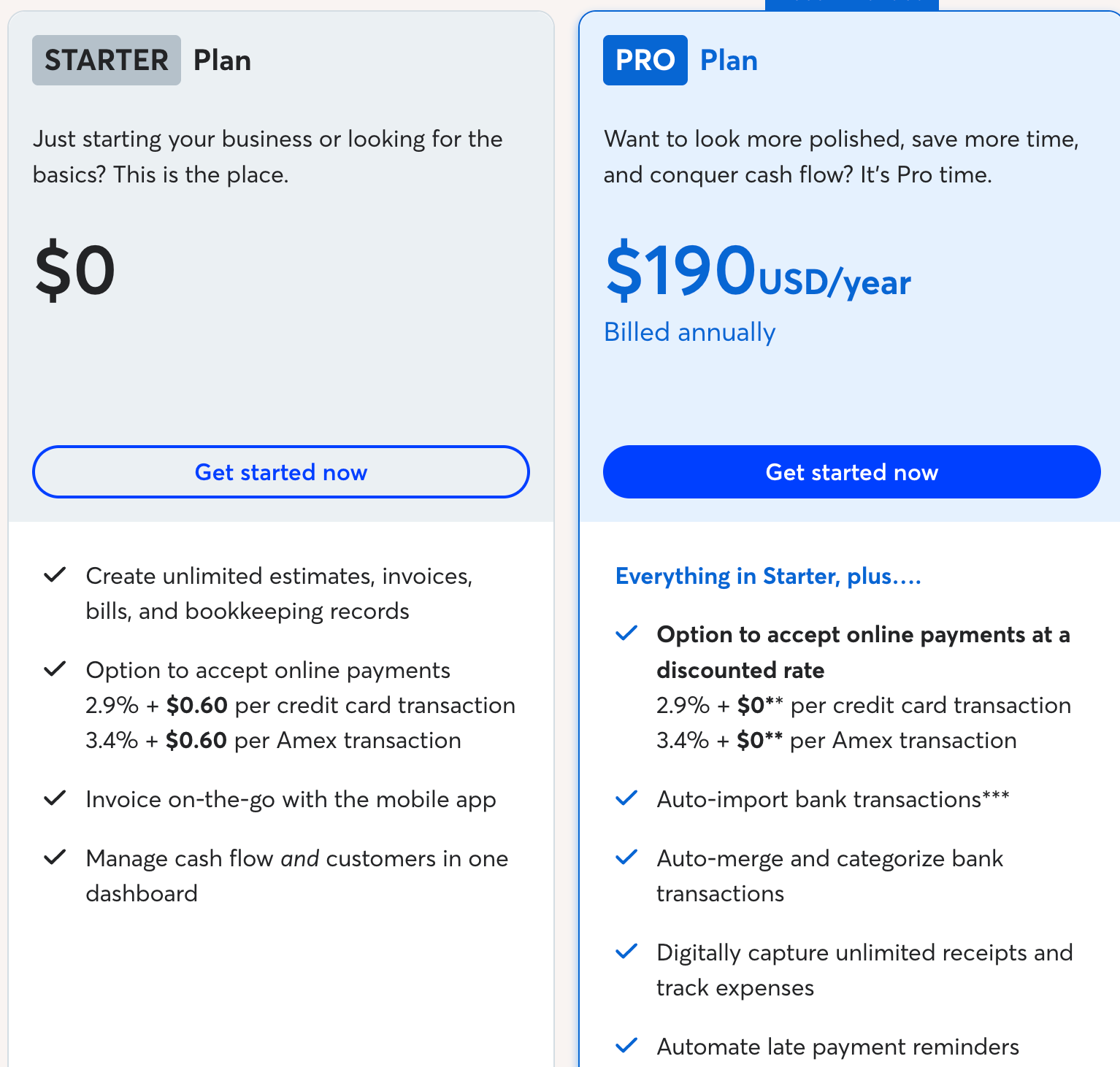
Wave offers two plans.
- Starter plan: Free, with unlimited invoices, estimates, and bookkeeping records
Starter plan payment processing: 2.9% + $0.60 per credit card transaction and 3.4% + $0.60 per Amex transaction
- Pro plan: $190/year, billed annually
Pro plan adds: Discounted payment processing rates, automatic bank transaction imports and categorization, unlimited receipt capture, and automated late payment reminders
Key features of Wave
- Unlimited invoice creation and sending on the free plan
- Recurring invoice scheduling with automated delivery and payment reminders
- Customizable invoice templates with drag-and-drop logo and color editing
- Online payment acceptance via credit card, bank transfer, and Apple Pay
- Double-entry accounting with profit and loss, balance sheet, and cash flow reports
- Mobile app for iOS and Android for invoicing and expense tracking on the go
Wave - G2 rating
4.3/5 (310+ reviews)
What users like in Wave
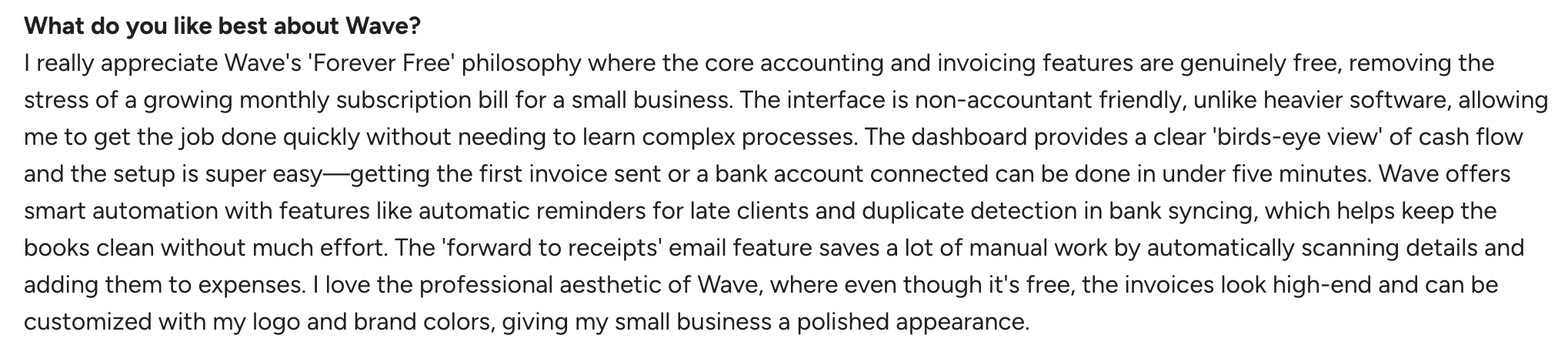
- Genuinely free core: Standout advantage with no paid tier required for the essentials
- Built for non-accountants: Dashboard gives a clear view of cash flow without finance expertise
- Fast setup: Invoice automation setup takes under five minutes from sign-up to first send
- Polished, customizable invoices: Logo and brand color customization gives small businesses a professional appearance at no cost
- Built-in automation: Late-payment reminders and duplicate detection in bank syncing keep the books clean with minimal manual effort
Wave's limitations
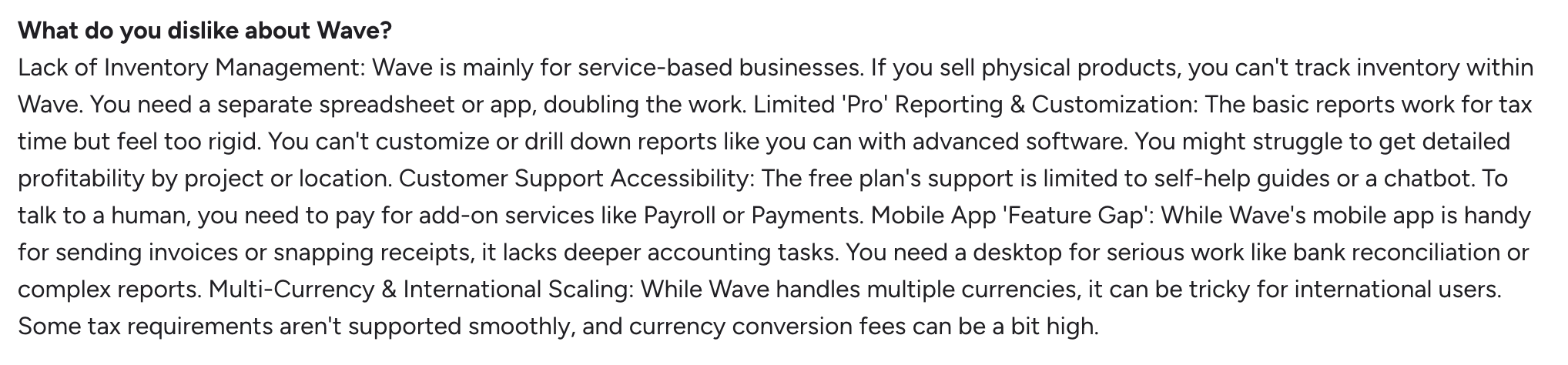
- Limited free support: Free plan support is restricted to a chatbot and self-help guides, with human support requiring a paid add-on
- Rigid reporting: No customization, and no drill-down by project or location
- No inventory tracking: Built for service businesses, so teams selling physical products need a separate system
- International friction: Users report issues with tax requirements and currency conversion
Image:
6. QuickBooks Online
Best for: Businesses already running QuickBooks for accounting who want basic invoice automation within their existing platform.
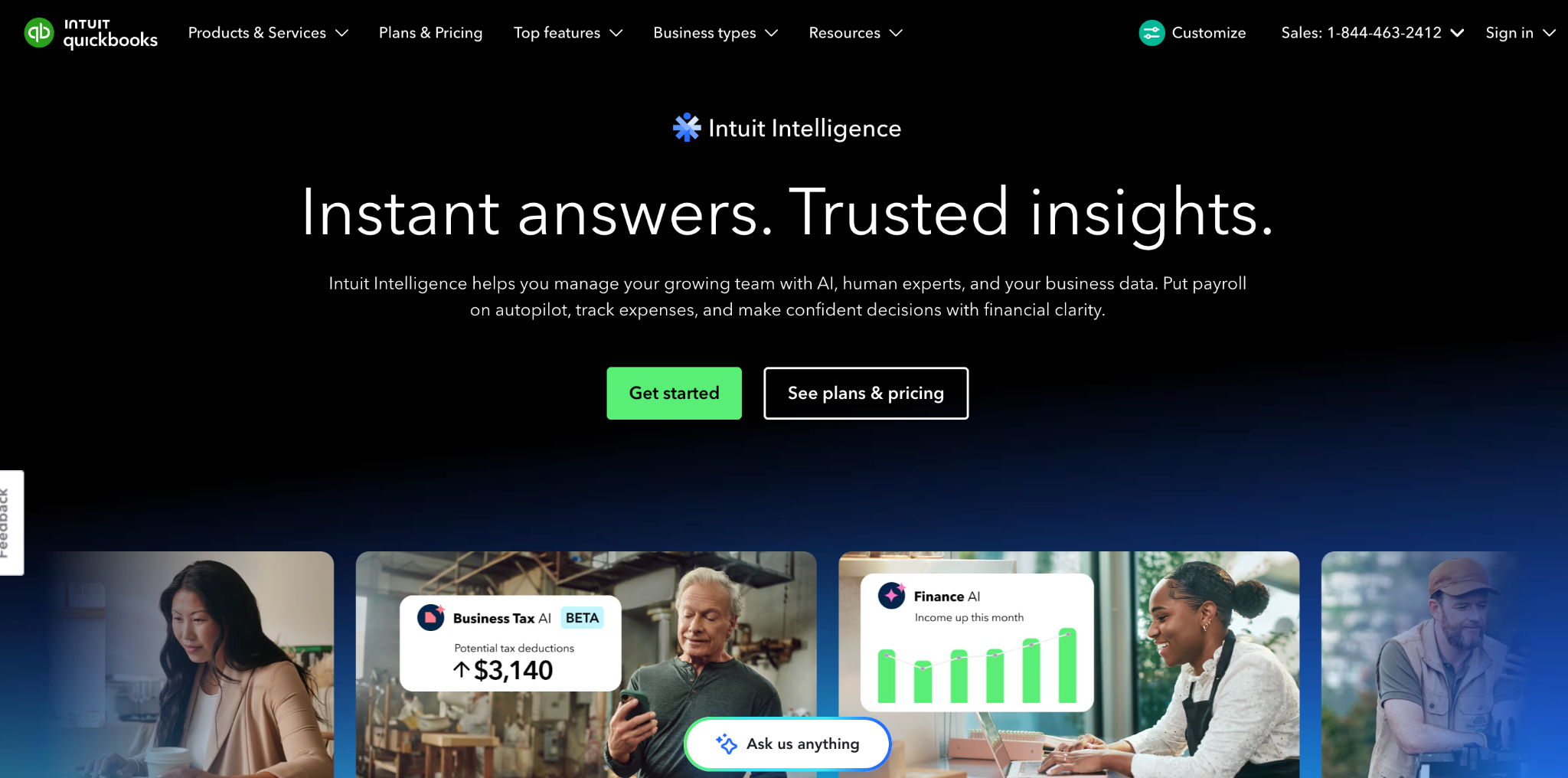
QuickBooks Online is used by millions of small businesses globally. For businesses already using QuickBooks Desktop, the online version carries over the familiar workflow with real-time access and automatic bank feeds.
The invoicing side handles recurring invoices, automated payment reminders, and progress billing for milestone-based projects. Bank transactions download automatically and can be matched to invoices or categorized using rules, which reduces manual reconciliation time significantly.
QuickBooks Online's pricing
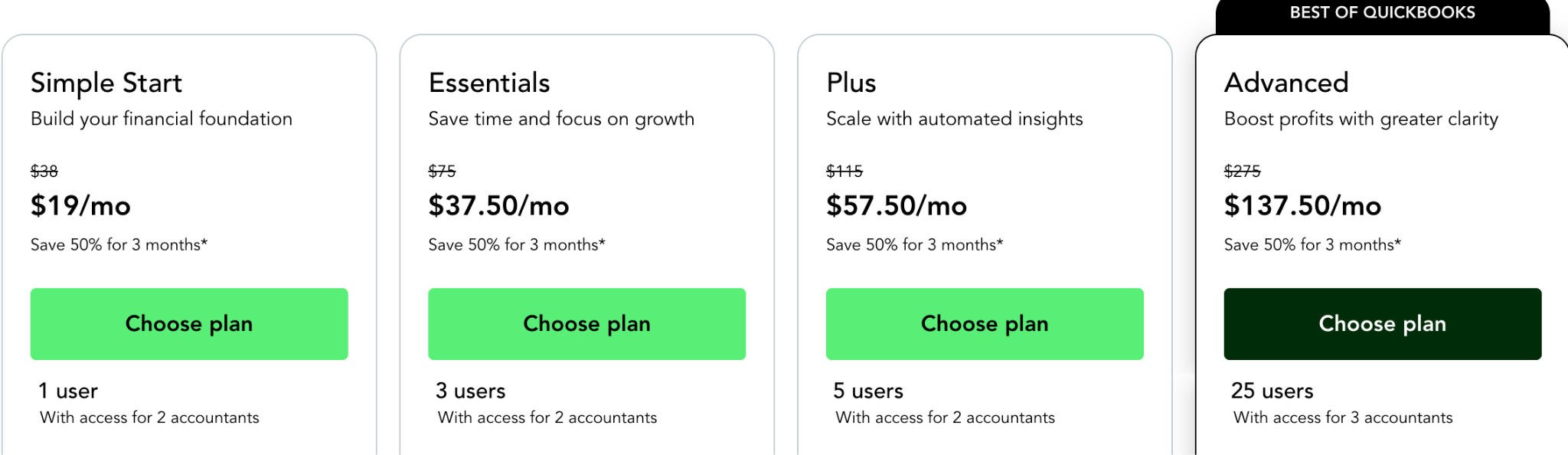
QuickBooks Online offers four plans.
- Simple Start: $38/month for 1 user, covering invoicing, expense tracking, bank feeds, and basic reports.
- Essentials: $75/month for 3 users, adding bill management, time tracking, and enhanced reports.
- Plus: $115/month for 5 users, adding project profitability tracking, inventory, and class and location tracking.
- Advanced: $275/month for 25 users, adding custom reporting, workflow automation, batch invoicing, and priority support.
All plans include a 30-day free trial.
Key features of QuickBooks Online
- Recurring invoice scheduling: Set up recurring invoices for regular clients and QuickBooks sends them automatically on the scheduled date. Automated payment reminders follow up on outstanding balances without manual intervention.
- Automated bank feeds: Bank transactions download automatically from connected accounts and can be matched to invoices or categorized using custom rules. This reduces the time spent on manual reconciliation at month end.
- Progress invoicing: Bill clients in stages as project milestones are completed, pulling from an existing estimate. Useful for construction, consulting, and project-based service businesses.
- 124+ integrations: Connects with Shopify, Salesforce, Stripe, PayPal, Gusto, HubSpot, Zapier, and over 120 other tools, covering e-commerce, payroll, CRM, and payments.
- Real-time reporting: Generate profit and loss statements, balance sheets, cash flow reports, and tax summaries in real time. Plus and Advanced plans add custom report building and project profitability tracking.
QuickBooks Online - G2 rating
4.0/5 (~3,708 reviews)
What users like in QuickBooks Online
- All-in-one accounting: Invoicing, expense tracking, and bank reconciliations all run from the same platform
- Real-time reporting: Keeps a clear view of finances at all times
- Cloud-based access: Financial data accessible from anywhere without installation, particularly valued for client collaboration

QuickBooks Online limitations
- Limited for complex needs: Reporting customization is less flexible than expected for advanced accounting requirements
- Slows with large data sets: Performance drops as data volume grows
- Pricing increases over time: Consistent frustration in reviews about ongoing price hikes
- Inconsistent support quality: Customer support is flagged as uneven across reviews

7. Xero
Best for: International businesses, particularly in the UK, Australia, and New Zealand, that need multi-currency invoicing within their accounting platform.
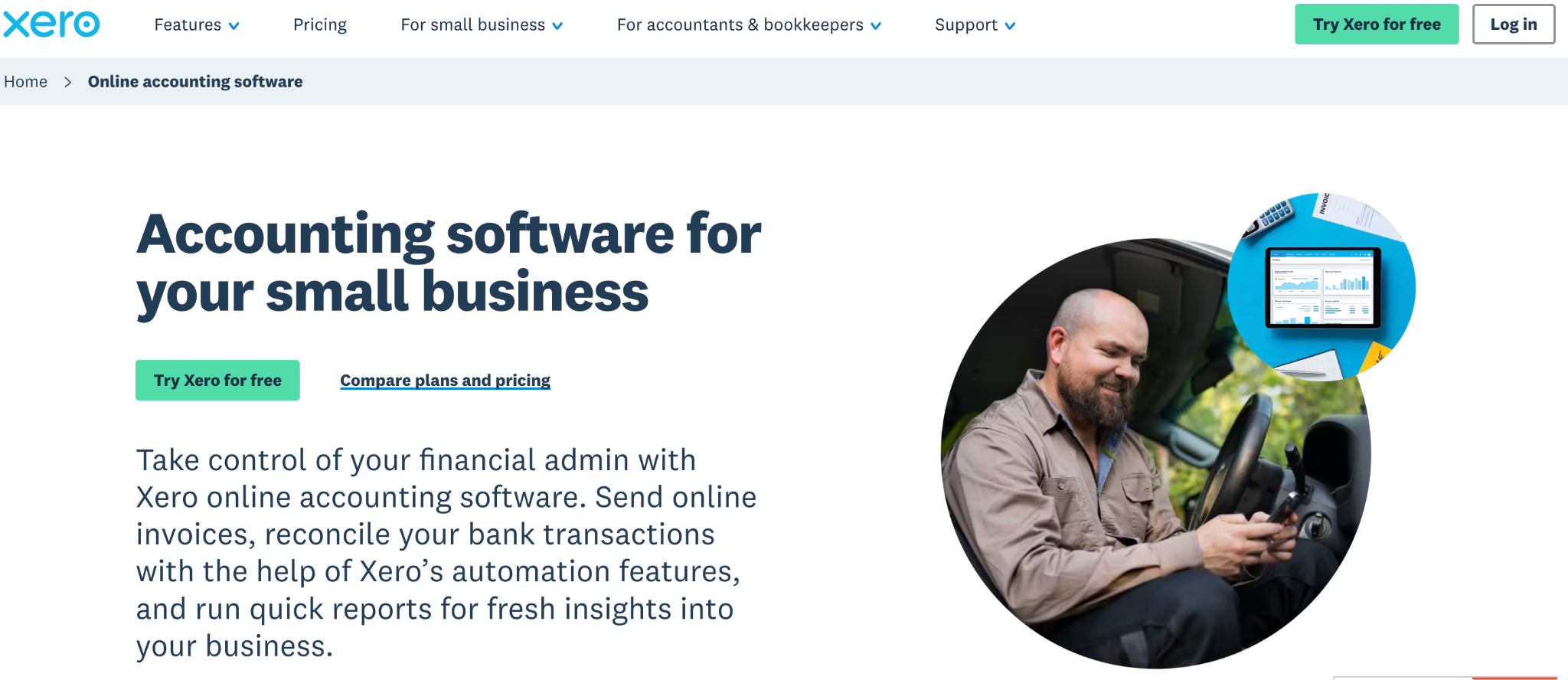
Xero is an accounting platform built for small business owners, sole traders, and growing businesses that manage their own books. It handles invoicing, bank reconciliation, expense tracking, and financial reporting, with real-time data accessible from any browser or the mobile app. Reviewers describe it as designed for the average business owner rather than accountants, which makes it accessible for founders and operators handling finances without a dedicated finance team.
The bank reconciliation is the most cited strength across G2 reviews, with transactions feeding directly from connected bank accounts and matching to invoices in one click. Xero remembers prior classifications and applies them automatically, which reduces the time spent on repetitive categorization. Over 1,000 third-party apps connect through the Xero App Store, covering payroll, inventory, CRM, and e-commerce tools.
Xero's pricing
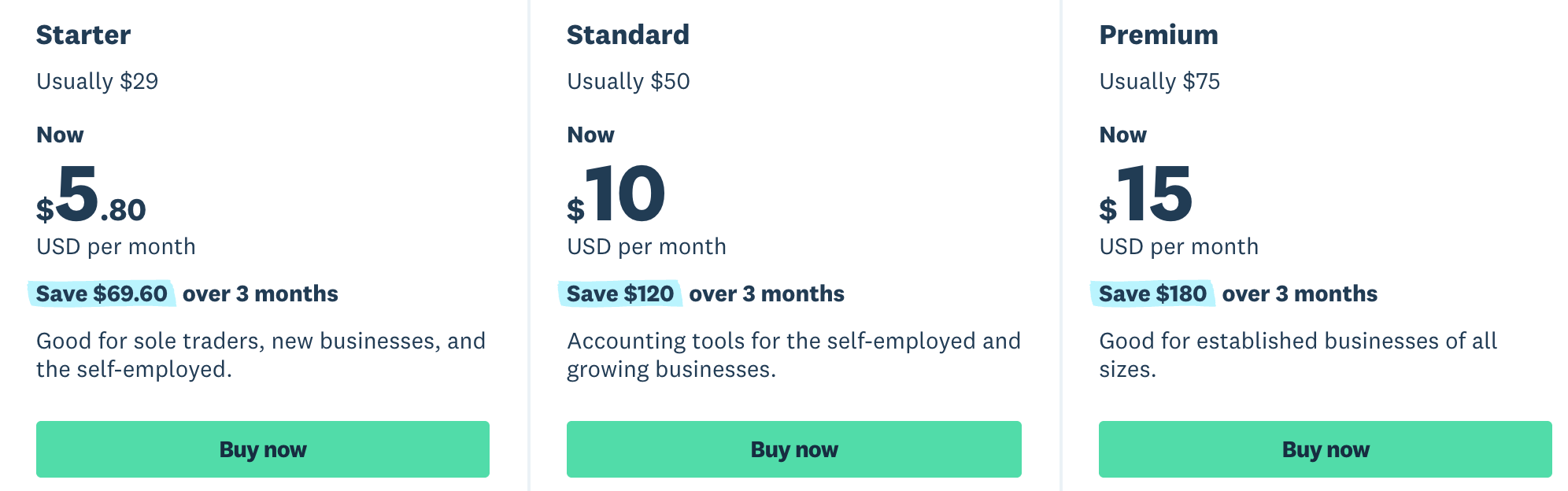
Xero offers four plans.
- Lite: $7/month, covering 5 invoices and quotes, bank reconciliation, and basic reports.
- Starter: $29/month for sole traders and new businesses, covering 20 invoices, 5 bills, and bank reconciliation.
- Standard: $50/month for growing businesses, with unlimited invoices and bills.
- Premium: $75/month for established businesses, adding multi-currency support and cash flow forecasting up to 180 days.
All plans come with a 30-day free trial and can be cancelled with one month's notice.
Key features of Xero
- Recurring invoice scheduling with automated delivery
- Multi-currency billing with live exchange rates (Established plan)
- Stripe payment links embedded directly in invoices
- Automated payment reminders and payment acknowledgments
- Bank reconciliation connected to invoice payment records
Xero - G2 Rating
4.4/5 (~1,621 reviews)
What users like in Xero
- Full accounting workflow in one platform: Covers invoicing, payment collection, expense tracking, payroll, and tax returns
- Quick setup: Frequently described as fast and straightforward, with reviewers up and running quickly
- Wide integration ecosystem: Connects to a large library of third-party apps across payroll, inventory, CRM, and e-commerce
- Competitive pricing for small businesses: A lot is included in the base packages

Xero’s limitations
- Cumbersome historical editing: Editing past entries is harder than it should be
- Multi-step expense payments: Requires recognizing the expense first, then making the payment separately, when it could reasonably be handled in one action

8. HubSpot Commerce Hub
Best for: HubSpot CRM users who want invoice automation triggered directly by deal stage changes, with payment collected within the HubSpot platform.
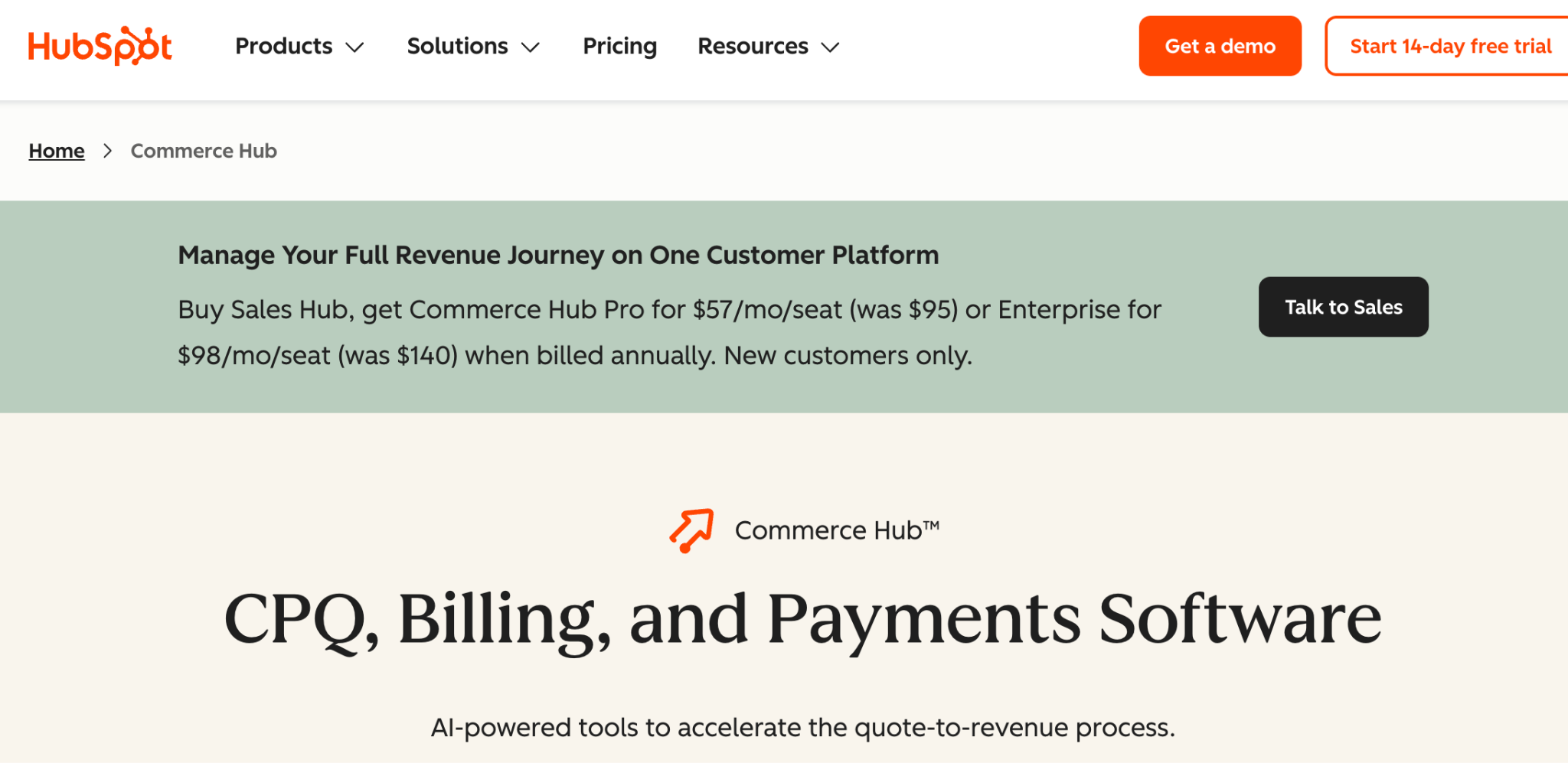
HubSpot Commerce Hub is a CPQ (Configure Price Quote) solution built natively inside HubSpot's CRM. It handles quotes, proposals, invoices, and payment collection from within the same system where contacts, deals, and communications already live. For teams whose entire sales process runs in HubSpot, deal data, quote history, invoice status, and payment records all stay connected to customer records automatically.
invoice automation triggers from deal stage changes. A deal moves to the right stage, an invoice is created from the deal data, and a payment link goes to the client. Payment is recorded back to the CRM record automatically. The buyer completes the entire flow, from reviewing terms to making payment, inside one interface.
HubSpot Commerce Hub's pricing
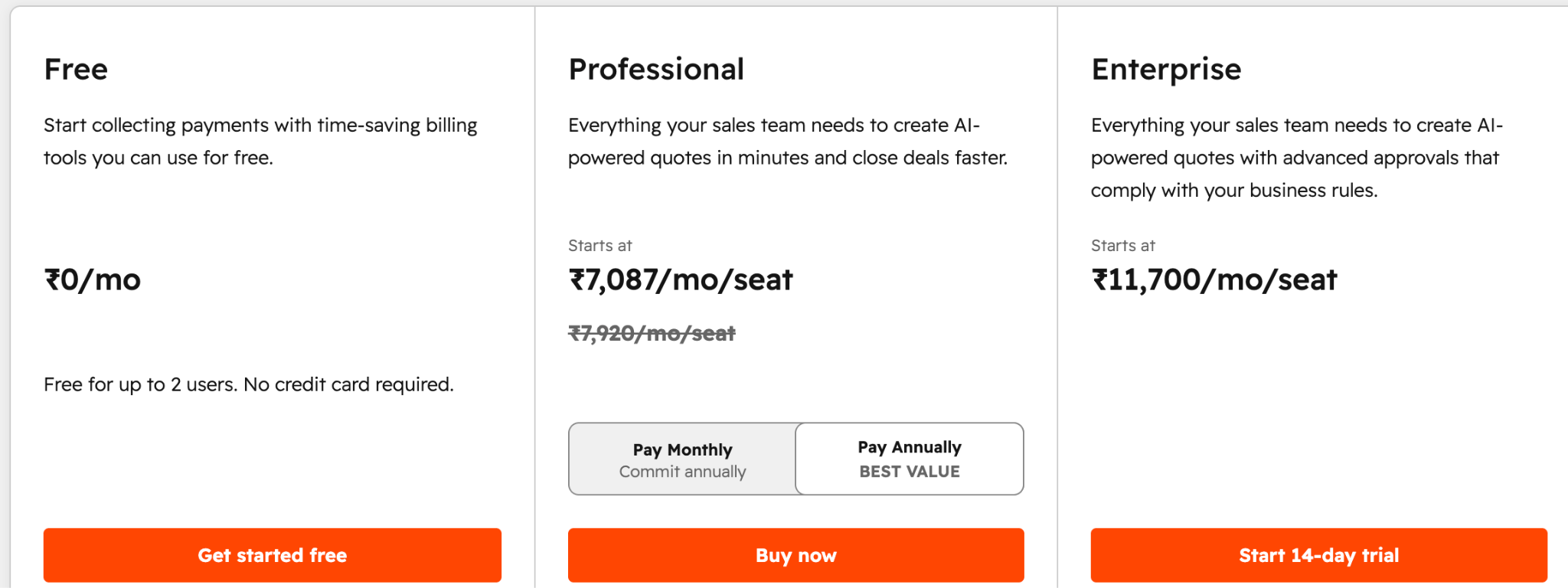
- Free plan: Up to 2 users, covering invoices, payment links, and basic commerce tools
- Professional plan: Per-seat monthly rate, adding AI-generated quotes, quote workflows, eSignature, automated sales tax, and subscription billing
- Enterprise plan: Adds advanced quote approvals and higher limits
- Transaction fees (HubSpot Payments): 2.9% per transaction with a 0.5% platform fee
- Transaction fees (existing Stripe account): 0.75% platform fee
Key Features of HubSpot Commerce Hub
- AI-generated quotes: Commerce Hub generates quotes, proposals, and cover letters automatically using deal data and call transcripts, reducing manual entry and calculation errors.
- Deal-triggered invoice creation: Invoices are created from HubSpot deal records when a deal moves to a specified stage. Client data, line items, and payment terms populate automatically from the CRM.
- Payment links and collection: Send payment links directly to clients via email. Clients pay by credit card, ACH, Apple Pay, or Google Pay, and the payment records automatically against the deal in the CRM.
- eSignature: Built-in eSignature covers up to 25 signatures per user per month on Professional and 50 on Enterprise, with no third-party tool required.
HubSpot Commerce Hub - G2 rating
4.6/5 (93 reviews)
What users like in HubSpot Commerce Hub
- Easy setup: Teams can get started quickly with minimal onboarding
- Visible customer information: Straightforward to review and move clients along their journey
- Pre-filled email workflow: All information populates automatically, leaving only the message to write before sending

HubSpot Commerce Hub limitations
- Slow loading and sending: Reviewers note the process could be faster overall
- No editing scheduled emails: Once a scheduled email is set up, it can't be edited, which limits day-to-day usability

Why automate invoice generation?
Manual invoice creation costs $12 to $30 per document in labor time (IOFM, 2024). At 200 invoices a month, that is between $2,400 and $6,000 in recoverable costs sitting in a single workflow.
When invoice data is copied manually from a CRM or spreadsheet into a template, errors grow with volume. A wrong tax rate, an outdated payment term, or a mistyped line item on a client-facing document creates a credit note, a payment delay, and a conversation nobody wants to have.
invoice automation software removes that manual step. Your data connects directly to your template. A trigger fires, the invoice generates, and delivery happens automatically. Month-end batches that once took two full days run in minutes. Every invoice that leaves your business looks identical, carries the right data, and reaches the right person without anyone in the middle. Invoices are one piece of broader finance document generation; the same setup produces statements, reports, and filings from the same data.
See how Massive Agency processes 10,000+ documents per year with Docupilot.
Key features to look for in invoice automation software
1. Template flexibility
The best invoice automation software lets you upload your existing invoice template in Word, Excel, or PDF format and add dynamic fields, conditional logic, and calculations on top of it. Tools that lock you into a proprietary template editor limit your formatting control and create friction if you need to migrate later.
2. Integration triggers
Look for tools that connect to your CRM (Salesforce, HubSpot, Pipedrive, or Zoho), e-commerce platform (Shopify or WooCommerce), or database (Airtable or Google Sheets) and trigger invoice automation automatically on specific events. The value of invoice automation drops sharply if a person still needs to initiate every generation event manually.
3. Conditional logic for tax and payment terms
Conditional logic means one invoice template handles every client scenario: different tax rates by jurisdiction, different payment terms by client tier, different line item structures by service category, and different currency formats by market. The alternative is maintaining a separate template for every variation, which becomes unmanageable above a few hundred invoices a month.
4. Delivery automation
After the invoice is generated, the tool should deliver it automatically: emailed to the client, saved to Google Drive or Dropbox, attached to the CRM contact record, or routed for eSignature. Generation covers only half the workflow. If someone still downloads the PDF and attaches it to an email manually, the process is incomplete. And if signatures are a regular part of your billing, compare dedicated electronic signature software for accountants alongside your invoicing tool.
How to choose the right invoice automation tool for your team
Every tool on this list solves the invoice automation problem from a different angle. PandaDoc fits sales teams that need proposals, signatures, and invoices in one flow. Zoho Invoice, FreshBooks, QuickBooks, and Xero work well for businesses that want invoicing built into their accounting platform. Wave covers freelancers and micro-businesses that need a free starting point. HubSpot Commerce Hub fits teams whose entire revenue process lives inside HubSpot.
But if your problem is generating invoices from live data at scale, with conditional logic for tax rates and payment terms, bulk generation from a CSV, and automated delivery to the right destination, Docupilot is the tool built specifically for that workflow.
It connects to the systems you already use: Salesforce, HubSpot, Shopify, Airtable, Google Sheets, and 70+ others. It generates and delivers finished invoices automatically the moment a trigger fires. And it starts at $29/month, with a 30-day free trial and no credit card required.
If Plussa Suomi could cut hours of manual invoice work down to minutes using Docupilot and Make.com, your team can too.
Start your 30-day free trial today and see how Docupilot connects your data to finished, delivered invoices automatically.
FAQs
1. Can I migrate my existing invoice templates and client data to a new invoice automation tool without starting from scratch?
In most cases, yes. Tools like Docupilot let you upload your existing invoice template in Word, Excel, or PDF format directly, so you keep your current design and branding. Client data migration depends on your current system, but if your data lives in a CRM, spreadsheet, or accounting tool, most generation tools connect to it directly rather than requiring a manual import.
2. Do I need technical knowledge to set up invoice automation?
It depends on the tool. Accounting-first tools like FreshBooks, Zoho Invoice, and Wave are built for non-technical users and require minimal setup. Document generation tools like Docupilot require some initial template configuration but offer no-code integrations via Zapier and Make for teams without developer resources. Developer-led tools like APITemplate.io require API familiarity.
3. What is the difference between invoice automation and billing software?
Invoice automation focuses on generating and delivering outbound invoices from your existing data. Billing software covers the broader payment lifecycle, including subscriptions, payment collection, dunning, and revenue recognition. Some tools overlap, but they serve different primary functions. The tools in this article focus on the generation side.
4. Can invoice automation software handle invoices in multiple languages?
Some tools support multi-language invoicing. Zoho Invoice supports 17 languages including Arabic, German, French, Japanese, and Spanish. Docupilot supports multi-language templates since the template itself carries the language, meaning you can build separate templates for different markets and trigger the right one based on client data.
5. Can Docupilot handle partial invoices or milestone-based billing?
Yes. Docupilot supports milestone-based invoice automation through conditional logic and trigger-based workflows. You can set up separate invoice templates for each project milestone and trigger generation automatically when a milestone is marked complete in your CRM or project management tool. Line items, amounts, and payment terms adjust per milestone based on the data mapped to the template.
Learn how to automate document creation with Docupilot


Contents
Stop rebuilding the same document by hand.

Generate and sign documents in one workflow
Save ~15 minutes per application




