


Key takeaways
- Purchase order automation connects requisitions, approvals, budget checks, PO creation, supplier delivery, receiving, and invoice matching within a controlled purchasing workflow.
- Document generation handles PO creation and delivery, while procure-to-pay platforms also manage approvals, budgets, receiving, three-way matching, and accounting synchronization.
- Five capabilities define the category: approval routing, three-way matching, budget checks, ERP or accounting integrations, and purchase order generation.
- The right platform depends on where the process breaks. Teams should identify whether delays occur during requests, approvals, document creation, supplier delivery, or invoice reconciliation.
- Precoro and Procurify suit mid-market procurement workflows, while Zip, Coupa, and SAP Ariba serve enterprise requirements. Docupilot fits teams that need to generate purchase order documents from approved data.
Purchase order automation software replaces the email chains, spreadsheets, and retyped line items that sit between someone asking to buy something and a supplier receiving a signed order. Every tool below does part of that job. None of them does the same part. Some manage requisitions and approvals; some support invoice matching. Tools like Docupilot focus on generating and delivering the purchase order document from approved data.
A 2026 study from APQC procurement benchmarks put the cost of processing a single purchase order at roughly $13.85 for top performers and $54.50 for bottom performers, with a median near $29.59.
Across 100,000 POs a year, that spread is worth more than $4 million. Buying a platform that automates a step you had already solved moves none of it.
This guide is centered on the step of the purchase order process that needs improvement. It compares nine tools: Precoro, Procurify, Ramp, ProcureDesk, Tradogram, Zip, Coupa, SAP Ariba, and Docupilot. Each tool is evaluated based on the specific problem it addresses, along with G2 ratings, available pricing, and recent user reviews.
How we compiled this list
To compile this list, we reviewed G2’s Purchasing and Procure-to-Pay categories, Capterra listings, official vendor product and pricing pages, recent user reviews, and the pages currently ranking for “purchase order automation software.” We then shortlisted nine tools based on their purchase order capabilities, target market, pricing availability, and third-party customer feedback.
- Inclusion criteria: The tool must either manage purchase orders as part of a procurement workflow or generate the finished purchase order document from approved business data. It must have third-party reviews dated within the last two years. It must be buyable by a company under 1,000 people, or serve enterprises explicitly.
- Evaluation axes: Approval routing, three-way matching, budget check at the point of request, native ERP or accounting sync, and time to value including pricing transparency. Nothing outside those five is covered here.
- Sources: G2 and Capterra for ratings and user feedback, vendor pricing pages where prices are published, and APQC benchmarking data for cost per PO. The evidence window is February 2026 to August 2026 unless a date is stated otherwise.
- Ordering: The overview table is sorted by G2 rating. The sections below are ordered by fit for the most common searcher on this query, a finance or operations lead at a 50- to 1,000-person company, then by segment, with Docupilot last.
A Quick Glance: Purchase order automation software compared
What each tool actually covers
The five things that decide this purchase. If a tool misses one you depend on, no amount of adjacent functionality repairs it.
1. Precoro
Best for: Teams of roughly 50 to 500 people replacing spreadsheet requisitions and email approvals, who want to compare cost before booking a sales call.
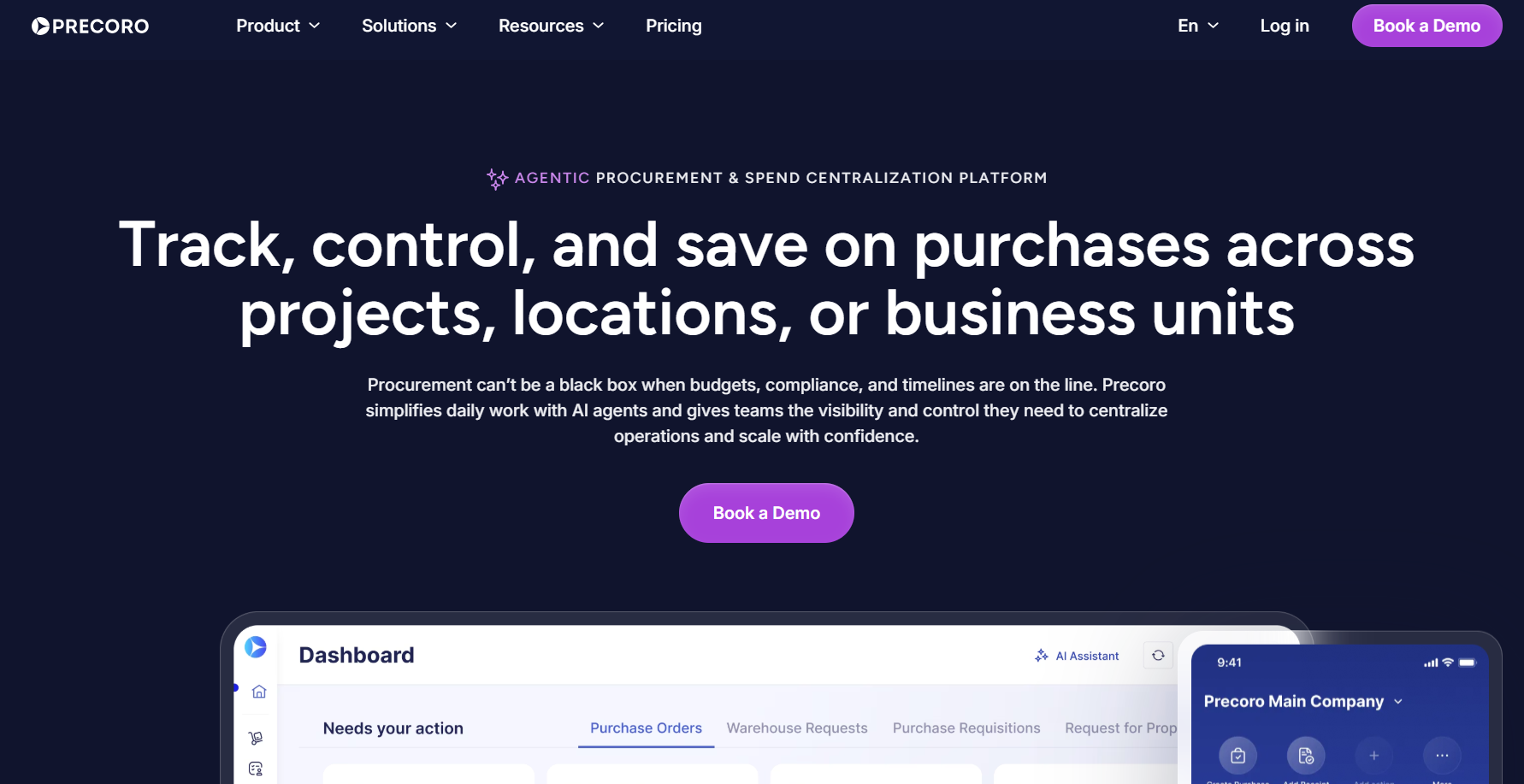
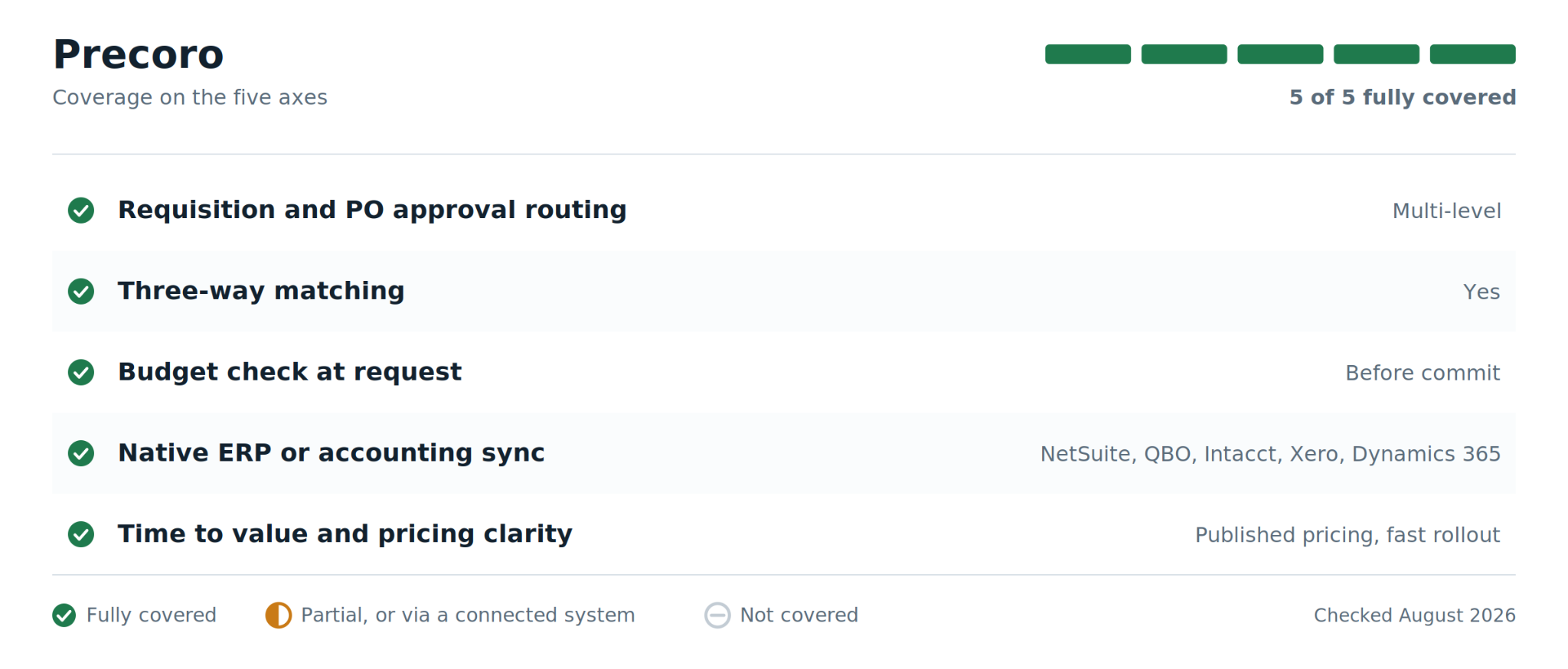
Precoro is a procure-to-pay platform aimed squarely at the middle of the market. It covers the full chain in one system: someone raises a requisition, the request is checked against a budget before any money is committed, it routes through an approval matrix you configure yourself, a purchase order goes out to the supplier, goods are received, and the invoice is matched against both the order and the receipt. None of that replaces your accounting software. It syncs to it.
The features that matter most in practice are the approval matrix, which is flexible enough to handle multi-step sign-off without a consultant, and the budget check that fires before commitment rather than after the invoice lands.
How Precoro performs across key criteria
Where Precoro falls short
- At 186 G2 reviews, the evidence base is much thinner than Coupa or SAP Ariba. Segment-specific patterns are harder to read from it.
- $499 per month billed annually is a real floor. For a 20-person company issuing 30 POs a month, the per-PO math does not work.
- Capterra reviewers who otherwise rate the value highly have flagged cost allocation as an area that needs work.
Precoro pricing
Core from $499 per month billed annually, Automation at $999 per month, Enterprise custom-quoted. Free trial available. Prices as of August 2026, per Capterra and Precoro's G2 listing.
What users say: Capterra reviewers describe the pricing as fair and good value, particularly the power-user-based charging model, and repeatedly single out support responsiveness
2. Procurify
Best for: Mid-market finance teams, 100 to 1,000 people, who want purchasing and accounts payable in one platform and expect multi-site or multi-department approval routing.
Picture a 300-person organization across three sites, each with its own budget owner and its own working definition of what counts as approved. That is the shape of company Procurify is built around, and it is where the platform pulls ahead of the cheaper mid-market options.
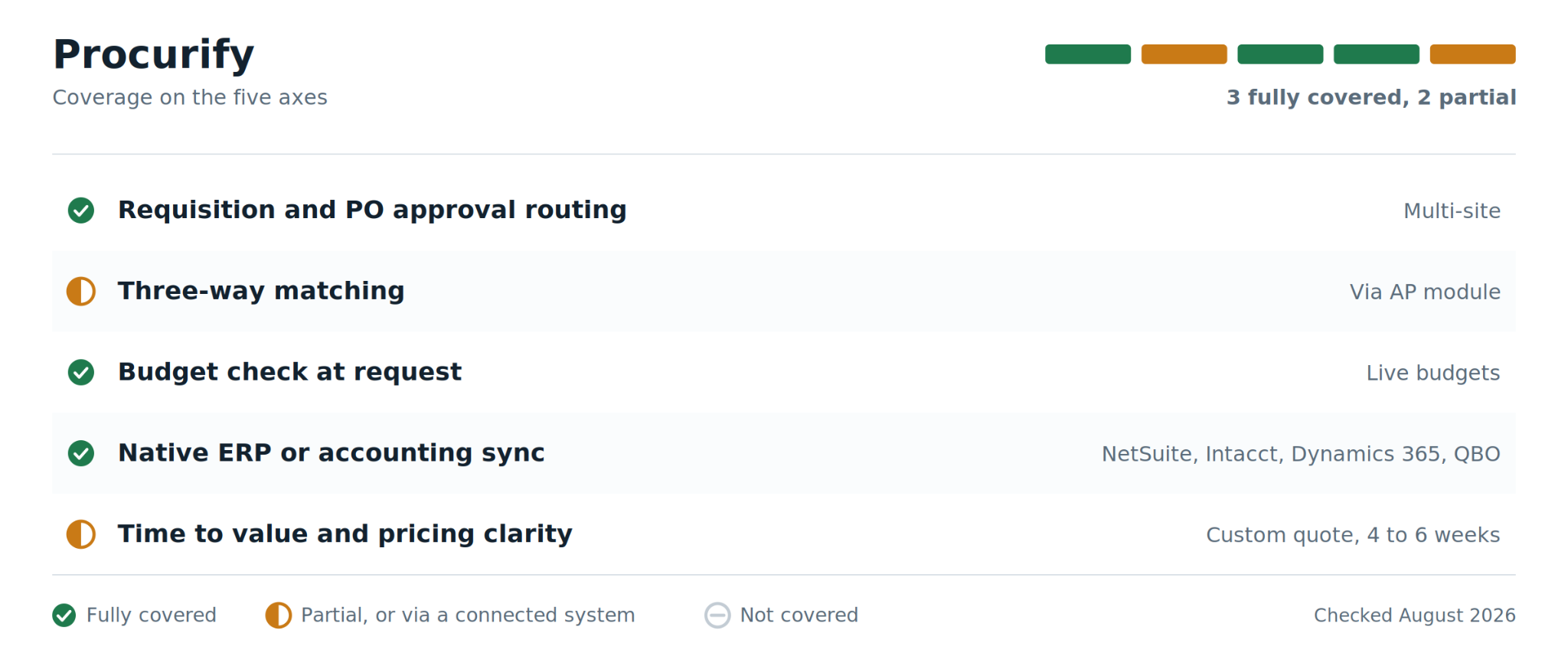
Functionally, it covers the same ground as Precoro, moving a purchase from request through approval, PO, receipt and invoice, but the routing is built for organizations where approval depends on which site, department and cost center a request belongs to. Split coding, multi-location routing and live budget visibility at the moment of request are the pieces that justify the price difference.
The accounts payable module, sold as an add-on rather than bundled, adds invoice capture and three-way matching. Integrations cover NetSuite, Sage Intacct, Dynamics 365 and QuickBooks Online.
How Procurify performs across key criteria
Where Procurify falls short
- G2 reviewers note the approval workflows can be rigid, which slows genuinely urgent requests
- Reporting and customization have been flagged as thin for organizations with complex analytics needs. Test the reports during the trial rather than after.
- Pricing is not published. Quotes are built from Pro user counts and selected modules, so a like-for-like comparison takes a call.
Procurify pricing
Custom quote only, as of August 2026. Third-party trackers place entry around $1,000 per month, but Procurify does not publish this, so treat it as an estimate rather than a number to budget against.
What users say: On its own G2 reviews page, customers most often cite ease of use and the speed of writing and matching POs. The recurring counterweight in the same review set is workflow rigidity
3. Ramp
Best for: Companies already running corporate cards, expenses, and bill pay on Ramp, who want PO approvals in the same place as the card spend.
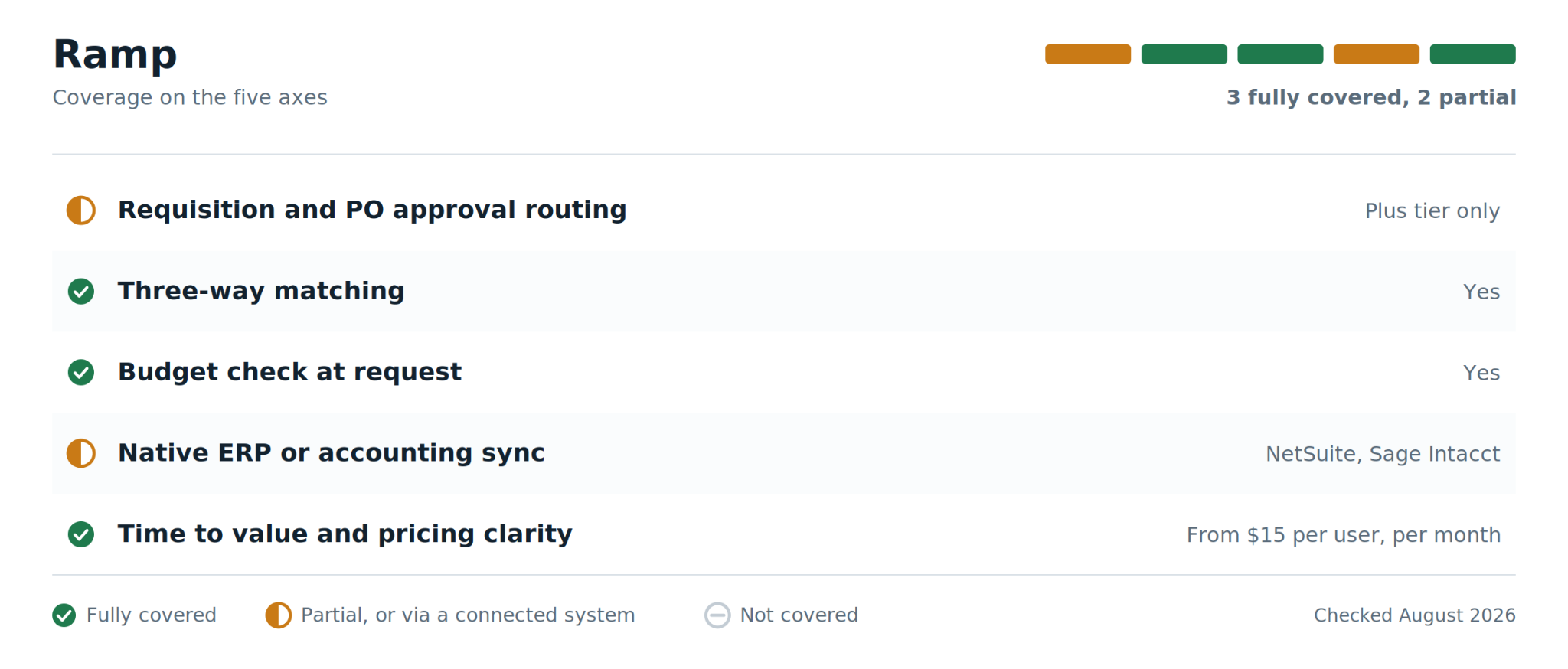
Be clear about what Ramp is before evaluating it, because the category label is misleading. This is a finance operations platform with procurement capabilities attached, not a procurement platform with finance tools. That distinction sets every expectation that follows.
The proposition is straightforward for one specific company: you already run corporate cards, expense management and bill pay on Ramp, and you want purchase requests approved in the same place the card spend already lives.
Requests, POs and invoices sit in one dashboard, custom workflows route approvals to the right people, and three-way matching reconciles the invoice against the PO and receipt with discrepancies flagged rather than quietly paid. Native NetSuite and Sage Intacct integrations handle the accounting side.
How Ramp performs across key criteria
Where Ramp falls short
- The procurement module requires Ramp Plus or Enterprise. It is not part of the entry-level product.
- No source-to-contract, strategic sourcing, RFx, or UNSPSC spend classification. If procurement is a function rather than a workflow at your company, this is the wrong primary system.
- The 4.8 G2 rating covers the whole Ramp platform. Very little of that review volume speaks to purchase orders specifically.
Ramp pricing
Ramp Plus from $15 per user per month with Enterprise custom-quoted, as of August 2026. Ramp does not publish full platform pricing, and third-party transaction data shows platform fees ranging from zero for qualifying small businesses up to five figures monthly at enterprise scale.
What users say: Ramp reports that its customer NPHY completed PO approvals 90 percent faster after moving to the platform. That figure is vendor-published rather than independently verified, so weight it accordingly. Independent G2 reviewers praise ease of use and receipt automation, and note that frequent product updates sometimes disrupt settled workflows
4. ProcureDesk
Best for: Small and lower mid-market finance teams on QuickBooks or Business Central who want full purchase-to-pay without an enterprise implementation.
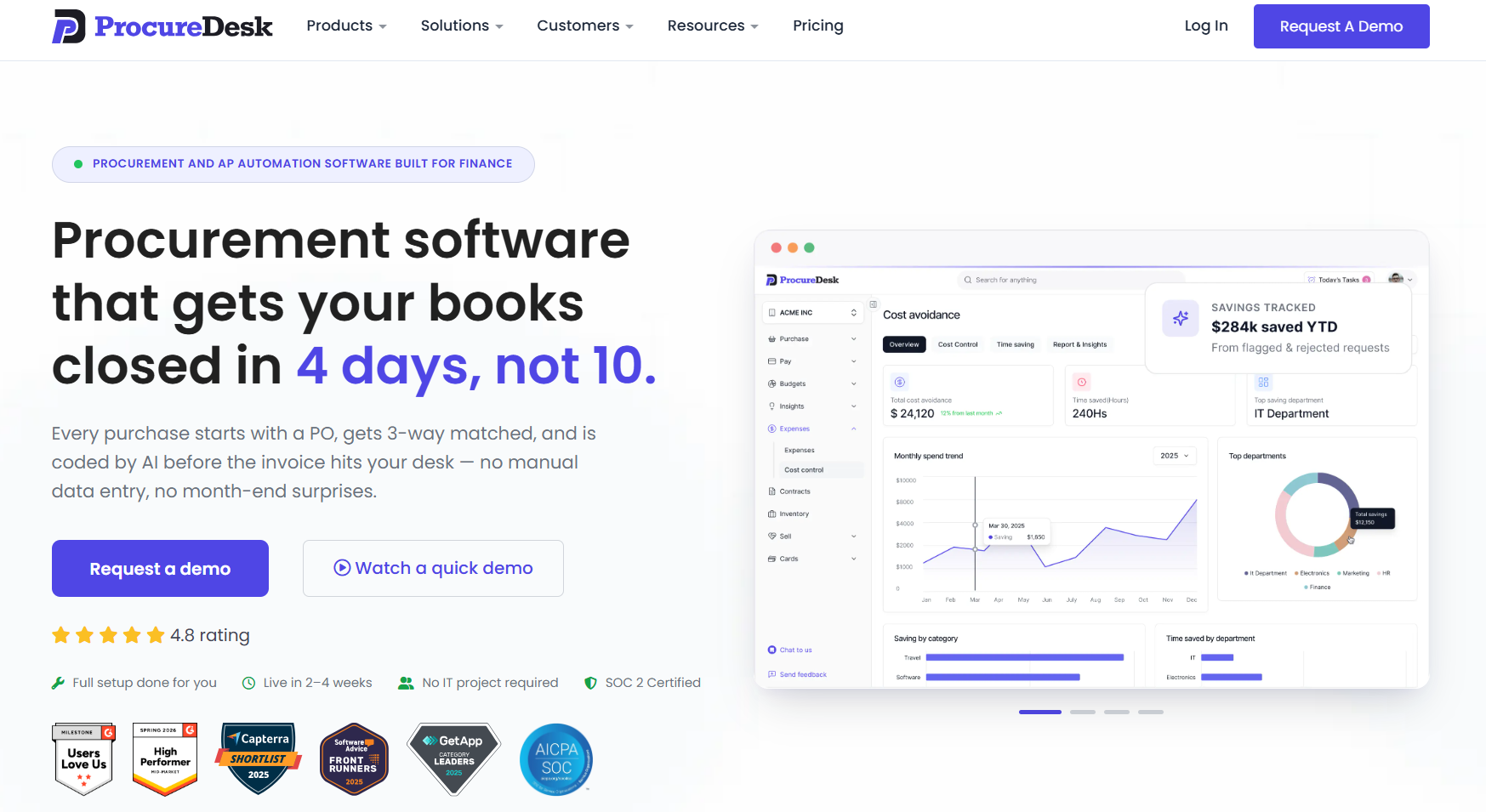
ProcureDesk knows exactly who it is for, which is unusual enough to be worth saying out loud. The target is companies of roughly 50 to 250 people, running QuickBooks or Dynamics 365 Business Central, that want proper purchase-to-pay without committing to an enterprise implementation project.
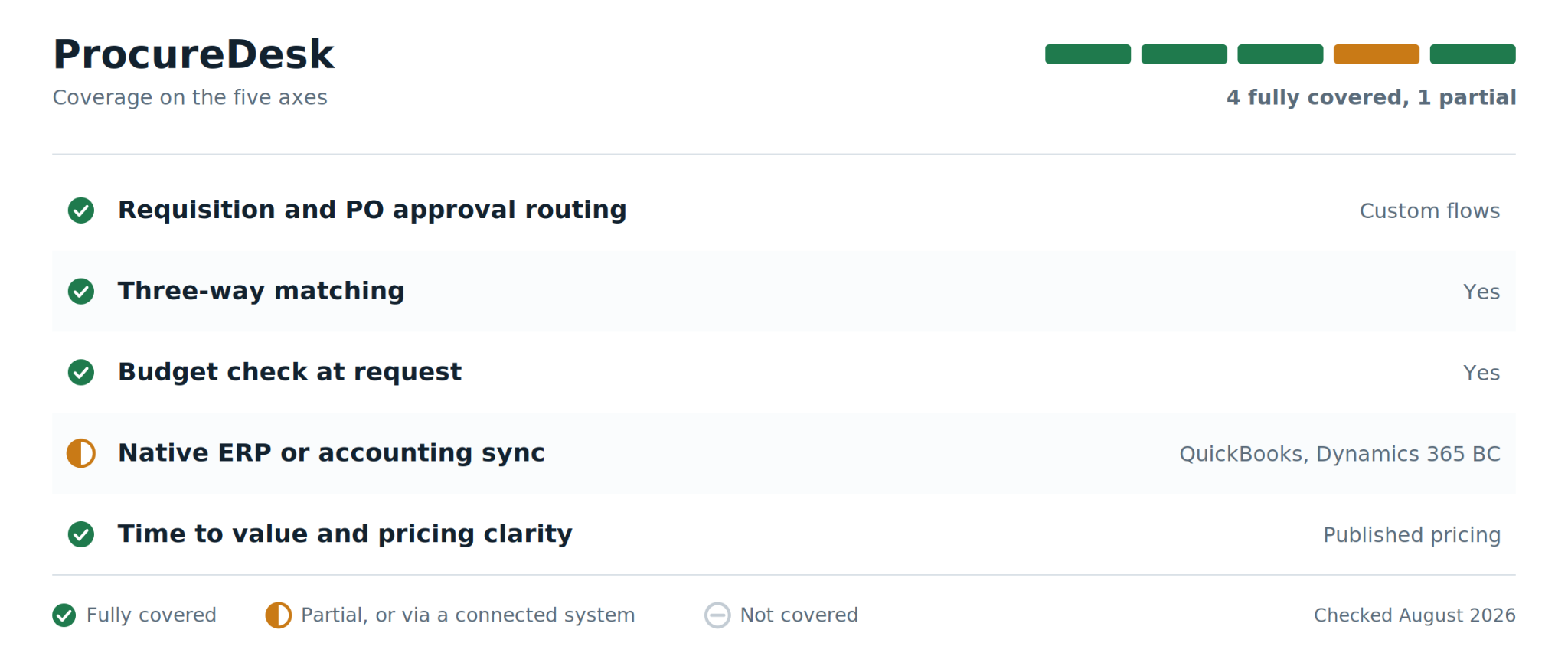
For that company it covers the whole cycle competently. Custom approval workflows, automated transmission of the PO to the supplier, receiving, then AP automation with three-way matching, PO-to-invoice reconciliation and GL coding. A large punchout catalogue library helps if you buy regularly from major suppliers. Entry pricing is published at $415 a month for ten users across three tiers, which puts it alongside Precoro as one of the few tools here you can budget for without a sales conversation.
How ProcueDesk performs across key criteria
Where ProcureDesk falls short
- Only 37 G2 reviews. Satisfaction is high within that set, but the sample is too small to read segment patterns from, and buyers should treat it as a young evidence base rather than a validated one.
- GetApp reviewers have raised integration gaps and workflow control limits, and inconsistency in invoice handling. Worth probing directly in a trial.
- Not built for enterprise complexity. Above roughly 250 employees you will outgrow it.
ProcureDesk pricing
From $415 per month for 10 users, with three published tiers, as of August 2026 per its G2 pricing listing.
What users say: A financial controller at a sub-50-employee company writes on G2 about the integration with Microsoft Business Central being smooth and PO and invoice tracking being straightforward. Reviewers on Gartner Peer Insights repeatedly single out support quality.
5. Tradogram
Best for: Small teams and non-profits moving off spreadsheets who need requisitions, POs, and basic invoice matching without a monthly commitment to begin with.
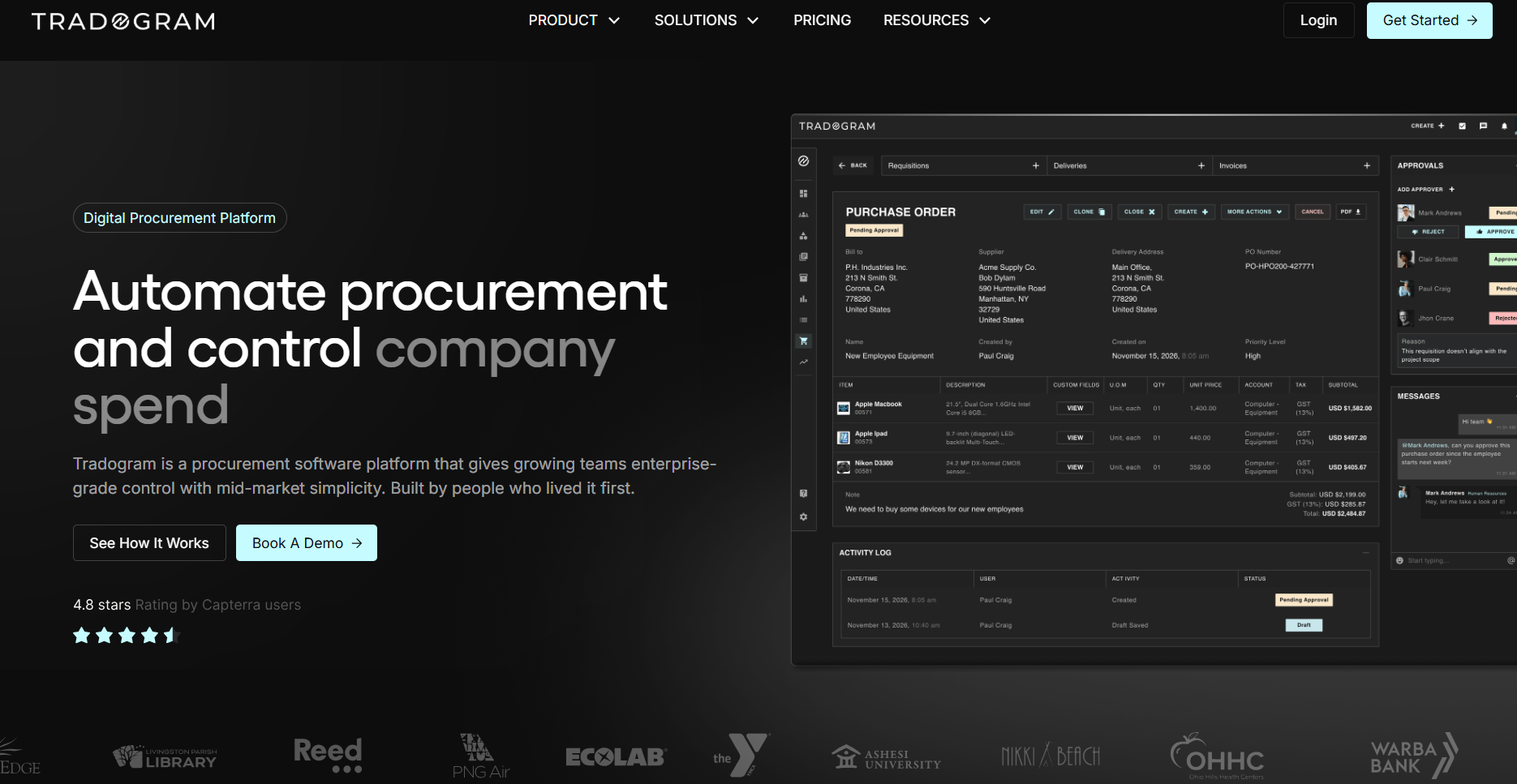
Tradogram has a genuinely free tier, and that is the most useful thing about it. Before spending $499 a month to find out whether a structured purchase order process fixes your problem, you can find out for nothing.
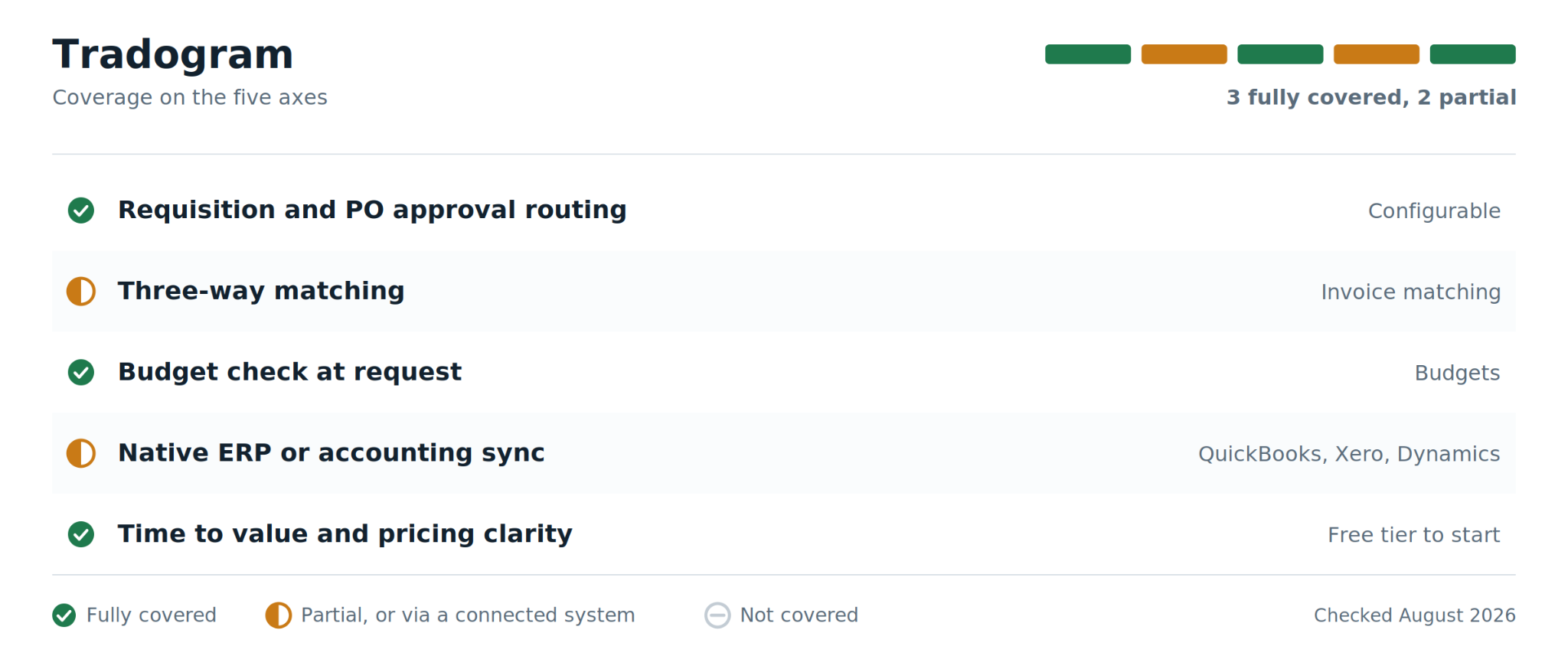
The free and paid tiers cover more than the price suggests: configurable requisitions, purchase orders, RFQs, approval routing, receiving and invoice matching, with user permissions, budgets, item catalogues and supplier records underneath. Accounting integrations reach QuickBooks, Xero and Dynamics. The detail reviewers appreciate most is that requisitions, POs, invoices and delivery records link to each other automatically, so the audit trail assembles itself rather than being reconstructed at year end.
How Tradogram performs across key criteria
Where Tradogram falls short
- A G2 reviewer dislikes having to "get an independent quote and then input it into" Tradogram to raise a PO, rather than requesting the quote inside the tool.
- Supplier price lists do not update automatically. Bulk changes mean exporting to CSV, editing outside the tool, and re-uploading, which reintroduces the manual step you were trying to remove.
- Reviewers describe training materials as patchy, and the workflow engine and reporting are less sophisticated than competitors with larger engineering teams.
Tradogram pricing
Free Basic tier with paid tiers above it. Third-party trackers list paid entry between roughly $168 and $195 per month, as of August 2026. Tradogram does not publish a single canonical figure, so confirm on the Capterra profile or with the vendor.
What users say: The strongest recurring praise in G2 and Capterra reviews is interface simplicity and the automatic linking of requisitions, POs, invoices, and delivery records, so the audit trail assembles itself.
6. Zip
Best for: Enterprises that already run Coupa, Ariba, or an ERP for the back end, and whose real problem is that employees bypass the process because the front door is unpleasant.
Zip exists because of a specific failure that has nothing to do with features. Companies buy a capable procure-to-pay platform, and then employees route around it, because raising a request properly is unpleasant and sending a Slack message is not. Spend happens anyway. It just happens invisibly.
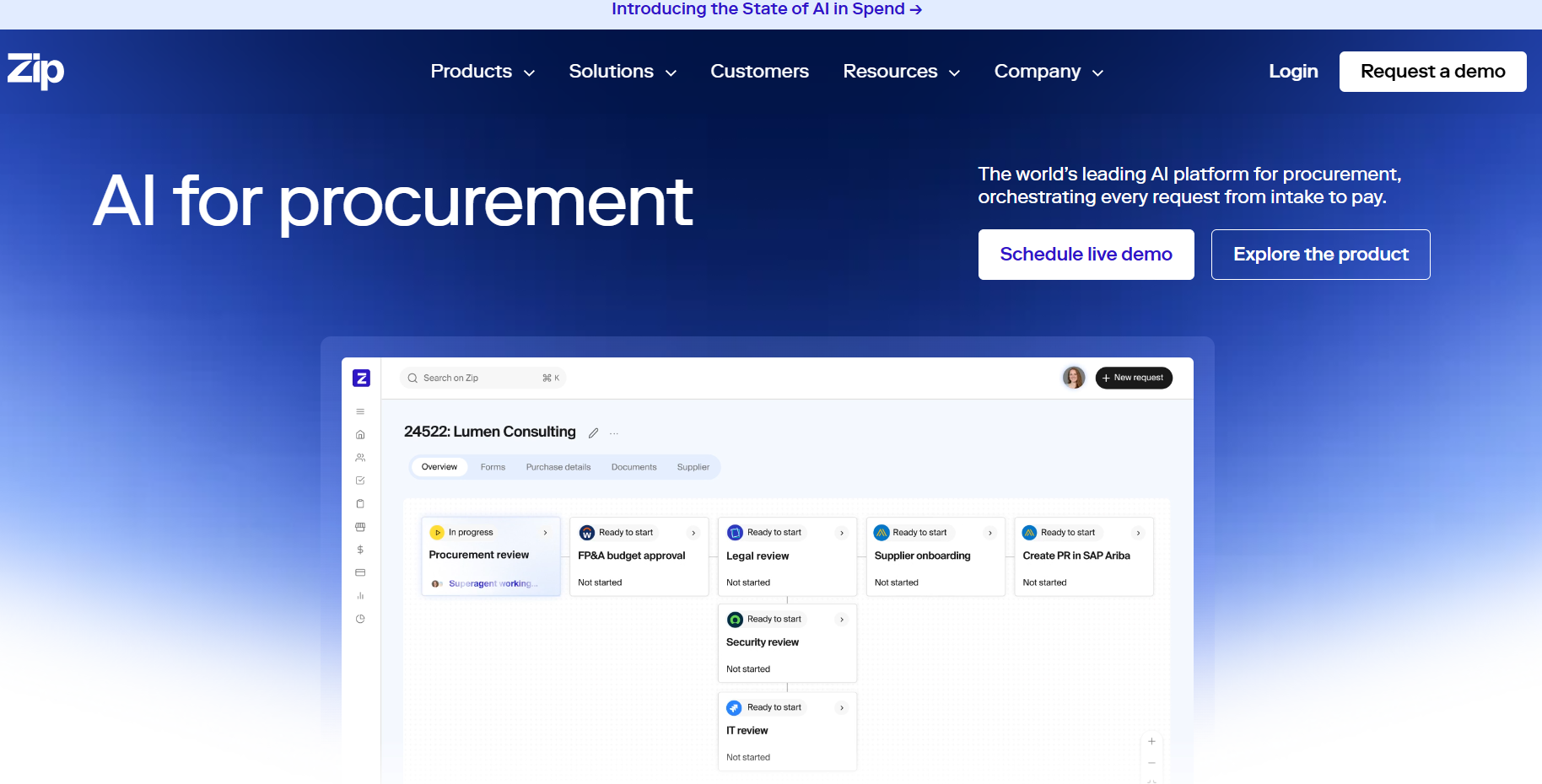
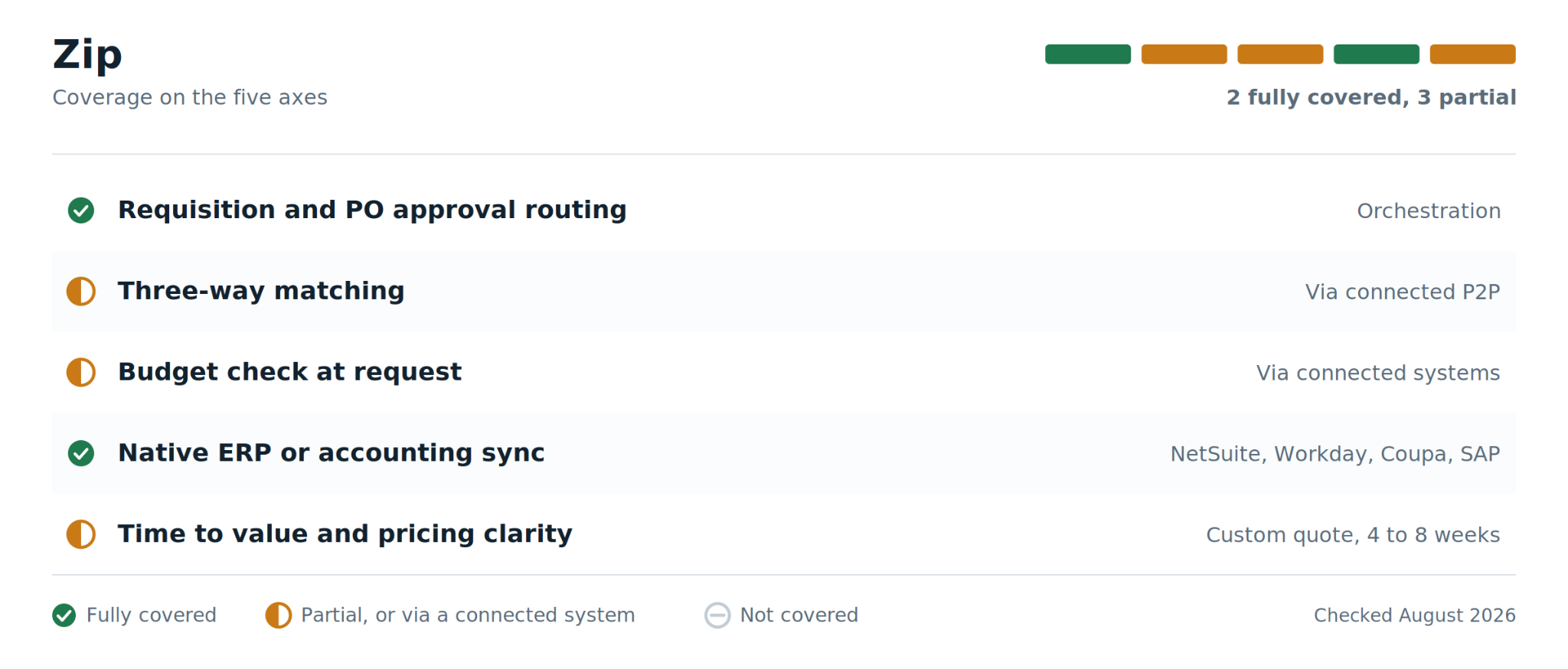
The answer Zip offers is an intake and orchestration layer that sits in front of the systems you already own rather than replacing them. Every employee gets one simple place to request any purchase. The request is then routed automatically through whichever combination of finance, legal, security, IT and procurement approval it actually needs, and the approved result is pushed into your ERP and P2P system. Slack and Microsoft Teams integration means approvals happen where people already work instead of in a portal nobody opens, and reported go-live sits at four to eight weeks, which is fast for this tier.
How Zip performs across key criteria
Where Zip falls short
- Not a full source-to-pay platform. Sourcing, contract management, and supplier management need separate tools, and three-way matching happens in whatever system you connect it to.
- It does not cover expense management, so a consolidated view of vendor spend across cards, AP, and procurement still needs assembling elsewhere.
- A Capterra reviewer notes that heavy customisation makes it hard to tell whether the resulting configuration is still compliant, or how to track that.
- Pricing scales with headcount and transaction volume, which makes multi-year cost hard to forecast. Third-party estimates start around $40,000 a year.
Zip pricing
Custom quote, not published, as of August 2026. Third-party analysis puts entry deployments near $40,000 a year and mid-market deployments between $80,000 and $200,000. Treat those as directional.
What users say: G2 reviewers consistently describe the intake experience as intuitive and credit it with cutting the back-and-forth that stalls requests, with visibility into each workflow step as the standout.
7. Coupa
Best for: Large enterprises managing complex global spend across multiple business units, who need sourcing, contracts, procurement, and payments in one suite.
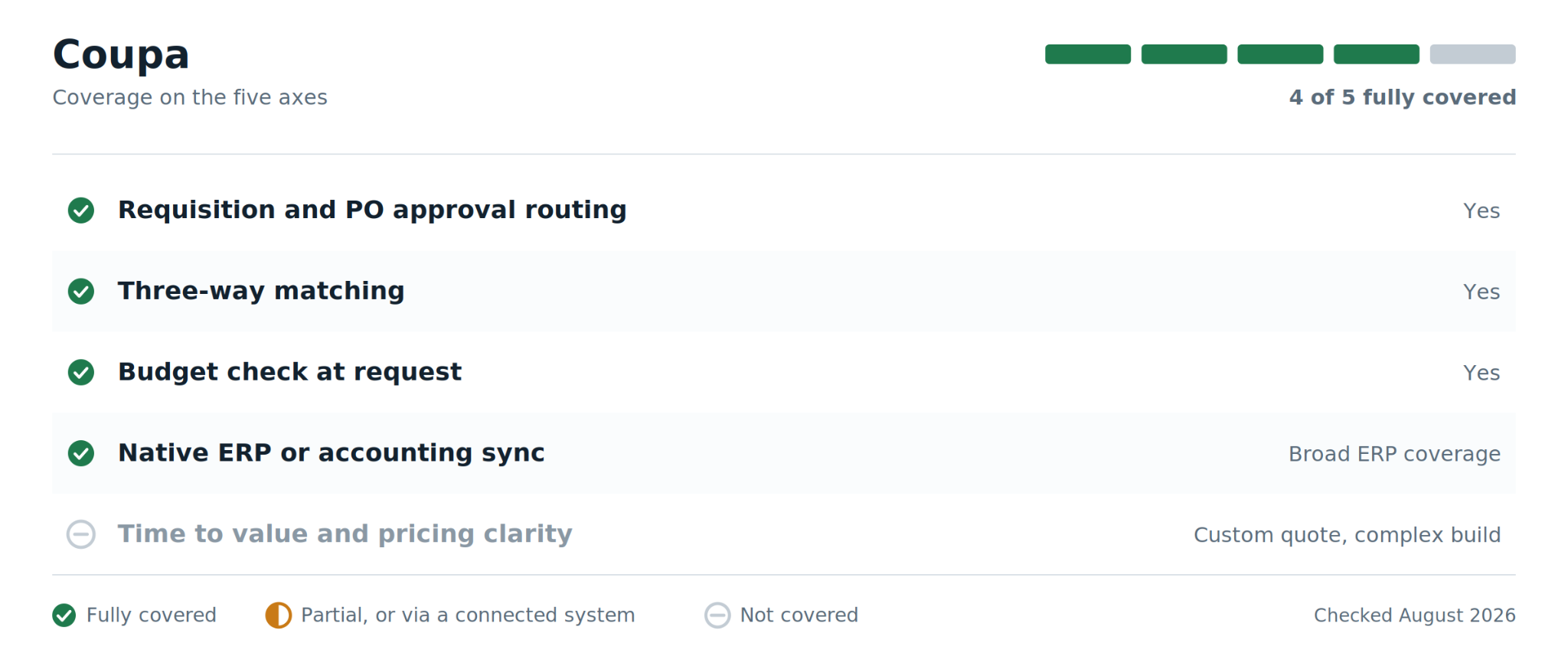
One Coupa customer on G2 describes generating more than 220,000 purchase orders a year across multiple accounts. That single detail tells you more about where this platform belongs than any feature list, because nothing else on this page is holding that volume.
Coupa is enterprise source-to-pay: sourcing, contracts, procurement, invoicing and payments in one suite, with broad ERP coverage underneath. The feature that distinguishes it day to day is guided buying, which steers employees toward contracted suppliers and negotiated pricing at the moment of purchase rather than policing the decision afterwards. Email and mobile approvals keep the chain moving with visible status at every step, and AI-assisted detection flags errors and fraud across purchases, invoices and travel expenses.
How Coupa performs across key criteria
Where Coupa falls short
- Reviewers on G2 report entering the same information more than once, and change orders that do not flow automatically into the connected contract system.
- A recurring theme across G2 and Capterra is a steep learning curve and navigation that needs real change management to land. Untrained users struggle.
- Implementation is complex and costly, which is a heavy lift for anyone below genuine enterprise scale.
- No published pricing, and third-party estimates for the procurement module start in the thousands per month.
Coupa pricing
Custom quote, not published, as of August 2026. Third-party sources place the Coupa Procurement module around $2,500 per month at entry, which varies with modules, users, and organisation size.
What users say: One G2 reviewer describes running more than 220,000 POs a year across multiple accounts on the platform, which is a fair signal of the volume ceiling. The same review set is candid about repetitive data entry.
8. SAP Ariba
Best for: Enterprises running SAP S/4HANA who need PO automation inside the ERP and want access to the Ariba supplier network for e-invoicing.
One question decides this one, and it is not about features. If your ERP is SAP, Ariba wins the integration axis outright and nothing else on this list comes close. If it is not, almost none of what follows applies to you.
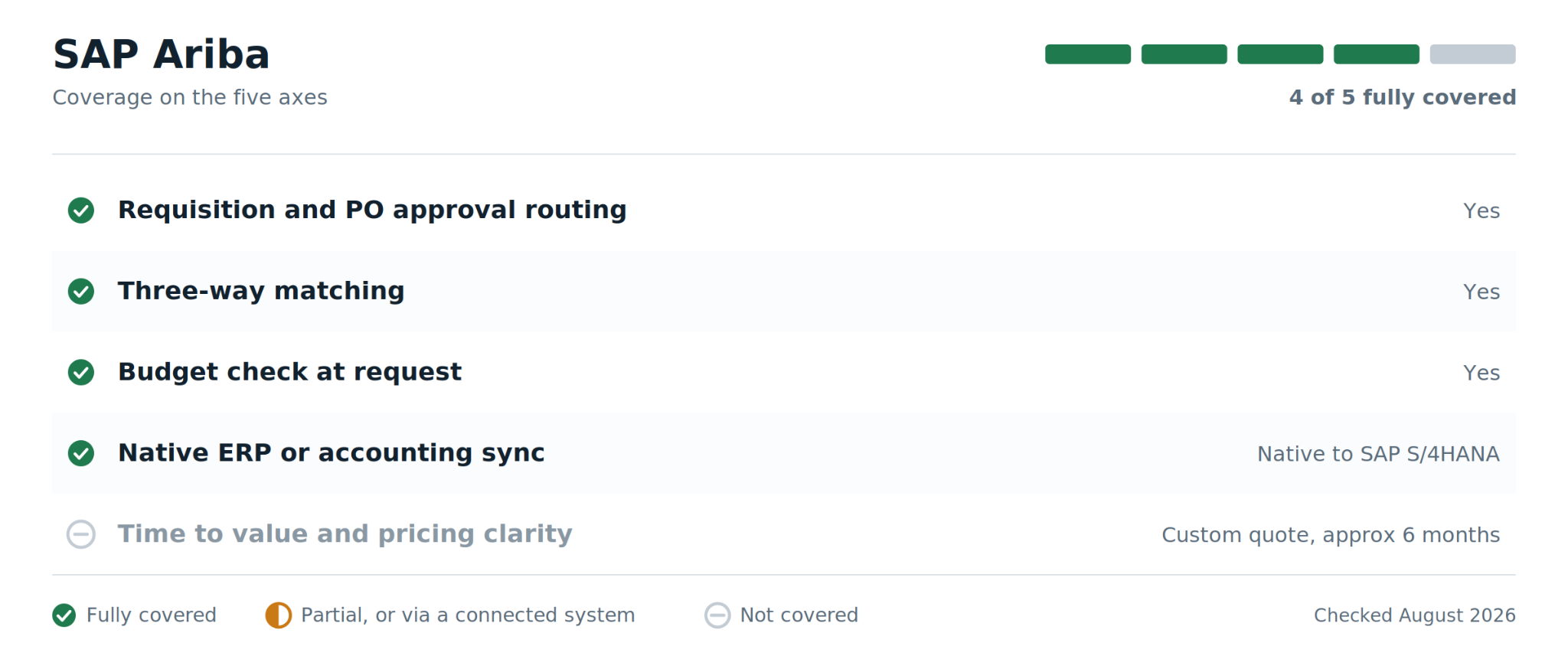
For SAP shops the value is concrete. Requisition and approval workflows run inside the ecosystem with consistent action-based notifications, which Gartner Peer Insights reviewers credit with enforcing genuine process discipline. The Ariba supplier network handles e-invoicing at global scale with a large base of already-connected suppliers, and contract creation and storage are integrated rather than bolted on. Master data integrity, usually the hardest part of any procurement rollout, is largely solved by being native to the stack.
How SAP Ariba performs across key criteria
Where SAP Ariba falls short
- Reviewers on Gartner Peer Insights describe the interface as not polished and the path from search to purchase to billing as convoluted.
- Reported implementation averages around six months, with payback near sixteen months, and complex deployments run considerably longer.
- Transaction fees and pricing are consistently flagged as too high by reviewers at small and mid-sized companies. Supplier-side onboarding friction can also limit e-invoicing participation.
- If you are not an SAP shop, most of the integration value disappears and the complexity does not.
SAP Ariba pricing
No published pricing, as of August 2026. Enterprise contracts are quoted per deployment.
What users say: A Gartner Peer Insights reviewer credits the platform with driving strong process discipline in procurement execution, particularly requisition and approval workflows, while criticising the interface in the same review.
9. Docupilot
Best for: Teams whose purchasing approvals and accounting processes already work, but that still create and send purchase order documents manually.
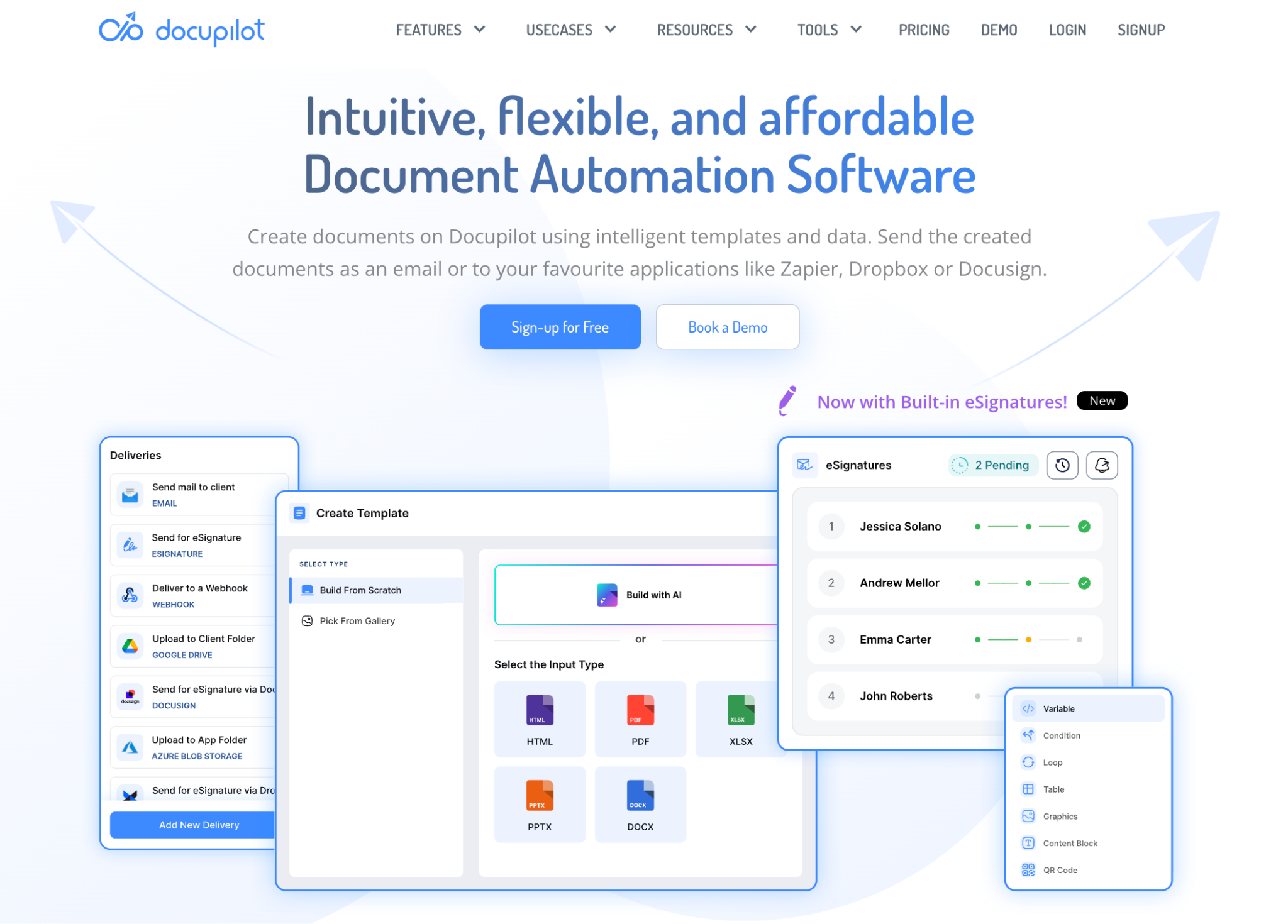
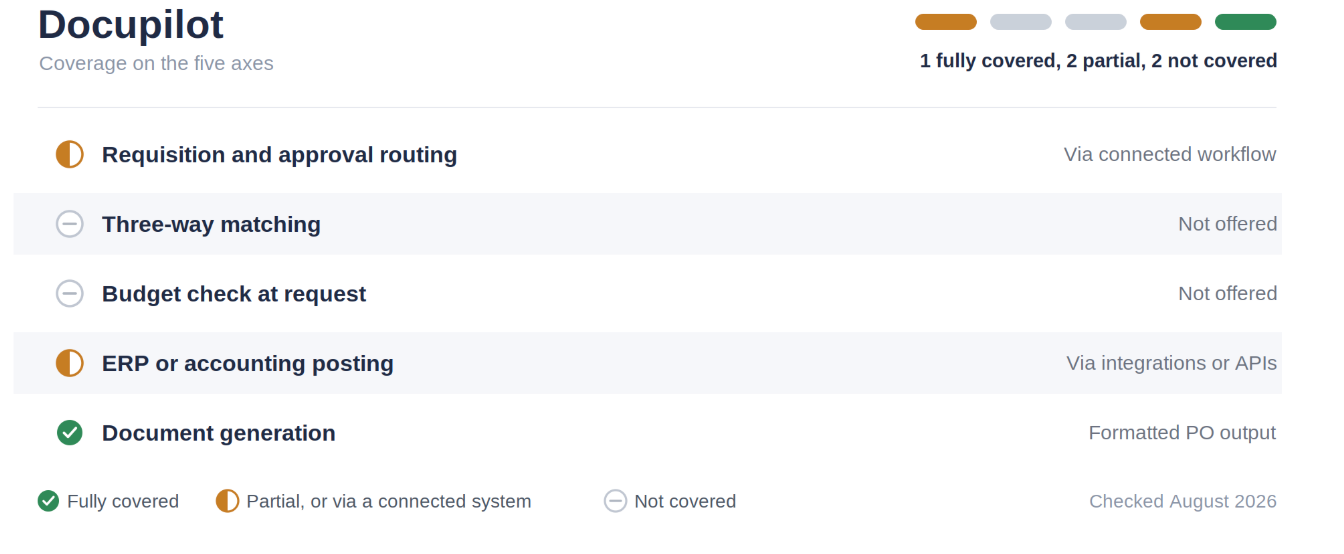
Docupilot is a document generation and workflow automation platform, not a procure-to-pay system. It does not manage requisitions, purchasing budgets, three-way matching, supplier management, or accounting reconciliation. Its role is to turn approved purchasing data into a finished purchase order document and deliver it automatically.
Teams can use existing Word, Excel, PowerPoint, or PDF purchase order templates or create one in Docupilot’s Document Builder. Data can come from forms, spreadsheets, databases, APIs, Airtable, CRMs, and connected workflows. Dynamic tables can populate line items, while conditions and calculations can control supplier details, taxes, discounts, currencies, payment terms, and totals.
Purchase orders can be generated individually, in bulk from CSV or Excel data, or when a connected workflow triggers generation. Completed documents can then be delivered by email, sent to a configured cloud-storage destination, or passed to another connected system.
How Docupilot performs across key criteria
Where Docupilot falls short
- It does not replace procurement, procure-to-pay, or accounting software.
- It does not perform three-way matching, budget enforcement, supplier management, or reconciliation.
- Template mapping and workflow testing are required before automation.
- It is only a suitable option when purchase approval and financial controls already exist elsewhere.
Docupilot pricing
Plans start at $29 per month for 100 delivered documents and one user. Every plan includes unlimited templates and testing, supported template formats, Zapier, Make, Airtable, API access, and third-party integrations. A 14-day free trial is available without a credit card.
Which tool is the best fit?
Improve the PO process where it matters
The most expensive mistake in this category is not picking the wrong vendor. It is picking a vendor before knowing which step of your PO cycle is actually costing you money. APQC's benchmark spread exists because of how the work is organised, not because of which logo is on the login screen. A platform that automates approvals you had already fixed will not move your cost per PO.
So map the cycle first. Write down where a request enters, who approves it, who builds the document, who sends it, and who reconciles it against the invoice. The step where things sit waiting is the step to buy for. If that is approval and matching, Precoro and Procurify are the strongest mid-market options and ProcureDesk or Tradogram cover smaller teams.
If your ERP is SAP or your PO volume is enormous, the enterprise suites earn their complexity. If approvals and accounting controls already work but someone still rebuilds each purchase order manually, Docupilot can generate and deliver the finished document from approved business data.
Start a 14-day free trial, no credit card required.
Frequently asked questions
1. What is purchase order automation?
Purchase order automation replaces manual steps in the PO lifecycle with software-driven ones: a request is submitted through a form, routed to approvers by rule, converted into a PO, sent to the supplier, and later matched against the receipt and invoice. The goal is fewer handoffs and a complete audit trail, not simply a faster PDF.
2. How much does it cost to process a purchase order manually?
APQC benchmarking published in April 2026 puts cost per purchase order at roughly $13.85 for top-performing organisations, $29.59 at the median, and $54.50 for bottom performers. Higher figures circulate widely online, often around $100, but they do not match APQC's published benchmark range and should be treated cautiously.
3. Do I need a full procure-to-pay platform, or just PO software?
It depends which step is failing. If spend is being committed without approval, or invoices arrive with no matching PO, you need a P2P platform with routing and three-way matching. If approvals already work and the delay lies in producing and delivering the purchase order document, a document generation platform such as Docupilot may be sufficient.
4. What is three-way matching, and why does it matter?
Three-way matching compares the purchase order, the goods receipt, and the supplier invoice before payment is released. When the three disagree, the discrepancy is flagged rather than paid. It is the control that catches duplicate invoices, quantity errors, and price changes, and it is the feature most commonly missing from cheaper tools.
5. How long does implementation take?
It varies by tier. Mid-market platforms such as Procurify and Precoro report four to six weeks. Intake orchestration tools like Zip report four to eight weeks. Enterprise suites are slower: reported SAP Ariba implementations average around six months, with complex global deployments running considerably longer.
6. Can purchase order automation work alongside our existing ERP?
Yes, and for most mid-market teams that is the intended design. Precoro, Procurify, ProcureDesk, and Ramp all sync to accounting systems such as NetSuite, QuickBooks Online, and Sage Intacct rather than replacing them. Confirm the specific connector you depend on during a trial, since integration depth varies between vendors.
Learn how to automate document creation with Docupilot


Contents
Stop rebuilding the same document by hand.

Generate and sign documents in one workflow
Save ~15 minutes per application