





Key takeaways
- This article compares eight PDF form-filling APIs for developers. They include Docupilot, Anvil, Nutrient, PDF4me, DocSpring, PDF.co, Apryse PDF SDK, and Adobe Acrobat Services.
- We compared them based on how each platform handles PDF fields, template setup, data mapping, developer tools, output options, workflow support, and pricing.
- Developers can use these APIs to create completed PDFs from data already stored in their application, CRM, database, or internal system.
- The best choice depends on the PDF you need to fill and the next step in the process, such as saving the document, sending it to a recipient, collecting a signature, or updating your application.
When a customer signs up for a service, they share details such as their name, address, contact information, and plan choice through an online form. The business stores this information in its CRM or customer portal.
Before the business activates the customer’s account, the customer must sign a service agreement. In a manual workflow, an operations team member opens the agreement PDF and copies the customer’s details from the CRM into the form. They check the completed agreement and send it to the customer for signature.
With a PDF form-filling API, your application can handle this step. It sends the customer data to the PDF, fills the relevant fields, and returns a completed document for review, storage, or signature.
This guide compares eight PDF form-filling APIs for developers. We selected these tools based on their public documentation, form-filling features, workflow options, and pricing information available at the time of writing.
Top 8 PDF form-filling APIs for developers: Side-by-side comparison
1. Docupilot: Best for fillable PDFs with a document workflow
At Docupilot, we help developers add PDF form filling to their application using business data it already has. Your application continues to manage the business data and user experience. With Docupilot, your team manages the templates, conditions, recipients, and delivery settings for each document.
With Docupilot, you can automate an existing fillable PDF. If your PDF does not already have form fields, you can create them in a PDF editor such as Adobe Acrobat, Nitro Pro, or PDFescape. When you upload the PDF to Docupilot, we automatically recognize its fields and use their names and properties to create tokens.
What you can do with Docupilot
- Use business data to complete an existing fillable PDF template
- Apply conditions before generating the document
- Generate a document, convert a file, merge documents, transform or append PDF files
- Deliver the output by email or webhook
- Send the completed document for eSignature with signing order
- Return the completed document, delivery status, or signing status to your application
By default, we flatten the completed PDF. You can preserve the form fields when someone still needs to complete or update the document.
For a checkbox or radio button to appear selected, your application must send the exact value set for that option in the original PDF. This is usually called its “On” or “Export” value. You can also insert an image or signature image by passing a publicly accessible image URL.
How your team works with us
Your product and engineering teams manage the application connection. They retrieve the business data, authenticate the API request, define the payload, trigger the workflow, and decide how the application uses the result.
Your team can manage how each document is created and delivered in Docupilot. They can update the template, its content and formatting, the conditions that determine which document is created, recipients, and delivery settings.
Docupilot’s pricing
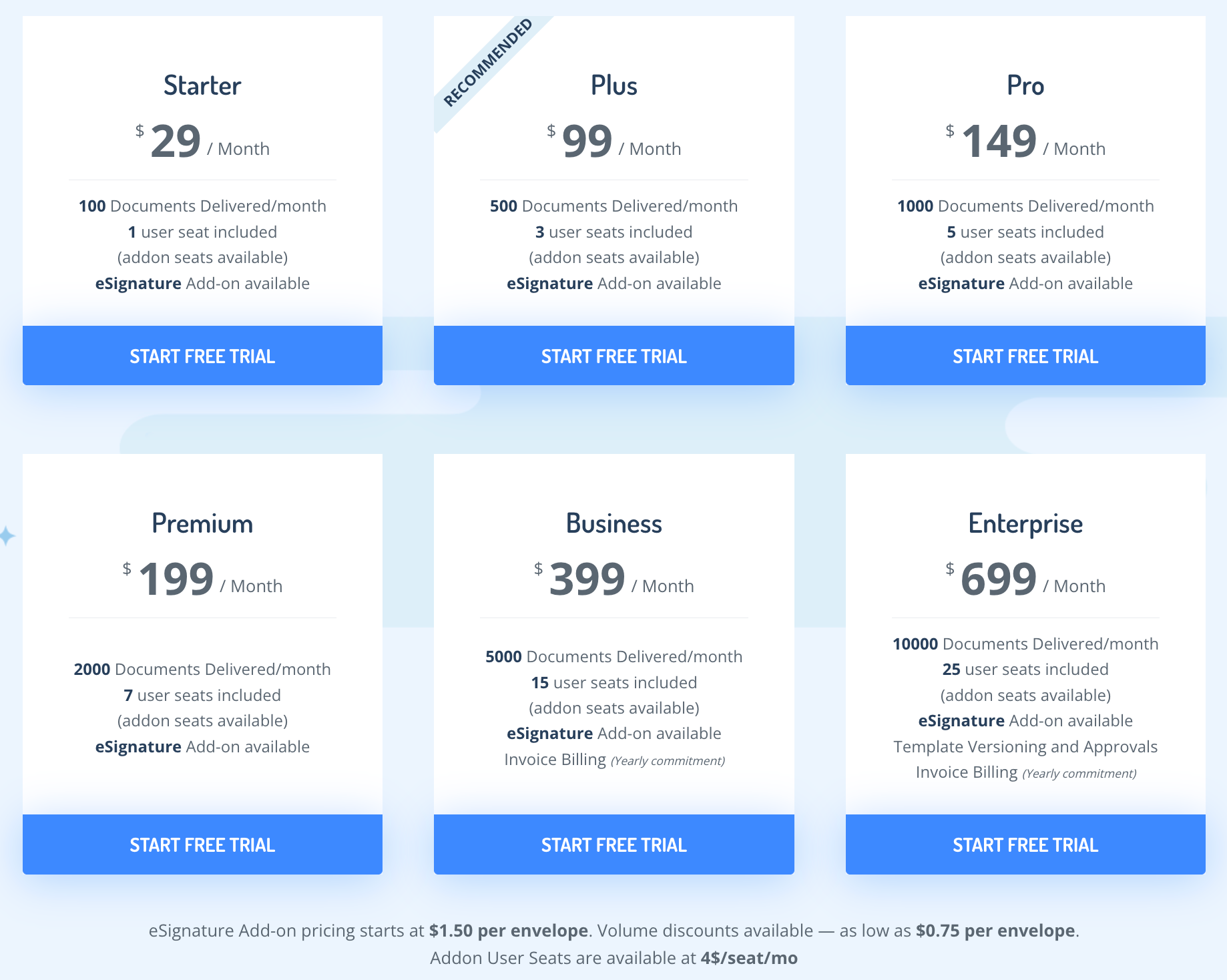
API access is available during the 14-day free trial and from the Starter plan onward. The Starter plan costs $29 per month and includes 100 document deliveries each month.
eSignature is available as an add-on. It costs $1.50 per envelope, with lower pricing available for higher volumes.
2. Anvil: Best for paperwork inside your product
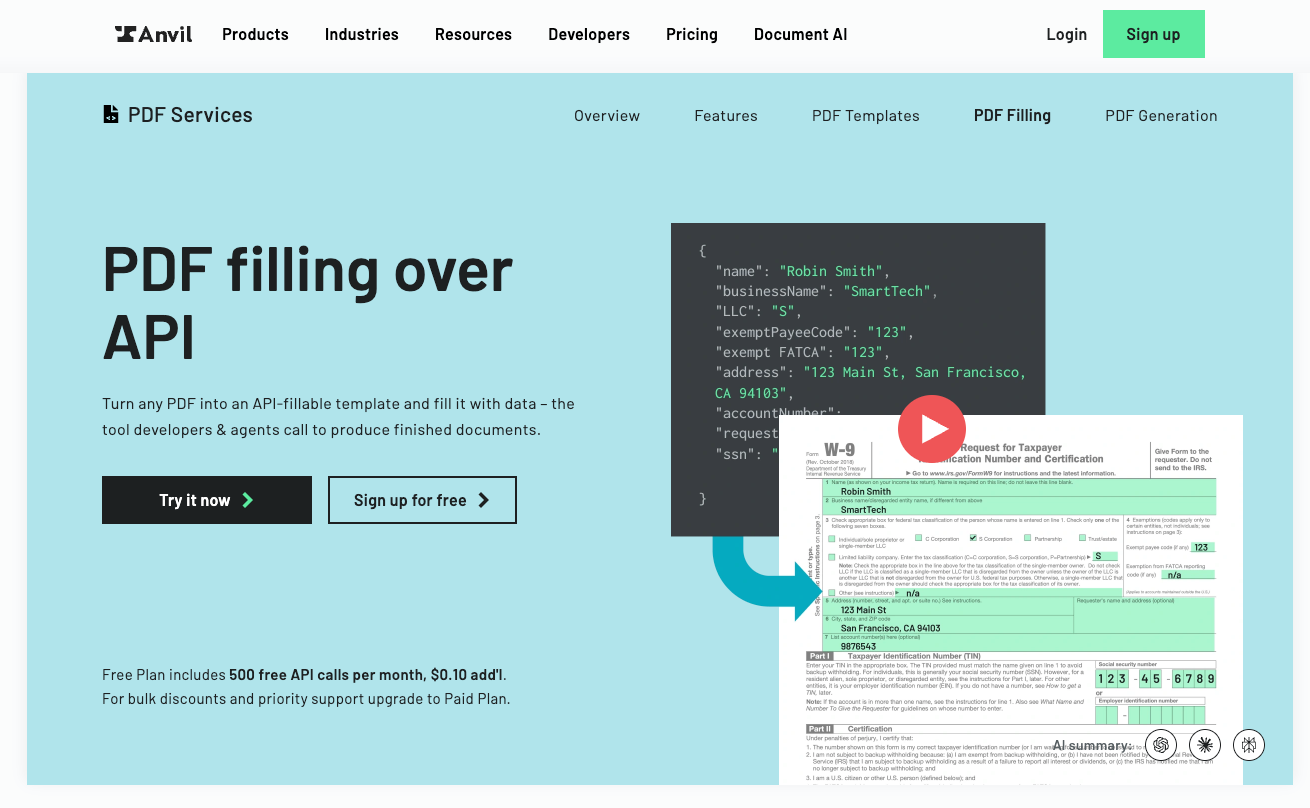
Anvil is a fit when your product needs users to complete forms or sign documents within the product itself. Your team creates a PDF template once, then uses JSON data to fill it whenever the application needs a completed document.
What you can do with Anvil
- Create PDF templates with named fields for information such as names, dates, addresses, and signatures
- Send JSON data to the PDF Fill API and receive a completed PDF
- Use a web form to collect information from users and fill the PDF with their answers
- Fill a PDF and send it for eSignature as part of the same process
How your team works with Anvil
Your team sets up the PDF template and defines the fields your application will fill. Your application sends the matching JSON data to Anvil’s PDF Fill API. When users need to provide information themselves, your team can set up an Anvil Workflow with a web form.
Anvil’s pricing
Anvil has a free test mode. To use its live API, add a card to your account. You then receive 2,500 free PDF fill or generation credits, 25 Workflow credits, and 25 eSignature packet credits.
Once you use these credits, Anvil charges $0.10 per PDF fill or generation, $1 per Workflow submission, and $1.50 per eSignature packet.
3. Nutrient: Best for JSON and XFDF form import
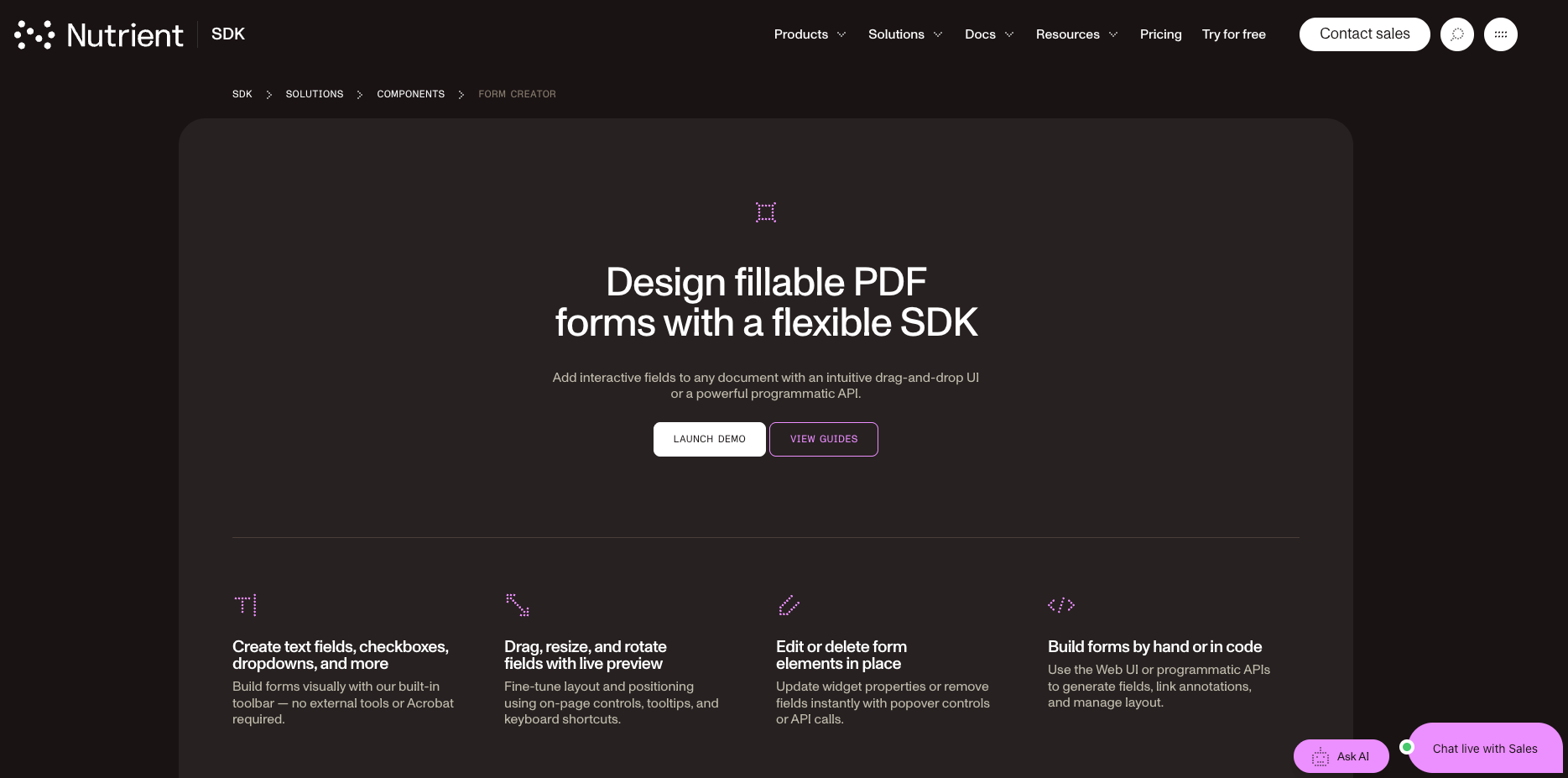
Nutrient’s Processor API is a hosted API for filling existing interactive PDF forms. Your application sends the PDF and its form data as Instant JSON or XFDF. Nutrient returns the completed PDF.
The same API can also run other PDF actions in the request, such as conversion, OCR, redaction, signing, and page operations.
What you can do with Nutrient
- Import Instant JSON or XFDF data into an existing fillable PDF
- Generate a completed PDF from the filled form
- Flatten completed form fields when needed
- Combine form filling with PDF conversion, OCR, redaction, signing, or page operations
- Run several PDF actions in one API request
How your team works with Nutrient
Your application sends the interactive PDF and the form data to Nutrient’s Processor API. Nutrient fills the form fields and returns the completed file.
When the process needs more than form filling, your team can add the required PDF actions to the same request.
Nutrient’s pricing
Nutrient’s Processor API uses usage-based pricing. New accounts receive $5 of free usage each month. PDF form filling, Instant JSON import, and XFDF import each use 0.5 credits per operation.
Nutrient also offers SDK and deployment options with separate pricing.
4. PDF4me: Best for direct AcroForm field filling

PDF4me is a direct API for filling existing PDF forms. Your application sends the PDF template and the values for its fields. PDF4me returns a completed PDF.
It is a fit when your team already has a fillable PDF and knows the names of the fields it needs to complete.
What you can do with PDF4me
- Fill AcroForm fields with JSON data
- Send the PDF template as Base64 content or a public URL
- Keep the completed PDF editable or flatten the fields into the document
- Add text boxes and checkboxes to a PDF when the source file needs form fields
- Extract field names, values, and types from a completed fillable PDF
How your team works with PDF4me
Your team starts with a PDF that already has AcroForm fields. Each field has a name. Your application sends JSON data with keys that match those field names exactly.
The API expects the form data as a stringified JSON value. You can use PDF4me’s Extract Form Data API to check the field names before you build the request.
For smaller jobs, the API can return the completed PDF in the response. For asynchronous requests, it returns a polling URL that your application can use to collect the completed PDF when it is ready.
PDF4me’s pricing
PDF4me offers monthly API subscriptions and prepaid API-call packs. Choose a subscription based on the number of API calls your application needs each month, then add prepaid calls if you need more.
5. DocSpring: Best for JSON-based PDF template filling
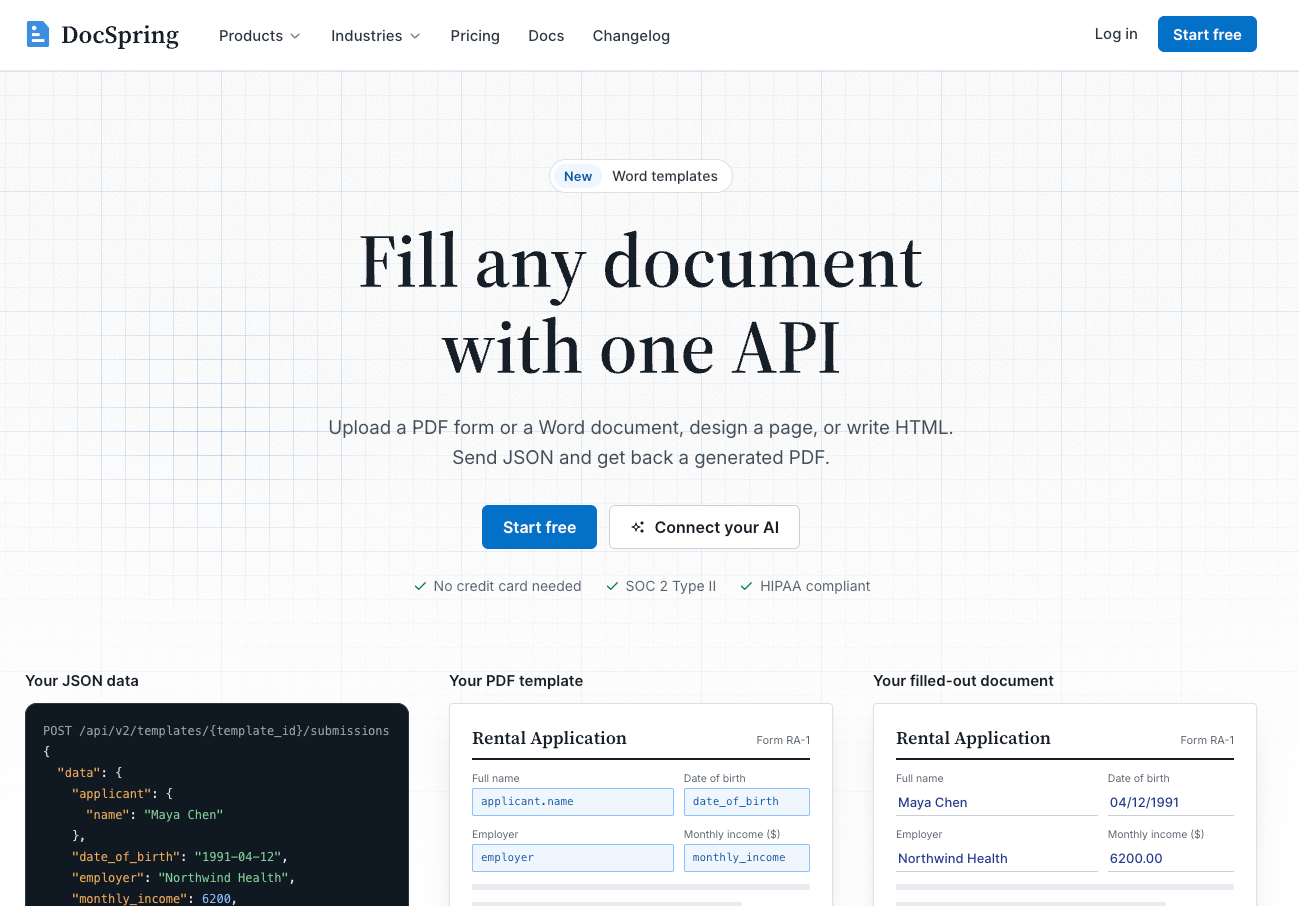
DocSpring lets your application send JSON data to a document template and receive a completed PDF. You can start with a fillable PDF, a flat PDF, a Word document, an HTML layout, or a page designed in DocSpring.
For PDF forms, DocSpring can import existing form fields from a fillable PDF. For a flat PDF, it can find the boxes on the page and set up the fields for you. Your team reviews the fields before publishing the template.
What you can do with DocSpring
- Fill PDF forms with JSON data
- Upload a flat PDF and set up fields through automatic field detection
- Generate documents from Word, HTML, or Page Designer templates
- Show, hide, or require fields based on other answers
- Send signature requests, collect signed PDFs, and receive signing updates through webhooks
- Generate up to 50 documents in one request and combine PDFs into one file
How your team works with DocSpring
Your team first creates a template and sets up its fields. Each template has a schema that defines the fields and the data each field expects.
Your application sends JSON data to the template through the API. DocSpring checks the request against the schema before creating the document. If required information is missing or the data is in the wrong format, it returns an error before generating the document.
When the document needs signatures, your team can create a signature request, set up the signers and their fields, and choose whether to email signing links or embed the signing page in the application.
DocSpring’s pricing
DocSpring has a free Developer plan with 200 credits each month. This covers about 10 filled PDF forms and includes full API access, unlimited test PDFs, and 50 free AI field-setup pages each month.
Paid plans start at $49 per month. The Starter plan includes 10,000 credits, which cover about 500 filled PDF forms up to 10 pages each. Unused credits on paid plans roll over for 12 months.
6. PDF.co: Best for form filling alongside other PDF tasks
PDF.co is a cloud-based API for PDF processing, conversion, editing, generation, and data extraction. It is a fit when form filling is one part of a larger set of PDF tasks.
Its PDF Form Filler API can complete editable PDF forms with text fields, checkboxes, combo boxes, and radio buttons.
What you can do with PDF.co
- Fill editable PDF forms with data from your application
- Extract field names and map values to the right form fields
- Flatten a completed PDF into a read-only file
- Add a digital signature to a PDF
- Merge, split, convert, edit, and extract information from PDF files
- Use the API through Zapier, Make, and other automation platforms
How your team works with PDF.co
PDF.co can fill the form and return the completed file. It can also run other PDF actions in the same process, such as merging files, reading barcodes, extracting data, or running OCR. PDF.co can add a digital signature to a PDF.
PDF.co’s pricing
PDF.co uses a credit-based pricing model. Credits are used when your application calls an API feature. Some features use one credit per request, while others use credits per page.
Annual plans start at $8.99 per month for 16,500 credits. The Business 1 plan costs $44.99 per month for 80,500 credits. The Business 3 plan costs $270 per month for 483,000 credits. Monthly billing costs more.
7. Apryse PDF SDK: Best for custom PDF features inside your product
Apryse is a document SDK for teams that want to build PDF form features into their own product. Your developers use its APIs to create, fill, edit, and manage form fields inside the application.
It is built for teams that need control over the document experience, including the viewer, form fields, document editing, signatures, and deployment setup.
What you can do with Apryse
- Create text fields, checkboxes, dropdowns, radio buttons, and other PDF form fields
- Fill, style, modify, remove, flatten, and import or export form fields
- Show forms inside a document viewer in your application
- Use form fields and widgets through the Web SDK, Server SDK, or Mobile SDK
- Add digital signature features through a separate module
- Combine form features with PDF editing, conversion, extraction, annotations, search, and security controls
How your team works with Apryse
Apryse supports client-side, server-side, and hybrid deployment. Client-side processing runs on the user’s device. Server-side processing can run on your own infrastructure or in a private cloud.
Apryse’s pricing
Apryse uses modular pricing. Its entry-level packages start at $1,500, and the final price depends on the features, document volume, and deployment model your team needs.
Your team can choose a base package and add features such as digital signatures, PDF editing, document conversion, smart data extraction, a DOCX editor, or a spreadsheet editor.
8. Adobe Acrobat Services: Best for Adobe-based PDF and signature workflows
Adobe’s PDF Services API can populate an existing interactive PDF form using JSON data. Its Import PDF Form Data operation supports AcroForms and Static XFA forms; Dynamic XFA is not supported.
What you can do with Adobe
Your team prepares the interactive PDF first. Your application then submits the PDF and JSON values whose keys match the form field names. The API returns the populated PDF.
Form preparation in Acrobat and collecting signatures through Acrobat Sign are separate product steps. Confirm their licensing separately if your workflow needs them.
Adobe’s pricing
The PDF Services API includes 500 free document transactions per month. Paid API pricing is available through Adobe’s sales team. Acrobat Standard and Pro subscriptions should not be used as the API’s price.
Choosing the best PDF fill API for developers
Before choosing an API, check the PDF and the document process your application needs to support. The platform you choose must:
- Support for the PDF templates your team already uses
- Clear field mapping for the data your application sends
- Editable or flattened PDF output
- API documentation, webhooks, logs, and status updates
- Document steps such as PDF processing, delivery, and eSignature
- A way for document owners to update templates and workflow settings
At Docupilot, we work with existing fillable PDF templates. Our REST and OpenAPI-based API lets your application send structured data to a workflow. We can apply conditions, loops, calculations, and dynamic content before generating the document.
We can also convert or append PDF files, deliver documents by email, webhook, or storage, send them for eSignature, and return the document or its status to your application.
Book a demo to see how we can support your PDF form-filling process.
FAQs
1. What is the best PDF form filling API for developers?
There is no single best API. Choose one that supports your PDF type and next step. Docupilot fits workflows that need rules, delivery, eSignature, or status updates.
2. Can an API fill a static PDF with no form fields?
Yes, but it needs preparation first. Your team can add fields to the PDF, define where each value belongs, or create a template through the provider.
3. What is the difference between AcroForm and XFA PDFs?
AcroForms use standard interactive fields. XFA forms are XML-based and can behave differently across tools. Check whether the API supports XFA if your team needs to fill XFA PDFs.
4. Should I keep the PDF editable or flatten it?
Keep it editable when someone still needs to add or revise information. Flatten it when the completed form should serve as a final record.
5. Is a PDF library better than a hosted API?
Neither is inherently better. Choose a library when PDF processing must run in your environment. Choose a hosted API when you want a provider to run the service and offer template or workflow tools.
Learn how to automate document creation with Docupilot


Contents
Stop rebuilding the same document by hand.

Generate and sign documents in one workflow
Save ~15 minutes per application