






Key takeaways
- Nitro Sign pricing includes three tiers that require a sales-led sign-up
- Several users report friction around transparency, renewals, and support, which raises concerns
- If you want predictable pricing, monthly billing, and integrated document generation with e-signatures, consider Docupilot as a simpler alternative
Choosing the right e-signature tool should be simple. You find a product that fits your workflow and budget, sign up, and start sending documents.
What it should never involve is waiting for a sales call just to understand pricing, paying for features you do not need, or struggling to resolve billing issues.
Yet many Nitro Sign users say that is exactly what they experienced.
Nitro Sign itself is not a bad product. In fact, many users like its core signing features. But when it comes to pricing transparency, licensing clarity, and billing predictability, user reviews show recurring concerns.
In this article, we take an honest look at Nitro Sign's pricing: what each plan includes, where it delivers value, and where customers report problems. We will also introduce Docupilot as an alternative that addresses many of these shortcomings.
A quick overview of Nitro Sign?
Nitro Sign is an electronic signature tool that’s part of the Nitro Productivity Suite. The suite combines PDF editing, e-signing, and a redaction tool in one platform designed to replace paper-based document processes.
With Nitro Sign, you can send, sign, and manage documents digitally. The platform includes features such as audit trails, signer authentication, automated reminders, and reusable templates. These tools help you handle contracts, agreements, and approvals more efficiently.
Nitro Sign mainly targets small and mid-sized businesses, though it also offers enterprise plans for organisations with more complex workflows.
Nitro originally gained traction as a lower-cost alternative to Adobe’s signing and PDF tools, partly because it offered perpetual licenses. In recent years, however, the company has adopted a subscription-only model. This shift has led to complaints from customers who previously purchased perpetual licenses.
Nitro Sign pricing
Nitro Sign offers a 14-day free trial and currently has three pricing tiers: Standard, Plus, and Enterprise.
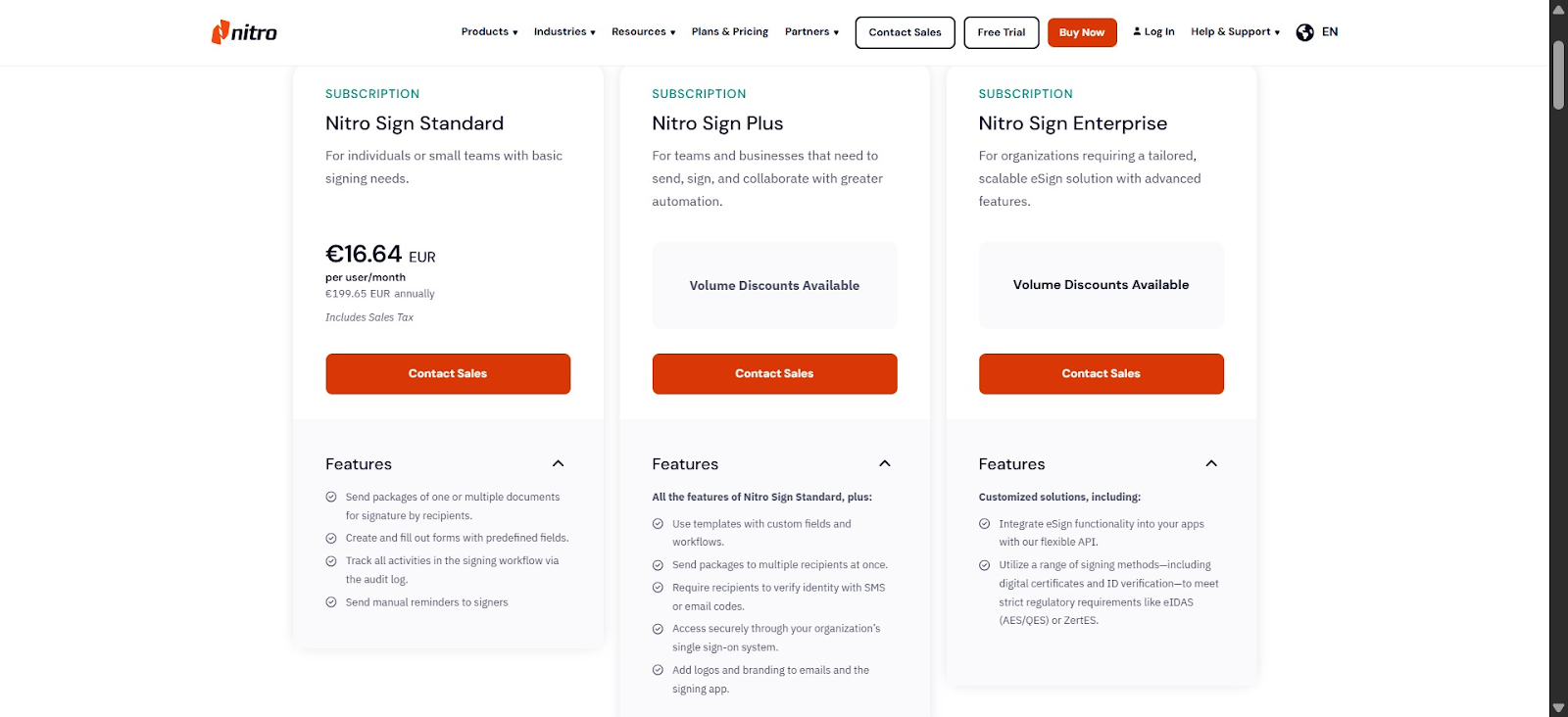
Standard plan — €16.64 per user/month (€199.65 annually)
This is Nitro Sign's entry-level plan and the only tier with publicly listed pricing. It is designed for individuals or small teams with simple signing needs.
You can send signature packages to one or multiple recipients, create and fill forms with predefined fields, track document activity through an audit trail, and send manual signing reminders.
You can also integrate Nitro Sign with Microsoft Word, Microsoft Outlook, and Nitro Analytics.
On the surface, the plan looks reasonably priced. However, the pricing page offers little detail about usage limits, specifically, how many documents or envelopes can be sent at this tier each month. If you want to forecast costs as your usage grows, this lack of clarity makes accurate budgeting difficult.
More frustratingly, despite being the only publicly listed plan, it still requires you to contact sales before purchasing.
Plus plan — custom pricing
This plan builds on the previous tier by offering more features and volume discount. You get access to templates with custom fields and workflows, SMS and email authentication, bulk send, custom branding, team documents, collaboration tools, and single sign-on.
However, it’s worth noting that even at this mid-tier level, your integration access remains the same.
The bigger challenge here is that the Plus plan has no publicly listed price. To find out the cost, you must contact Nitro’s sales team. This makes it difficult to quickly estimate costs, compare alternatives, or build a business case internally.
Enterprise plan — custom pricing
This tier is aimed at larger organisations with complex workflows, advanced security requirements, and dedicated support needs. Like the Plus plan, pricing is only available on request.
What you get at this level is access to qualified electronic signatures (QES), the highest level of signature authentication under the EU eIDAS regulation.
The plan also expands integration options to Microsoft Power Automate, Zapier, and API access that allows you to embed Nitro Sign directly into your systems.
What are the pros of Nitro Sign pricing?
Nitro Sign's pricing has limited pricing strengths, but there is one genuinely worth acknowledging.
Feature-rich base plan: Unlike some competitors that reserve compliance-friendly features for higher tiers, Nitro Sign includes audit trails and manual reminders in its Standard plan. This means you can maintain a basic document trail without upgrading to a higher tier, which can be useful if you operate in a regulated industry.
Whar are the cons of Nitro Sign pricing?
Nitro Sign’s features may tick many boxes, but its pricing structure and communication show serious limitations.
Let’s look at them:
Annually billing only
Nitro Sign primarily charges on an annual billing cycle, which is a drawback if you only need the tool for a short period.
To make matters worse, this detail is not prominently explained on the pricing page. Instead, it appears in the FAQ section, which you must expand manually. In fact, if you don’t read that section carefully, you might miss it.
This explains why several users reported being charged for a full annual subscription after selecting what they believed was a monthly plan.
One Trustpilot reviewer described their experience:
"I chose the monthly subscription model and was immediately charged for an annual subscription. I cancelled straight away asked for a refund, but they said no to a refund. This is not a legitimate company; this is a scamming company."
Complex sign-up and renewal process
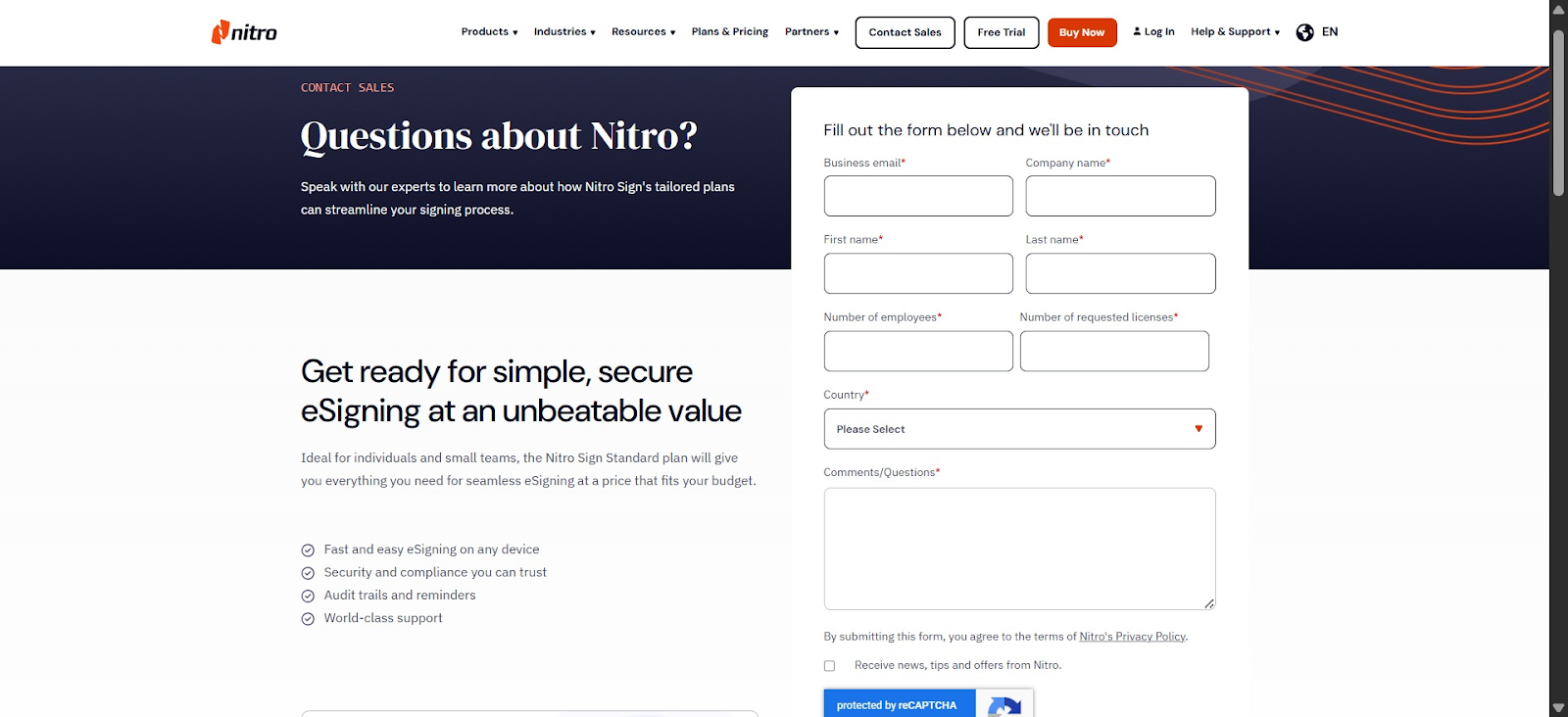
For a tool positioned at small and mid-sized businesses, getting started with Nitro Sign is surprisingly cumbersome. All plans require a sales conversation before you can purchase.
This creates an unnecessary barrier if you simply want to evaluate a price, make a decision, and sign up independently.
Renewal is no smoother. Users have reported that keeping their subscriptions active often involves navigating confusing settings and billing steps that are far from intuitive.
This reviewer captured the experience bluntly:
“The renewal process for Nitro Pro is incredibly frustrating and far from user-friendly. Despite being a returning customer, the transition was anything but seamless. If you aren't someone who is highly comfortable navigating complex software settings and billing hurdles, I would strongly suggest looking elsewhere.”
In an era where most SaaS companies have streamlined both onboarding and renewal into a seamless self-serve experience, Nitro hasn’t seemed to catch up.
Customer support is difficult to reach
Nitro Sign's customer support is, by any measure, a serious weak point. The company responds to just 18 percent of negative reviews on Trustpilot and typically takes over a month to do so.
Users report being unable to reach a live agent. Instead, support requests are routed to bots, forums, or FAQ pages. Those who do manage to raise a ticket are passed between agents and have their tickets closed without resolution.
One reviewer described it as:
"Worst customer service of any company I have ever done business with. Impossible to contact a live person or even live chat. Changes made, unauthorized charges, and I cannot find my authorization/serial number. Their contact/support is a maze of bots and FAQ's. Even ChatGPT queries were fruitless. They have too much competition these days to have such miserable service.”
Pricing model lacks long-term stability
Another concern is the long-term reliability of Nitro’s pricing model and how existing customers are treated when pricing changes.
Many customers built their workflows around Nitro’s earlier perpetual licensing model. When the company moved to subscriptions, those users were left to pay full prices, with no special discount or credit for their previous purchases.
Here’s what a user said:
"Cash grab to force people into a subscription model. I had a ‘lifetime’ license from this company and was informed that lifetime just isn't what it used to be."
Experiences like this leave one with little reason to believe that current subscription pricing is immune to similar disruption in the future.
Docupilot: a more transparent, affordable Nitro Sign alternative
While Nitro Sign focuses primarily on e-signatures, Docupilot is a document automation platform with built-in e-signature capabilities.
It allows you to build templates once and connect them to data sources like CRMs, forms, or spreadsheets. Docupilot then automatically generates personalized documents and routes them to recipients for signing.
Here’s how Docupilot pricing differs from Nitro Sign’s:
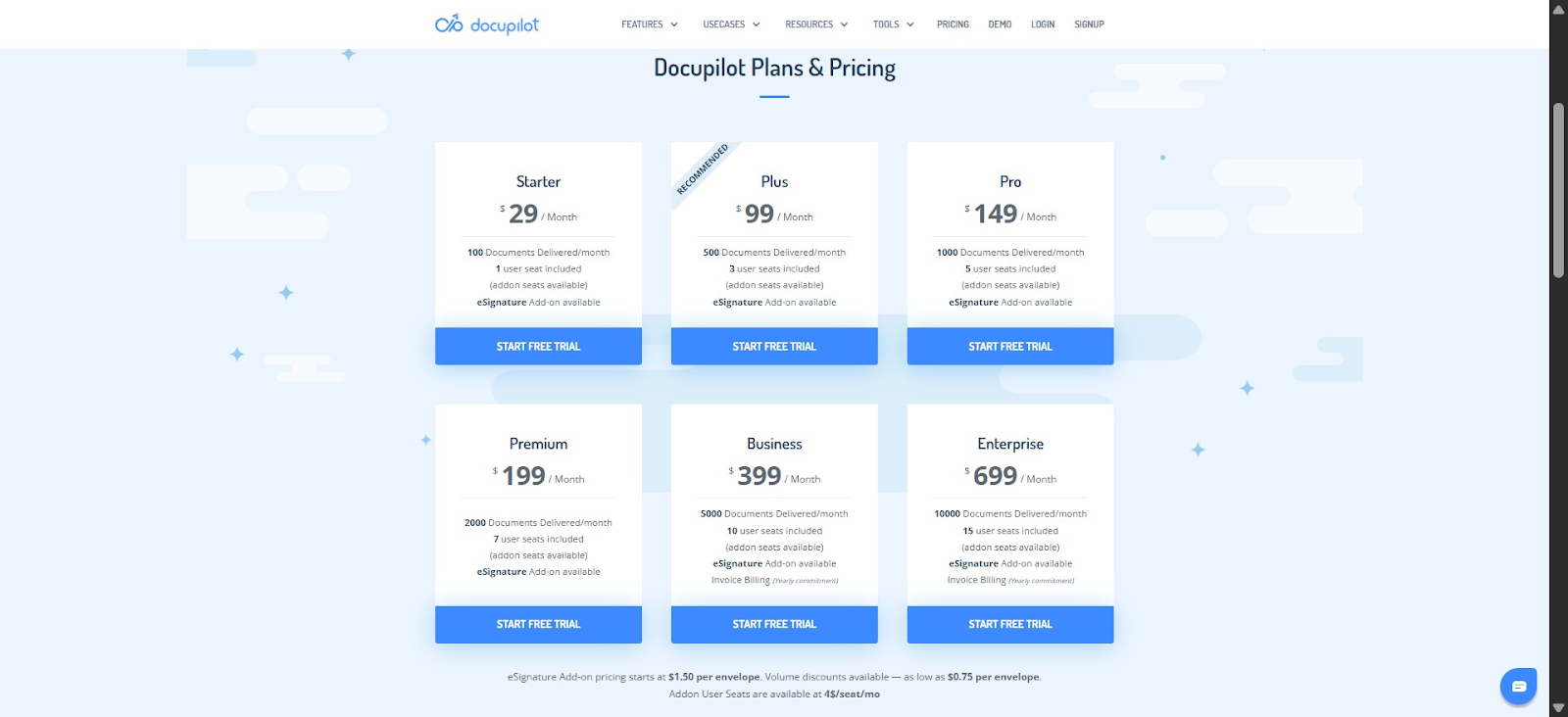
Transparent pricing: All plans are publicly listed, clearly structured, and based on a straightforward per-document delivery model. You know exactly what you’re paying for before signing up, with no need to speak to a salesperson.
- Starter: $29/month (100 docs)
- Plus: $99/month (500 docs)
- Pro: $149/month (1,000 docs)
- Premium: $199/month (2,000 docs)
- Business: $399/month (5,000 docs)
- Enterprise: $699/month (10,000 docs)
E-signature add-on: from $0.75/envelope. A 14-day free trial is available with no credit card required.
Flexible pricing: All plans are billed month-to-month with no annual commitment required, so you can cancel at any time without being locked in.
Responsive customer support: Customer support is another strong point. Docupilot has a 5/5 support rating on Capterra. Users can email support for a quick response or use the in-app chatbot to reach a human in under eight minutes.
Document generation and e-signature in one workflow: Docupilot integrates document generation with e-signatures, unlike Nitro Sign, which separates the two. You can generate PDFs, Word, Excel, or HTML documents directly from templates, streamlining your workflow.
Users cite both the pricing and the support as key reasons for choosing Docupilot. As one Capterra reviewer wrote:
“Because they offered exactly the number of documents I needed at a better price than the alternative. They are also very supportive and have excellent customer service. I wouldn't switch for other tools because of their unbeatable level of service.”
Nitro Sign vs Docupilot pricing: Which is worth it?
Nitro Sign offers impressive core e-signature features at the Standard tier. Beyond that, it has serious issues.
Pricing is opaque for all its tiers. Annual billing is hidden in a toggled FAQ. Renewals are confusing. Support is hard to reach. And the company has a history of changing pricing abruptly for existing customers.
Docupilot does it differently. All plans are public. Billing is monthly with no lock-in. Document generation and e-signatures are fully integrated. Support actually responds. Basically, you know what you’re paying for and can get help when you need it.
Ready to try out Docupilot? Sign up for your 14-day free trial today. No credit card required.
Learn how to automate document creation with Docupilot


Contents
Stop rebuilding the same document by hand.

Generate and sign documents in one workflow
Save ~15 minutes per application




