



Key takeaways
- Document workflow tools eliminate versioning chaos by centralizing creation, approvals, and delivery, reducing errors caused by email- and Slack-based document exchanges.
- Different tools serve different needs, from Docupilot for high-volume automated document generation to PandaDoc for sales proposals and contract signing workflows.
- Enterprise platforms like Conga, Nintex, and HotDocs focus on complex, compliance-heavy workflows but require higher setup effort and budgets.
- The best tool depends on workflow type, integration depth, and scale, not just editing features or document storage capabilities.
- Automation-driven document workflows significantly improve speed, accuracy, and consistency across contracts, invoices, reports, and business documents.
Have you ever spent hours finalizing a business document only to realize you were working on an outdated version?
A colleague casually updates you over Slack that a newer version exists somewhere in a shared drive. Meanwhile, your client had already sent contract revisions over email that never made it into your draft. Suddenly, you’re dealing with confusion, rework, and version chaos instead of progress.
You’re not alone. Whether it’s contracts, invoices, briefs, proposals, or reports, switching to a centralized and automated document workflow can eliminate these gaps and keep everyone aligned in real time.
This is where document workflow automation becomes critical. Instead of chasing versions across emails and folders, teams can collaborate directly on structured, automated document processes that ensure accuracy, consistency, and speed.
In this article, we’ll explore 9 document workflow solutions that help you not just manage documents but automate the entire lifecycle, from creation to approval to delivery. Together, these capabilities make up a modern document management workflow.
9 document workflow solutions compared by category and G2 rating (verified July 2026).
How we compiled this list
Pricing pages tell you what a tool costs. Feature lists tell you what it claims to do. Neither tells you whether it will actually handle your document workflow once the data gets messy, the volume grows, or the compliance rules change. So we combined each vendor's live pricing and G2 data with recurring themes from Capterra and G2 reviews around template flexibility, integration reliability, and support quality.
Five questions guided the evaluation:
- Does it generate documents from live data?
Can it pull from a CRM, database, spreadsheet, or form and produce a finished document, or does it only store and route documents someone else created?
- How flexible are templates and formats?
Can you use your own Word, Excel, PDF, or HTML layout, or are you locked into a built-in editor and a single output type?
- Can it automate and trigger the workflow?
Does a document get generated and delivered automatically when an event fires, or does someone have to start the process each time?
- How deep are the integrations?
Does it connect to the systems your data already lives in, and how reliably?
- Is the pricing transparent and reasonable at your volume?
Some tools publish clear per-document or per-seat pricing; others hide everything behind a sales call and scale into five or six figures.
Top 9 document workflow solutions in depth
1. Docupilot
Best for: Teams of any size that generate documents in bulk from CRM deal data, database records, form submissions, or e-commerce triggers.
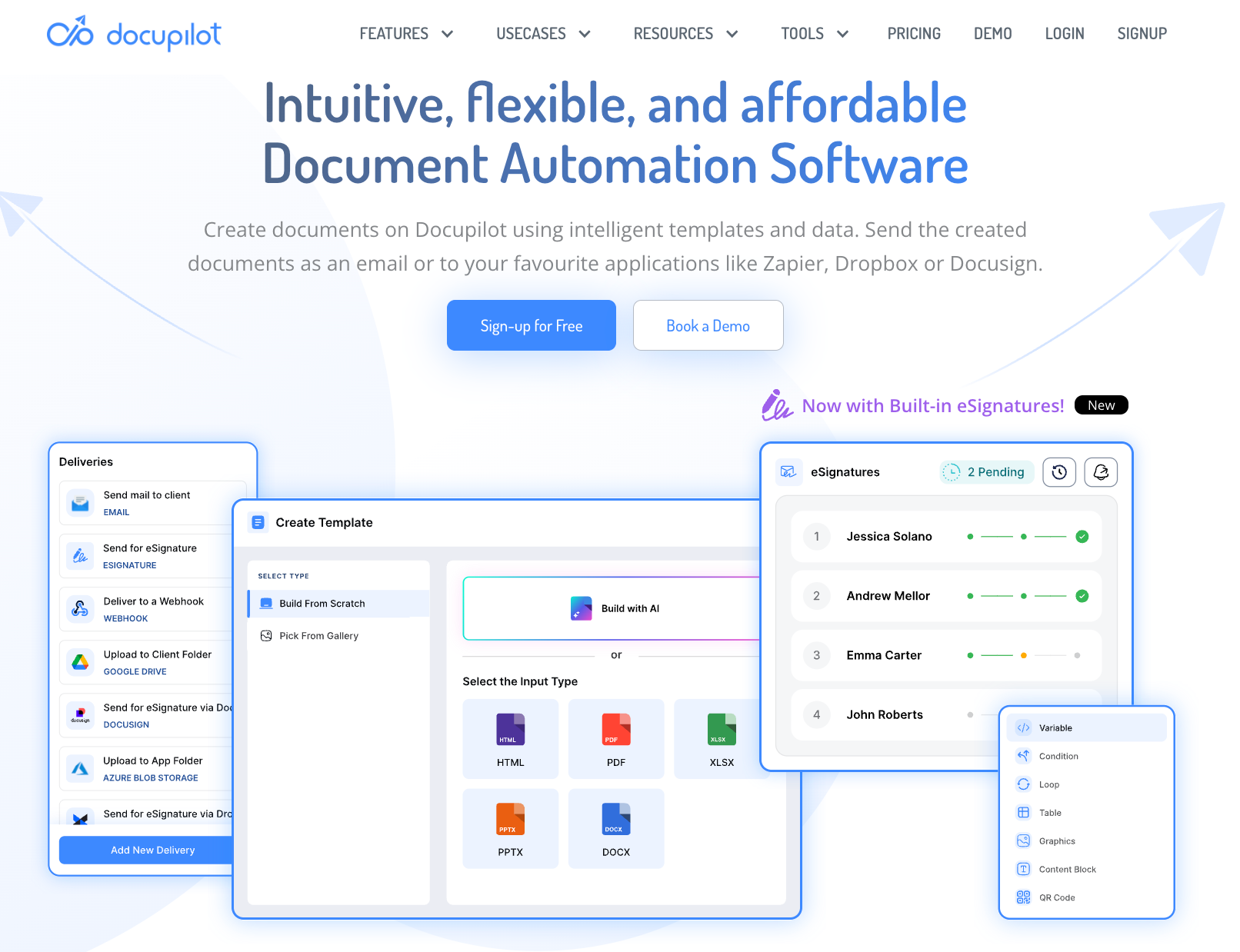
Docupilot is a document generation and automation platform that connects your existing data sources to your templates and automatically produces finished, formatted documents. You build a template in Word, Excel, HTML, or PDF. You connect a data source such as Google Sheets, Salesforce, HubSpot, Shopify, WooCommerce, Airtable, or a custom API. You set a trigger, and Docupilot generates the document and delivers it by email, to Google Drive or Dropbox, or straight into an e-signature flow. The manual data-entry step disappears from the workflow entirely.
While many tools on this list either store, sign, or route documents, Docupilot is the one that creates them. That is the difference that matters when your bottleneck is producing hundreds of accurate, on-brand documents rather than getting one signed. Conditional logic handles variation across client types inside a single template: different tax rates by location, different payment terms by tier, different line-item structures by service type. One template replaces the folder of near-duplicate variants most teams maintain by hand.
Docupilot's pricing
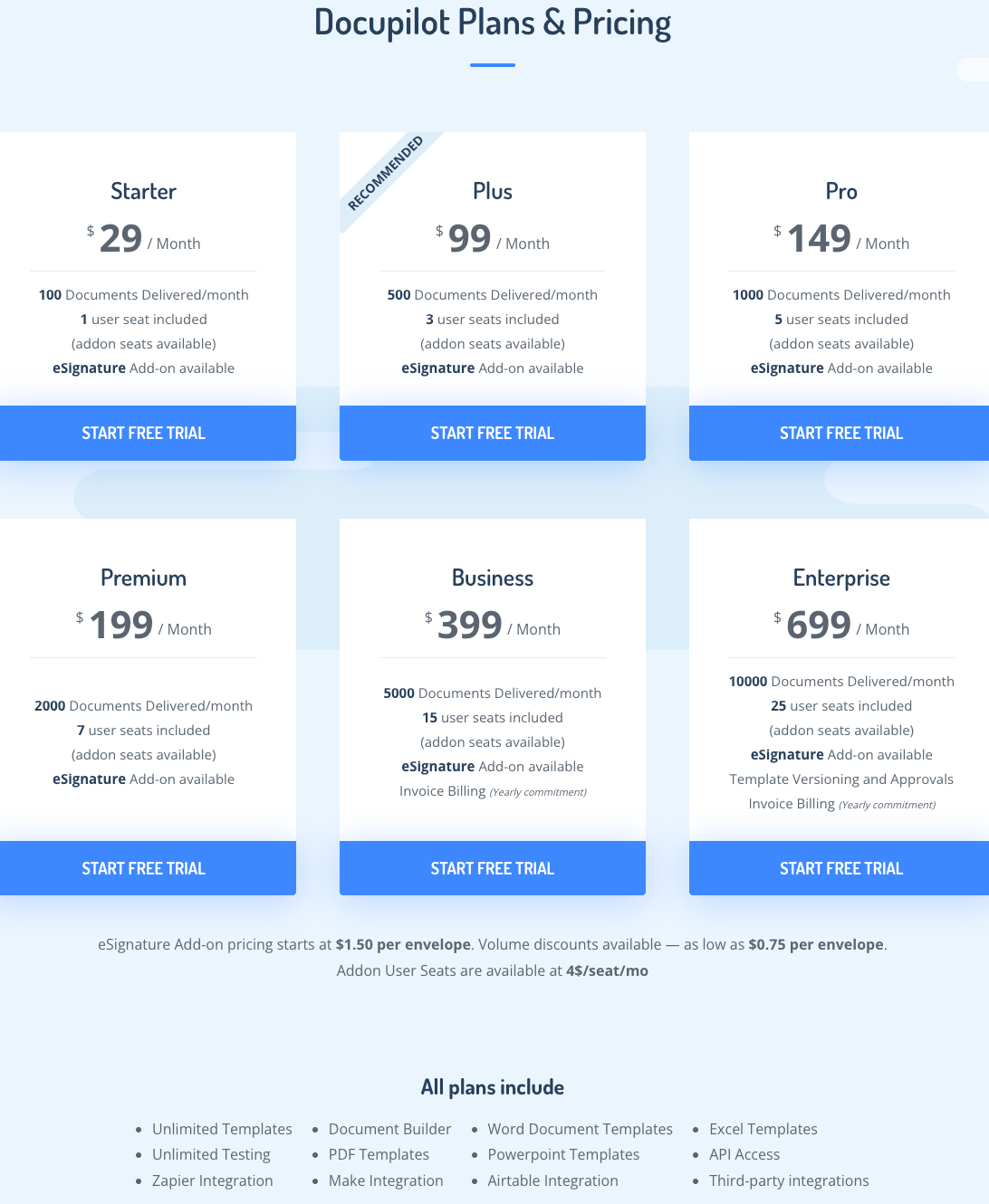
Docupilot prices by document volume, which is why it stays affordable where per-seat and enterprise tools do not:
- Starter: $29/month (100 documents, 1 user seat)
- Plus: $99/month (500 documents, 3 seats)
- Pro: $149/month (1,000 documents, 5 seats)
- Premium: $199/month (2,000 documents, 7 seats)
- Business: $399/month (5,000 documents, 15 seats)
- Enterprise: $699/month (10,000 documents, 25 seats)
All plans include unlimited templates, unlimited testing, API access, and integrations with Zapier, Make, and Airtable. E-signature is available as an add-on starting at $1.50 per envelope. A 14-day free trial is available with no credit card required.
Key features of Docupilot
- Bulk document generation: Upload a CSV or connect a database trigger to generate hundreds of documents in a single batch, each populated individually from your data with no manual intervention.
- Conditional logic and dynamic tables: Apply different tax rates, payment terms, and line-item structures inside one template, so variation across client types is handled automatically.
- Multi-format template support: Build or upload templates in Word, Excel, PowerPoint, or PDF, with HTML supported too, and add dynamic fields, conditional statements, and calculations to your existing design.
- AI-powered template builder: Describe the document format in plain language and the AI-powered builder generates the structure, fields, and logic, removing much of the first-time setup effort.
- Built-in e-signature: Send generated documents for signature without leaving the platform (add-on at $1.50 per envelope), with multi-party signing supported.
- 70+ integrations: Connects with Salesforce, Shopify, WooCommerce, Airtable, Google Drive, BambooHR, Zapier, Make, Stripe, and DocuSign, among others, so generation triggers automatically on events from any connected platform.
- Event-triggered delivery: Set a trigger and the finished document is generated and delivered automatically by email, Google Drive, Dropbox, or an e-signature provider.
- Enterprise-grade compliance: SOC 2 Type II, GDPR, and HIPAA compliant, with encryption in transit and at rest and role-based access controls and audit logs on higher tiers.
What users like in Docupilot
- Responsive engineering team: Easy to reach and quick to address queries
- Accurate document generation: Formats specific information into correctly presented Word documents and gathers all necessary data, with the end product client-ready and no additional manual work needed
- Cost-effective vs alternatives: Considerably more affordable than HotDocs, a document automation tool the reviewer used previously

- Billwerk+, a subscription management platform, used Docupilot to eliminate manual document assembly from their sales workflow. Templates now auto-populate from CRM data and flow into DocuSign for signature automatically without any manual intervention. (Docupilot case study, 2025)
Key Results
- ~15 Minutes Saved per Application: Manual steps eliminated, cutting processing time by around 15 minutes each.
- Fully Streamlined Process: From data entry to e-signature, the workflow now runs automatically.
- Improved Accuracy: Automated data binding removed the errors inherent in manual entry.
- More Focus on Strategic Work: The team can now dedicate time to product innovation instead of admin tasks.
Source: https://www.docupilot.com/case-study/billwerk
Docupilot’s limitations
- Initial learning curve: Setting up the first few documents takes some time, though most users find their footing quickly and the initial friction reduces once the workflow clicks

2. PandaDoc
Best for: Sales teams that produce proposals and contracts and want e-signature built into the same document flow.
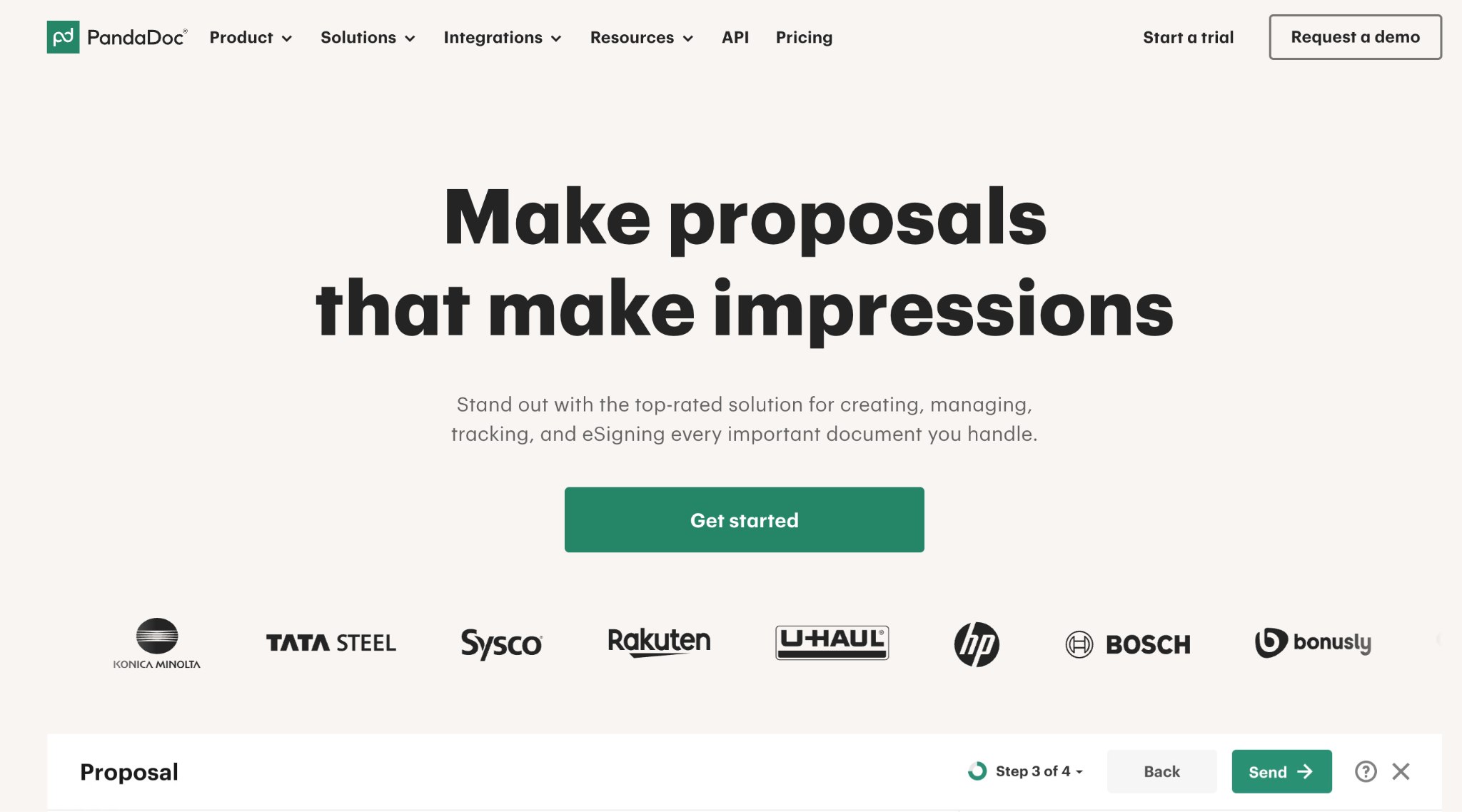
PandaDoc is built around the proposal-to-close motion. A deal moves forward in Salesforce or HubSpot; a document is generated from the deal data; the client signs it; and payment can be collected through the same interface. For sales-led teams whose documents are mostly outbound proposals and contracts, that end-to-end flow is the draw. It is less suited to high-volume back-office generation from external data, where a per-document model fits better than PandaDoc's per-seat pricing.
PandaDoc's pricing

- Starter: from $19 per user per month (annual billing)
- Business: around $49 per user per month, adding CRM integrations and content locking
- Enterprise: custom pricing. Per-user pricing works well for sales teams but adds up quickly for teams that mainly run high-volume batch generation.
Key features of PandaDoc
- Proposal, contract, and document workflow in one place
- Built-in e-signature with no third-party tool required
- CRM integrations with Salesforce, HubSpot, Pipedrive, and Zoho
- Payment collection via Stripe, PayPal, and Square
- Document analytics: view tracking, time-to-open, and time-to-sign
What users like in PandaDoc
- Intuitive interface: Document creation, signature collection, and payment processing all run on a single platform
- Drag-and-drop editor: Let’s teams build professional proposals and invoices quickly, without design experience or technical setup

PandaDoc’s limitations
- Post-send editing: Once a document is sent, making changes requires recreating it from scratch
- CRM integrations gated: Available only on the Business plan, which catches subscribers off guard later than expected

3. Formstack Documents
Best for: Teams that need to merge form or CRM data into finished documents, especially Salesforce users.
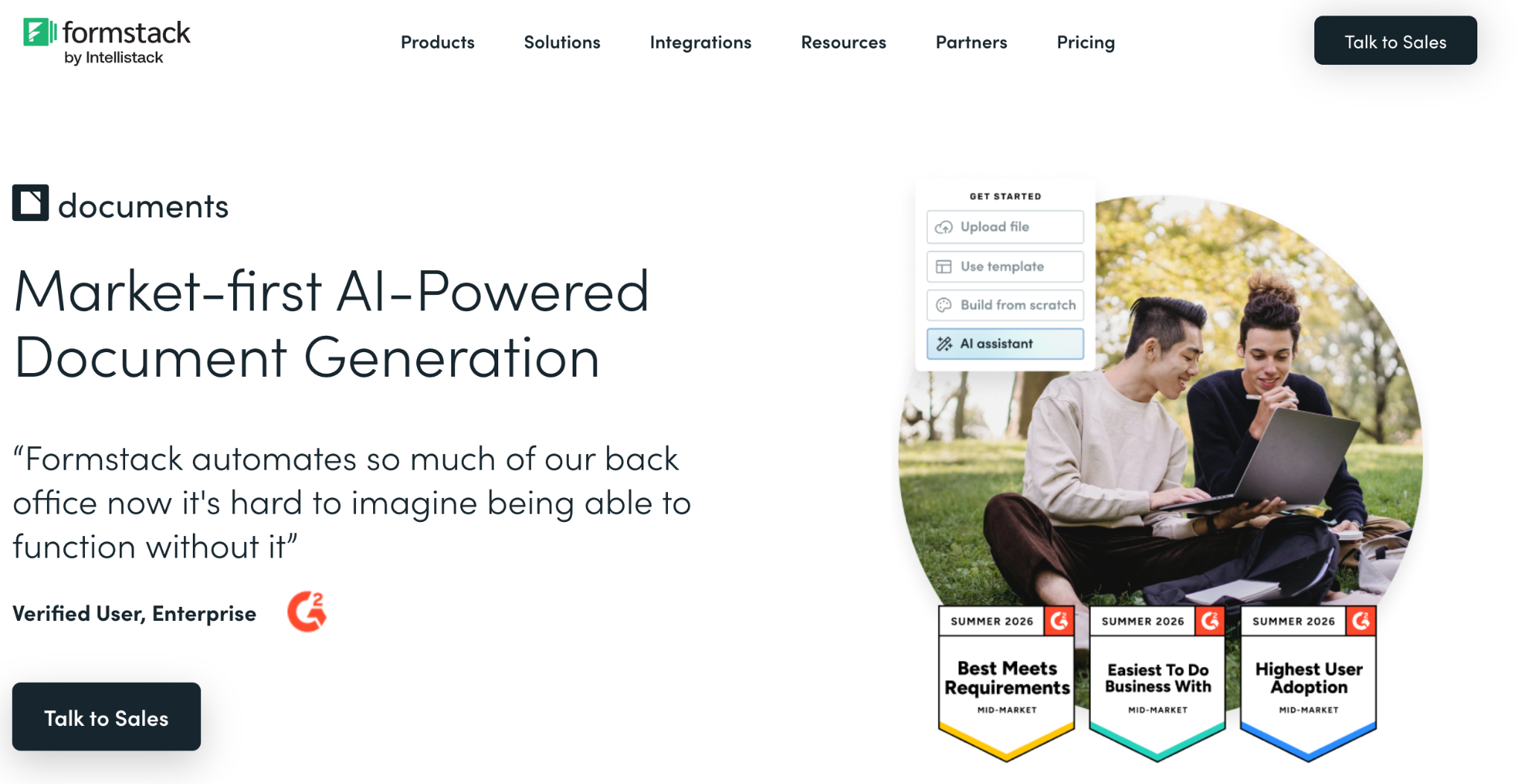
Formstack Documents (formerly WebMerge) is a close functional competitor to Docupilot: you build or upload a template, merge data into it from a connected source, and deliver the output by email, cloud storage, webhook, or e-signature. It is especially popular with Salesforce teams and in regulated industries like legal, insurance, and financial services, and it integrates with more than 150 products.
Formstack Documents' pricing
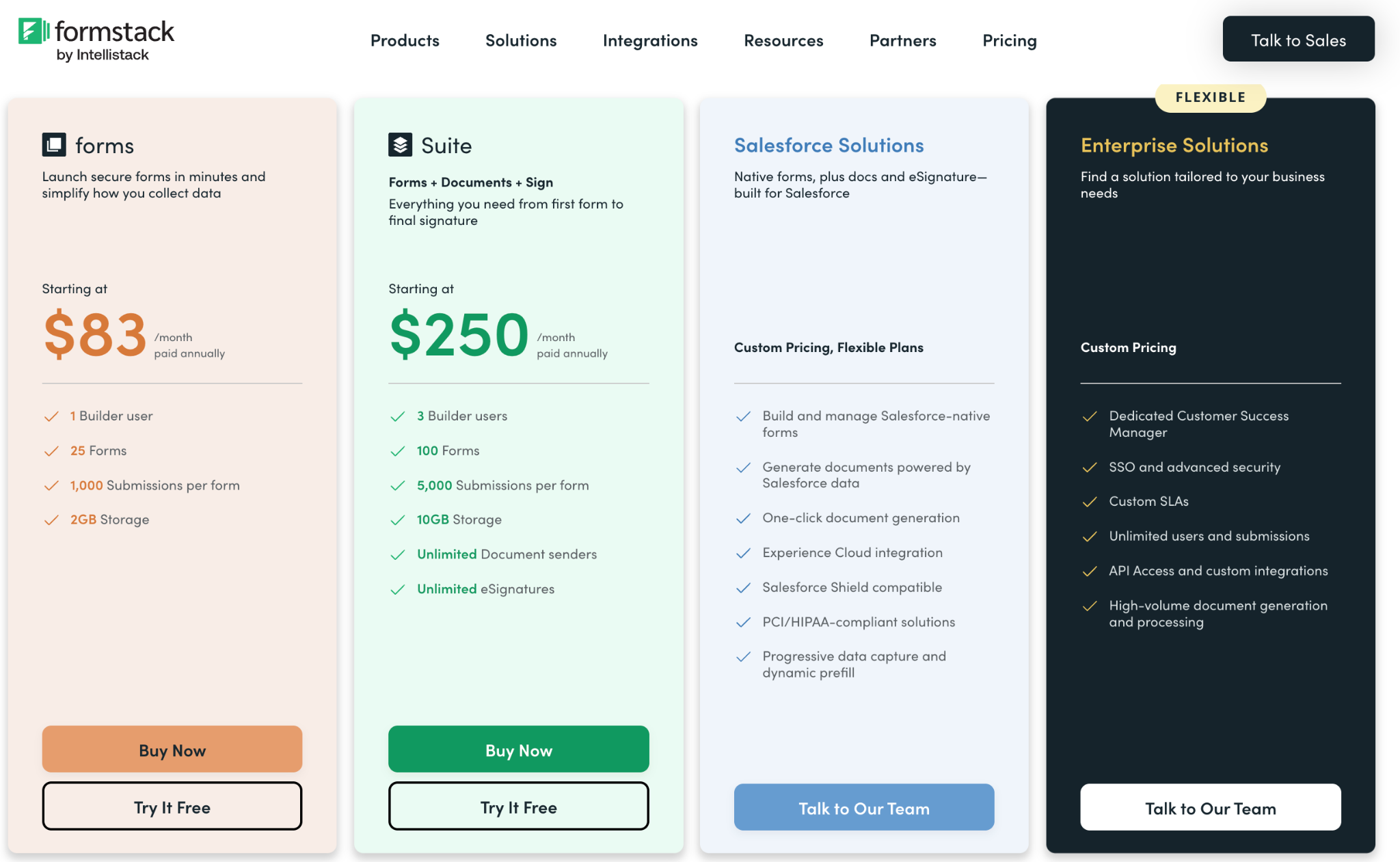
- Starter: $83/month (150 document merges, 2 users, 10 templates)
- Teams: $250/month
- Enterprise: custom (adds HIPAA-compliant options) A free trial is available.
Key features of Formstack Documents
- Upload your own PDF, Word, Excel, or PowerPoint template, or build from scratch
- Data merge from Salesforce, form builders, databases, and Zapier
- Conditional logic and dynamic content
- Flexible delivery: email, Google Drive, webhooks, and e-signature partners
- 150+ integrations
What users like in Formstack Documents
- Deep customization and conditional logic that many competitors lack
- Strong Salesforce integration for pulling in a wide range of data fields
- Responsive, knowledgeable support team
Formstack’s Limitations
- Pricing is widely described as high for the merge volume you get, with a hard jump between tiers
- A real learning curve when building and testing more advanced templates, and no native mobile app
4. Conga Composer
Best for: Salesforce-heavy enterprises that generate documents directly from CRM data and want it embedded in the wider revenue process.
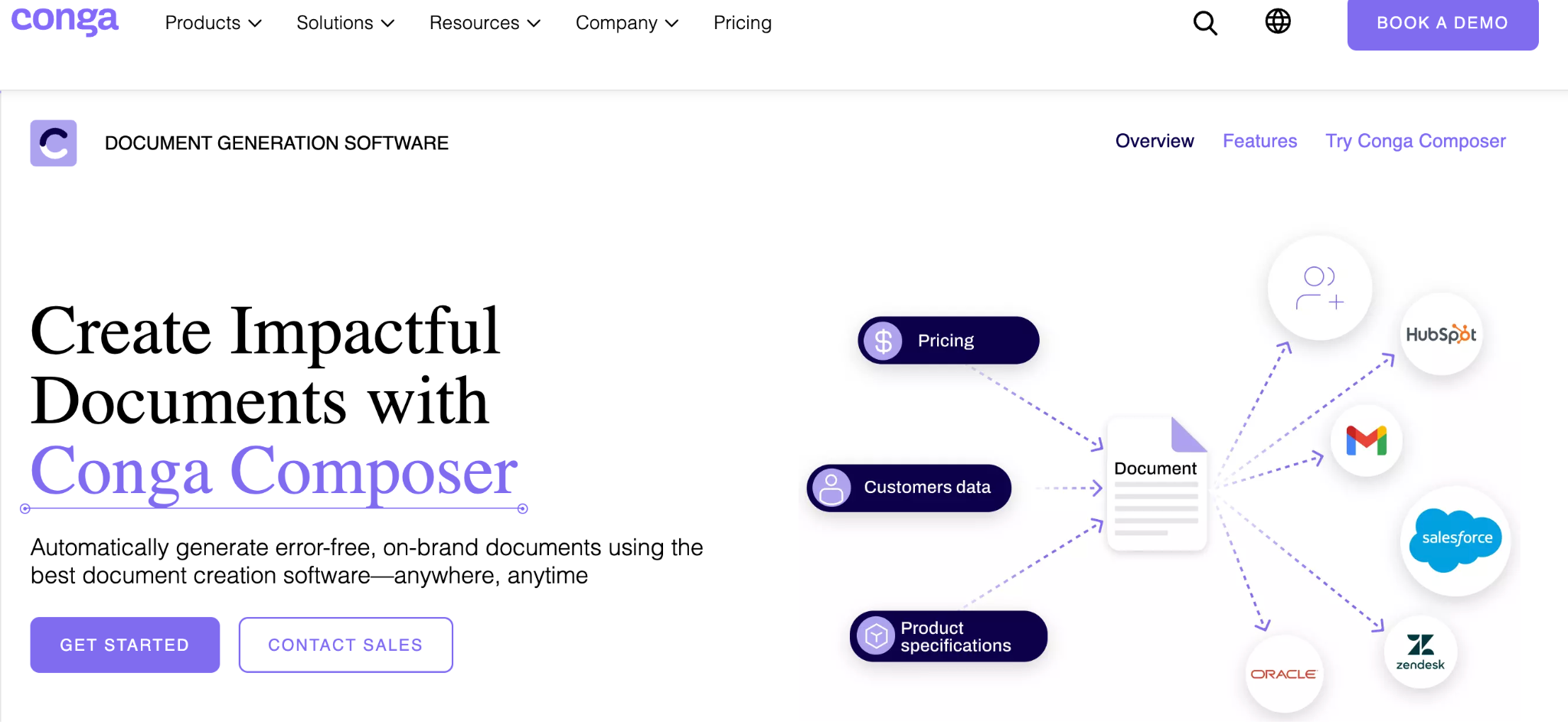
Conga Composer is a mature, Salesforce-native document generation tool. It merges data from your CRM (and other sources via API) into Word, PDF, Excel, PowerPoint, or HTML output, supports batch generation and scheduled sends, and pairs with Conga Sign for signature. Its real strength is fitting into the broader Conga revenue stack (CLM, CPQ) for enterprises that already live in Salesforce. That power comes with complexity and cost.
Conga Composer's pricing
Conga does not publish list pricing for Composer. It is sold through a sales process and frequently bundled with Conga Sign, CLM, or CPQ. Third-party buyer data puts most Conga deals well into four, five, or six figures a year, depending on modules and users, and Composer can carry per-transaction overage costs at high volume. Treat it as an enterprise, quote-based purchase.
Key features of Conga Composer
- Salesforce-native document generation with multi-format output
- Conditional logic, dynamic tables, charts, and global currency support
- Batch and high-volume generation with scheduled and triggered sends
- REST APIs to embed generation into other systems
- Integrates with Conga Sign, DocuSign, and Adobe Sign for signature
What users like in Conga Composer
- Reliable, deeply native Salesforce integration that pulls CRM data cleanly into documents
- Strong template and dynamic-content capabilities for complex documents
- Real-time savings once templates are built, at enterprise scale
Conga’s Limitations
- Steep learning curve and complex setup, often needing admin or technical help
- Pricing opacity and cost, plus occasional performance and support complaints during renewals and migrations
5. airSlate WorkFlow
Best for: Teams that want to automate the whole document process end to end, forms, generation, signing, and routing, with no code.
airSlate WorkFlow is a no-code business process automation platform that combines document generation, e-signature, PDF editing, web forms, and workflow bots in one place. You build a flow with a drag-and-drop editor, pre-fill documents from a CRM or spreadsheet, route them for signature or approval, and sync completed data back to your systems, all without developers. It sits between a pure generation tool and a heavier BPM platform.
airSlate WorkFlow's pricing
- Free plan available
- It is custom priced.
Key features of airSlate WorkFlow
- No-code drag-and-drop workflow builder with 100+ automation bots
- Document generation, e-signature, PDF editing, and web forms in one platform
- Conditional logic and data routing across steps
- CRM and database triggers, with data synced back on completion
- SOC 2 Type II, HIPAA, GDPR, and PCI DSS compliance options
What users like in airSlate WorkFlow
- Genuinely no-code automation that non-technical HR, sales, and ops teams can build with
- Cost-effective versus paying per signed document, with strong bundling of features
- Fast, responsive live support during setup
airSlate’s Limitations
- Complex flows can take real time to configure, with an initial learning curve
- Occasional bot failures that can interrupt a workflow and are not always easy to diagnose
6. DocuSign
Best for: Signature-first agreement workflows where recipient trust and compliance breadth matter more than document generation.
DocuSign is the most recognized name in e-signature, and that recognition is part of the product: recipients know the envelope and sign without hesitation. Beyond signing, DocuSign has expanded into Intelligent Agreement Management with CLM, AI contract analysis, and 1,000+ integrations. It is strongest as the signing and agreement layer of a workflow; document generation is limited compared with the generation-first tools on this list.
DocuSign's pricing
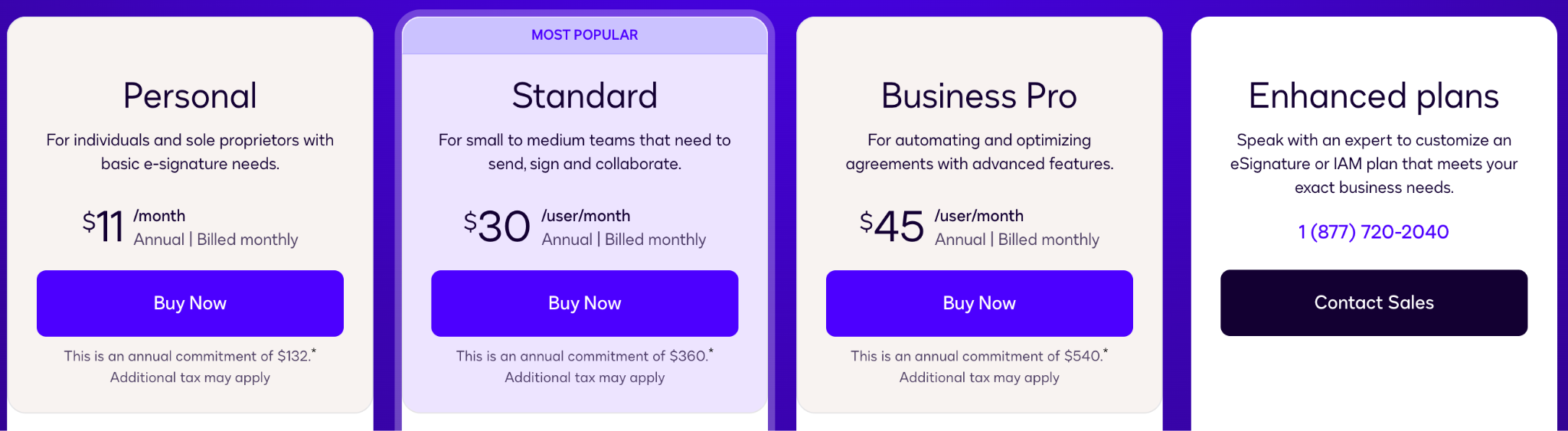
- Personal: $11/user/month (annual billing), 5 envelopes per month, single user
- Standard: $30/user/month (annual), up to 100 envelopes per user per year
- Business Pro: $45/user/month (annual), adds bulk send, payment collection, and advanced fields
- Enterprise / IAM: custom Envelope caps and per-envelope overage fees make DocuSign expensive for high-volume, generation-heavy use.
Key features of DocuSign
- Market-leading e-signature with the broadest recipient recognition
- Reusable templates, automated reminders, and real-time status tracking
- Deep compliance ceiling (ESIGN, eIDAS QES, HIPAA, 21 CFR Part 11, FedRAMP)
- 1,000+ integrations including Salesforce, Workday, SAP, and Microsoft 365
- CLM and AI contract analytics in higher tiers
What users like in DocuSign
- Effortless, universally trusted signing that recipients complete without friction
- Quick to implement for everyday signing, with a clean mobile experience
- Reliable audit trails and broad integration coverage
DocuSign’s Limitations
- Premium pricing and envelope limits that frustrate high-volume teams
- Advanced features and authentication sit behind higher tiers and paid add-ons, and support can be slow
7. Nintex
Best for: Enterprises automating end-to-end business processes across departments, with document generation as one part of a bigger platform.
Nintex is an enterprise process automation and orchestration platform. Document generation is one capability alongside process mapping, forms, workflow automation, RPA, and analytics, with deep ties to Microsoft 365 and SharePoint. If your problem is bigger than documents, standardizing and automating multi-step processes across HR, finance, and operations, Nintex is built for that scope. For document generation alone, it is heavier and pricier than a dedicated tool.
Nintex's pricing
Nintex does not publish list pricing. It is quote-based, with entry-level estimates from third-party sources starting around $25,000/year and scaling with usage.
Licensing mixes per-user and per-workflow/instance models, and reviewers consistently flag it as complex and easy to overspend on.
Key features of Nintex
- Drag-and-drop workflow and process automation
- Document generation for Word, Excel, PowerPoint, and PDF
- Process mapping (Process Manager) and dynamic forms
- RPA and AI-assisted process capabilities
- Deep Microsoft 365, SharePoint, and Salesforce integration
What users like in Nintex
- Powerful no-code automation for complex, multi-step business processes
- Strong approval workflows and document automation inside the Microsoft ecosystem
- Good process visibility and standardization across teams
Nintex’s Limitations
- Pricing complexity, overage charges, and high total cost, especially for smaller teams
- Advanced workflows can be hard to manage and troubleshoot, and performance can dip at scale
8. HotDocs
Best for: Legal, financial, insurance, and government teams generating complex, rules-heavy documents at high volume.
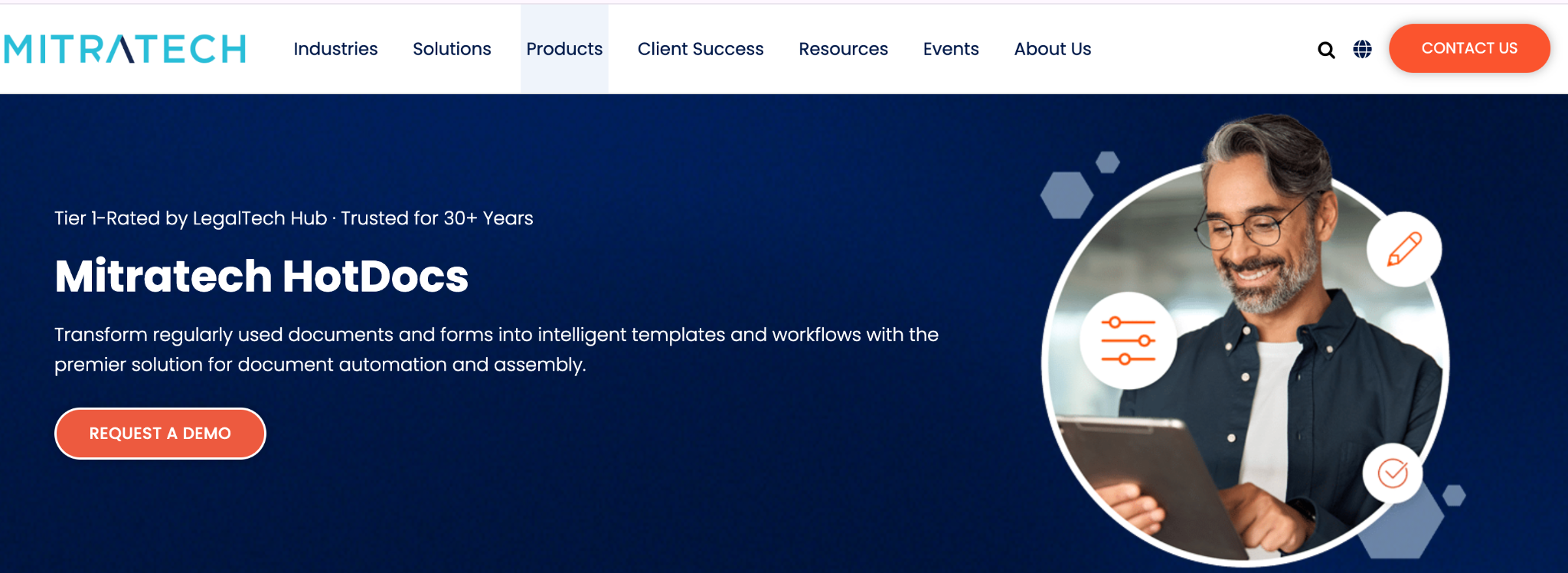
HotDocs (now Mitratech HotDocs) is a long-established document automation tool built for complex, regulated documents. Subject-matter experts turn frequently used documents into intelligent templates with conditional logic, and end users complete a guided interview to generate an accurate, compliant document, reusing the same answers across multiple documents. It is deeply capable for legal and compliance work, and correspondingly technical to set up.
HotDocs' pricing
HotDocs does not publish current list pricing; it is sold through a demo and quote process.
Key features of HotDocs
- Rules-based intelligent templates with conditional logic
- Guided interviews and dynamic questionnaires for structured data capture
- High-volume, complex document assembly
- Reusable answer data across multiple documents
- Microsoft Word authoring and integration with the wider Mitratech platform
What users like in HotDocs
- Extremely powerful and customizable for intricate, high-stakes documents
- Big time savings and error reduction once templates are built
- Reliable, stable output with excellent Microsoft Word integration
HotDocs’s Limitations
- Steep learning curve; building templates is a real upfront investment, sometimes needing technical help
- Pricing is a common frustration, and the native interview interface feels dated to some users
9. Zoho (Writer + Sign)
Best for: Small and mid-size teams already inside the Zoho ecosystem that want low-cost document workflows without adding a separate vendor.
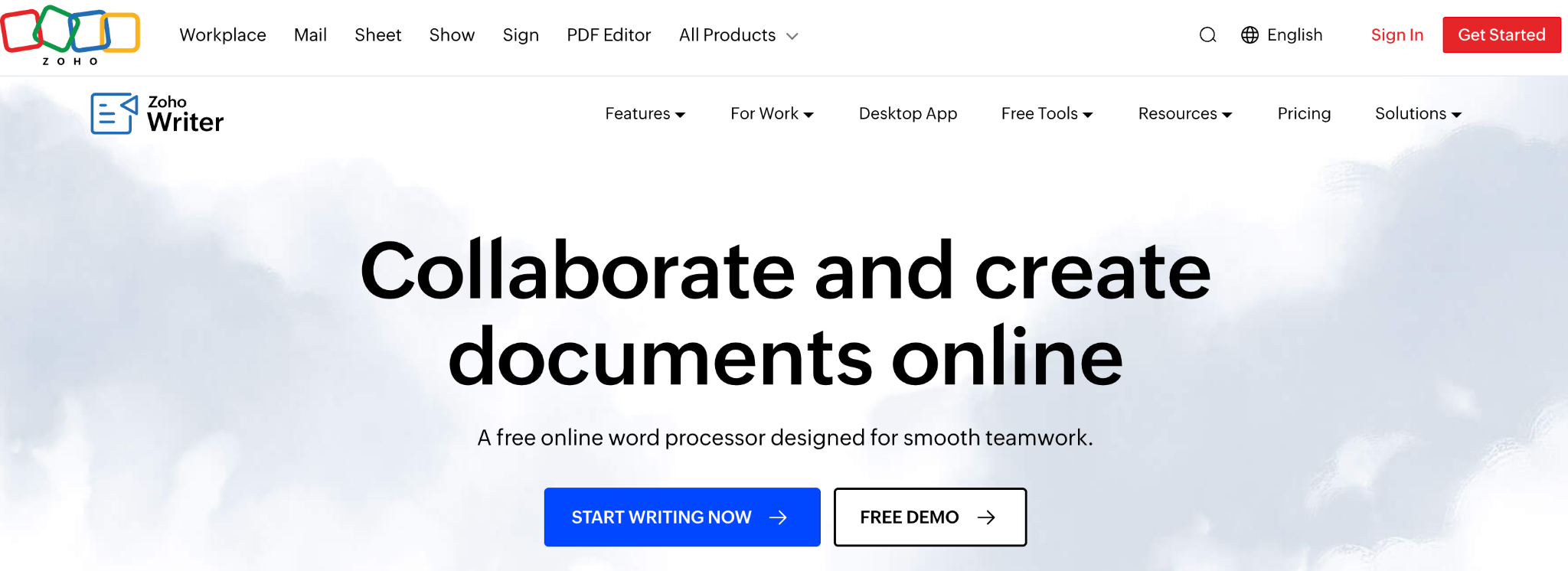
For teams already running on Zoho, document workflows can be handled without a new subscription. Zoho Writer creates documents and automates them with mail merge, fillable forms, and multi-stage approval workflows; Zoho Sign handles e-signature natively. Because both sit inside the broader Zoho suite (CRM, Books, Invoice, People), data flows across the revenue cycle without manual handoffs. It is the budget and ecosystem play rather than a specialist generation engine.
Zoho's pricing
- Zoho offers custom pricing.
Key features of Zoho (Writer + Sign)
- Document creation and automation in Zoho Writer (mail merge, fillable forms, approval workflows)
- Native e-signature via Zoho Sign with authentication and audit trails
- Deep integration across Zoho CRM, Books, Invoice, and People
- Multi-language support and templates
- Third-party connections, including Microsoft 365, Google Workspace, and Zapier
What users like in Zoho
- Affordable and easy to use, especially alongside the rest of the Zoho suite
- Smooth signing workflows, reusable templates, and reminders
- Secure and compliant while staying budget-friendly
Zoho’s Limitations
- Template and document editing can feel cumbersome and limited in flexibility
- The mobile experience and deeper customization lag behind specialist tools
For teams comparing lightweight Airtable tools like Documint, our Documint alternative guide breaks down the fuller-featured options.
Why Docupilot for data-driven document generation
A document management system stores your documents. An e-signature tool signs them. An enterprise process platform routes them. Docupilot is the piece that generates them, pulling live data from your CRM, database, spreadsheet, or forms and automatically turning it into finished, formatted, delivered documents.
It connects to the systems you already use: Salesforce, HubSpot, Shopify, Airtable, Google Sheets, and 70+ others. It handles conditional logic, bulk runs from a CSV, and multi-format templates you upload yourself. It generates and delivers the finished document the moment a trigger fires. And it starts at $29/month, with a 14-day free trial and no credit card required, which is a different cost universe from the quote-based enterprise tools on this list.
Start your 14-day free trial and see how Docupilot automatically turns your data into finished, delivered documents.
FAQs
What is the difference between a document management system and a document workflow solution?
A document management system (DMS) primarily stores, organizes, versions, and controls access to existing documents. A document workflow solution covers the movement and creation across the lifecycle: generating documents from data, routing them for approval, signing, delivery, and sometimes storage. Many teams use a generation-and-automation tool like Docupilot alongside a DMS rather than instead of one.
Do I need technical knowledge to set up document workflow automation?
It depends on the tool. E-signature and sales-doc tools like DocuSign, Zoho Sign, and PandaDoc are built for non-technical users. Enterprise platforms like Nintex, Conga Composer, and HotDocs usually need admin or developer help. Generation tools like Docupilot and Formstack Documents require some initial template configuration but offer no-code integrations via Zapier and Make, so teams without developers can still automate workflows.
Can I keep my existing document templates when I switch tools?
In most cases, yes. Generation tools such as Docupilot and Formstack Documents let you upload existing Word, Excel, or PDF templates directly, so you keep your current design and branding. If your data already sits in a CRM or spreadsheet, most generation tools connect to it directly rather than requiring a manual import.
Which document workflow tools handle high volume most affordably?
Per-document pricing scales more predictably for high volume than per-seat or per-envelope pricing. Docupilot's volume-based plans (from $29/month) and airSlate's credit-based model are designed for bulk generation, whereas per-user tools like PandaDoc and per-envelope tools like DocuSign get expensive fast at scale.
Can document workflow solutions handle multiple languages and multiple business entities?
Several can. Zoho supports many languages natively, and document generation tools like Docupilot handle multi-language and multi-entity output because the template itself carries the language and branding. You can build separate templates for each market or entity and trigger the appropriate one based on data in your CRM.
Learn how to automate document creation with Docupilot


Contents
Stop rebuilding the same document by hand.

Generate and sign documents in one workflow
Save ~15 minutes per application